Recent Posts

2008 Honda Accord Tapping Noise Fix: Identify and Eliminate the Problem for Good


The 2008 Honda Accord is known for its reliability, but some owners have reported a tapping noise coming from the engine. This guide will help you identify the cause of the tapping noise and provide solutions to fix it permanently. By following these steps, you can restore your Accord’s smooth and quiet operation.

Common Causes of Tapping Noise in 2008 Honda Accord

The most common causes of tapping noise in a 2008 Honda Accord are:

  1. VTC (Variable Timing Control) actuator failure
  2. Timing chain tensioner issues
  3. Low oil level or poor oil quality
  4. Valve train problems
  5. Exhaust manifold leak

These issues can range from minor annoyances to potentially serious engine problems. It’s important to diagnose and address the tapping noise promptly to prevent further damage to your vehicle.

How to Diagnose the Source of the Tapping Noise

To diagnose the source of the tapping noise in your 2008 Honda Accord:

  1. Listen carefully to determine the location of the noise
  2. Check if the noise occurs only during cold starts or persists
  3. Observe if the noise changes with engine speed
  4. Use a mechanic’s stethoscope to pinpoint the exact source
  5. Check the engine oil level and quality

Pay attention to when the noise occurs and how it changes with different driving conditions. This information will help you or a mechanic identify the root cause more accurately.

VTC Actuator Failure: Symptoms and Solutions

VTC actuator failure is a common cause of tapping noise in 2008 Honda Accords. Symptoms include:

  1. Loud rattling noise during cold starts
  2. Noise disappears after a few seconds of running
  3. More noticeable in colder weather

To fix a faulty VTC actuator:

  1. Replace the entire VTC actuator assembly
  2. Use genuine Honda parts or high-quality aftermarket alternatives
  3. Consider replacing the timing chain and tensioner simultaneously
  4. Flush and replace the engine oil

While replacing the VTC actuator can be costly, it’s essential to prevent further engine damage and restore quiet operation.

Timing Chain Tensioner Issues: Diagnosis and Repair

Timing chain tensioner problems can cause a persistent tapping noise. Signs include:

  1. Continuous ticking sound, especially at idle
  2. Noise increases with engine speed
  3. Check Engine Light may illuminate

To address timing chain tensioner issues:

  1. Inspect the timing chain tensioner for wear or damage
  2. Replace the tensioner if necessary
  3. Check the timing chain for stretching or wear
  4. Consider replacing the entire timing chain system if heavily worn

Proper maintenance of the timing chain system is crucial for the longevity of your Accord’s engine.

Low Oil Level or Poor Oil Quality: Prevention and Maintenance

Low oil level or poor oil quality can cause tapping noises due to inadequate lubrication. To prevent this:

  1. Check oil levels regularly, at least once a month
  2. Use the recommended oil grade (typically 5W-20 for 2008 Accords)
  3. Change oil and filter according to the maintenance schedule
  4. Address any oil leaks promptly

Maintaining proper oil levels and quality is one of the simplest ways to prevent engine noises and extend your Accord’s lifespan.

Valve Train Problems: Identification and Solutions

Valve train issues can cause tapping noises in your 2008 Honda Accord. Symptoms include:

  1. Rhythmic ticking noise that increases with engine speed
  2. Noise more pronounced on the top of the engine
  3. Possible loss of engine performance

To address valve train problems:

  1. Inspect valve clearances and adjust if necessary
  2. Check for worn or damaged valve lifters
  3. Examine rocker arms and camshafts for wear
  4. Consider a valve job if issues persist

Regular valve adjustments can prevent many valve train-related noises and maintain optimal engine performance.

Exhaust Manifold Leak: Detection and Repair

An exhaust manifold leak can cause a ticking or tapping noise, especially when the engine is cold. Signs include:

  1. Ticking noise from the engine bay
  2. Noise more noticeable during acceleration
  3. Possible smell of exhaust fumes

To fix an exhaust manifold leak:

  1. Inspect the exhaust manifold for cracks or damaged gaskets
  2. Replace damaged gaskets or the entire manifold if cracked
  3. Check and tighten all exhaust system bolts
  4. Consider using high-temperature exhaust sealant for minor leaks

Addressing exhaust leaks promptly can prevent performance issues and ensure your Accord passes emissions tests.

DIY vs. Professional Repair: When to Seek Expert Help

While some tapping noise issues can be addressed by DIY enthusiasts, others require professional attention. Consider DIY for:

  1. Oil level checks and changes
  2. Basic inspections of easily accessible components
  3. Minor adjustments and bolt tightening

Seek professional help for:

  1. VTC actuator replacement
  2. Timing chain system repairs
  3. Valve train adjustments and repairs
  4. Exhaust manifold replacement

When in doubt, consult a certified Honda mechanic to ensure proper diagnosis and repair of your Accord’s tapping noise.

Preventive Maintenance Tips to Avoid Future Tapping Noises

To prevent future tapping noises in your 2008 Honda Accord:

  1. Follow the manufacturer’s recommended maintenance schedule
  2. Use high-quality oil and filters
  3. Address minor issues promptly before they escalate
  4. Keep the engine clean to spot leaks or damage early
  5. Consider using engine treatments to reduce wear and deposits

Regular maintenance is key to keeping your Accord running smoothly and quietly for years to come.

Cost Estimates for Common Tapping Noise Repairs

Repair costs can vary widely depending on the cause of the tapping noise and your location. Here are some rough estimates:

  1. VTC actuator replacement: $500 – $1000
  2. Timing chain tensioner replacement: $400 – $800
  3. Oil change and filter: $50 – $100
  4. Valve adjustment: $200 – $400
  5. Exhaust manifold replacement: $500 – $1000

Always get multiple quotes and consider both dealership and independent shop options for the best value.

Long-term Effects of Ignoring Tapping Noises

Ignoring tapping noises in your 2008 Honda Accord can lead to:

  1. Increased engine wear and reduced lifespan
  2. Decreased fuel efficiency
  3. Poor engine performance
  4. Potential for catastrophic engine failure
  5. Higher repair costs in the long run

Addressing tapping noises promptly can save you money and extend the life of your vehicle.

Frequently Asked Questions About 2008 Honda Accord Tapping Noises

Q: Is it safe to drive with a tapping noise?
A: While short trips may be okay, it’s best to address the issue promptly to prevent further damage.

Q: Can tapping noises go away on their own?
A: Occasionally, but it’s usually a sign of an underlying issue that needs attention.

Q: How often should I change the oil to prevent tapping noises?
A: Follow Honda’s recommended schedule, typically every 5,000 to 7,500 miles for the 2008 Accord.

Q: Are aftermarket parts okay for fixing tapping noises?
A: High-quality aftermarket parts can be suitable, but OEM parts are often recommended for critical components.

Q: Can cold weather cause temporary tapping noises?
A: Yes, especially with VTC actuator issues, but persistent noises should be investigated.


2020 Hyundai Venue Problems, Symptoms, Causes and How to Fix


The 2020 Hyundai Venue experienced several problems, including transmission issues, engine performance concerns, electrical system malfunctions, and safety feature glitches. As a new model introduction, the Venue faced some typical first-year challenges that affected its reliability and performance.

This technical guide will explore the most common problems reported by 2020 Hyundai Venue owners, provide potential causes and solutions, and offer maintenance tips to help prevent or mitigate these issues. Whether you’re a current Venue owner or considering purchasing one, this information will help you understand the vehicle’s potential weak points and how to address them.

Transmission Problems

The most significant issue reported for the 2020 Hyundai Venue was transmission problems. Many owners experienced transmission failure, jerking, hesitation, and slipping.

The Venue uses a continuously variable transmission (CVT) in most models, which is designed to provide smooth acceleration and improved fuel efficiency. However, some units experienced premature wear or manufacturing defects that led to performance issues or complete failure.

Common transmission problems included:

  • Sudden loss of power while driving
  • Jerking or shuddering during acceleration
  • Difficulty shifting between gears
  • Transmission fluid leaks
  • Check Engine light illumination with transmission-related error codes

If you’re experiencing transmission issues, it’s crucial to have your Venue inspected by a certified Hyundai technician. In many cases, transmission problems were covered under warranty, resulting in repairs or complete transmission replacement.

To help prevent transmission problems:

  • Follow the recommended maintenance schedule for transmission fluid changes
  • Avoid aggressive driving, especially rapid acceleration and deceleration
  • Allow the engine to warm up before driving, especially in cold weather
  • Use only Hyundai-approved transmission fluid

Engine Performance Issues

Some 2020 Hyundai Venue owners reported engine performance problems, including lack of power, stalling, and excessive vibration.

The Venue is equipped with a 1.6-liter four-cylinder engine that produces 121 horsepower. While not designed for high performance, the engine should provide adequate power for daily driving. However, some units experienced issues that affected drivability and reliability.

Common engine performance problems included:

  • Sudden loss of power while driving
  • Engine stalling, especially at low speeds or idle
  • Excessive vibration or rough idling
  • Poor fuel economy
  • Check Engine light illumination with engine-related error codes

If you’re experiencing engine performance issues, have your Venue inspected by a Hyundai technician. Potential causes could include:

  • Faulty fuel injectors
  • Clogged air filter
  • Malfunctioning mass airflow sensor
  • Vacuum leaks
  • Ignition system problems

To help maintain engine performance:

  • Follow the recommended maintenance schedule for oil changes and other services
  • Use high-quality fuel from reputable stations
  • Replace the air filter as recommended
  • Address any Check Engine light warnings promptly

Electrical System Malfunctions

The 2020 Hyundai Venue experienced various electrical system problems, affecting everything from the infotainment system to essential vehicle functions.

Modern vehicles rely heavily on complex electrical systems, and the Venue is no exception. Electrical issues can range from minor annoyances to serious safety concerns.

Common electrical system problems included:

  • Infotainment system freezing or rebooting
  • Battery drain or failure
  • Malfunctioning power windows or door locks
  • Intermittent electrical failures affecting various systems
  • Warning lights illuminating without apparent cause

If you’re experiencing electrical issues, it’s important to have your Venue diagnosed by a qualified technician. Some problems may be resolved with software updates, while others may require component replacement.

To help prevent electrical system problems:

  • Keep the battery terminals clean and tight
  • Avoid leaving electronics plugged in when the engine is off
  • Address any warning lights or unusual behavior promptly
  • Consider using a battery maintainer if the vehicle sits for extended periods

Safety Feature Glitches

Some 2020 Hyundai Venue owners reported issues with the vehicle’s advanced safety features, including adaptive cruise control, lane-keeping assist, and automatic emergency braking.

These safety systems rely on sensors and complex software to function correctly. Glitches or malfunctions can lead to false alarms or, more seriously, failure to engage when needed.

Common safety feature problems included:

  • False collision warnings
  • Adaptive cruise control disengaging unexpectedly
  • Lane-keeping assist failing to detect lane markings
  • Automatic emergency braking engaging unnecessarily
  • Blind-spot monitoring providing inaccurate warnings

If you’re experiencing issues with safety features, have your Venue inspected by a Hyundai technician. Many problems can be resolved with software updates or sensor calibration.

To help ensure proper function of safety features:

  • Keep sensors clean, especially in inclement weather
  • Be aware of the system’s limitations, such as poor visibility conditions
  • Report any unusual behavior to your Hyundai dealer promptly
  • Consider having safety systems checked during regular maintenance visits

Interior Quality Concerns

While not a mechanical issue, some 2020 Hyundai Venue owners reported concerns about interior quality and comfort.

As an entry-level SUV, the Venue was designed to be affordable, which sometimes resulted in compromises in materials and build quality. However, some owners felt that certain aspects of the interior fell short of expectations.

Common interior quality concerns included:

  • Hard plastic surfaces prone to scratching
  • Uncomfortable seats for long drives
  • Limited rear-seat legroom
  • Road noise intrusion at highway speeds
  • Squeaks and rattles developing over time

While these issues may not be “fixable” in the traditional sense, there are some steps you can take to improve interior comfort and quality:

  • Use seat cushions or lumbar support for improved comfort
  • Apply sound-deadening materials to reduce road noise
  • Regularly clean and condition interior surfaces to maintain appearance
  • Address any squeaks or rattles promptly to prevent worsening

Fuel System Problems

Some 2020 Hyundai Venue owners reported issues with the fuel system, affecting fuel economy and overall performance.

The fuel system is crucial for delivering the proper amount of fuel to the engine for efficient combustion. Problems in this system can lead to poor performance, reduced fuel economy, and potential engine damage if left unaddressed.

Common fuel system problems included:

  • Inaccurate fuel gauge readings
  • Poor fuel economy
  • Hesitation or stumbling during acceleration
  • Difficulty starting, especially in cold weather
  • Fuel odors or leaks

Potential causes could include:

  • Faulty fuel pump
  • Clogged fuel injectors
  • Malfunctioning fuel pressure regulator
  • Evaporative emissions system leaks
  • Contaminated fuel

To help prevent fuel system problems:

  • Use high-quality fuel from reputable stations
  • Follow the recommended maintenance schedule for fuel system services
  • Address any Check Engine light warnings promptly
  • Avoid running the fuel tank too low, which can strain the fuel pump

Suspension and Steering Concerns

Some 2020 Hyundai Venue owners reported issues with the suspension and steering systems, affecting ride quality and handling.

The Venue’s compact size and city-focused design mean that its suspension and steering systems are crucial for providing a comfortable ride and nimble handling. Problems in these areas can significantly impact the driving experience.

Common suspension and steering problems included:

  • Excessive body roll during cornering
  • Harsh ride quality over bumps and rough roads
  • Steering wheel vibration or shaking
  • Uneven tire wear
  • Alignment issues causing the vehicle to pull to one side

If you’re experiencing suspension or steering issues, have your Venue inspected by a Hyundai technician. Potential causes could include:

  • Worn shock absorbers or struts
  • Damaged or worn suspension bushings
  • Misaligned wheels
  • Worn steering components
  • Unbalanced tires

To help maintain proper suspension and steering performance:

  • Follow the recommended maintenance schedule for alignments and tire rotations
  • Address any unusual noises or vibrations promptly
  • Avoid potholes and rough roads when possible
  • Check tire pressure regularly and maintain proper inflation

Climate Control System Issues

Some 2020 Hyundai Venue owners reported problems with the climate control system, affecting comfort and visibility.

A properly functioning climate control system is essential for maintaining a comfortable cabin temperature and ensuring clear visibility through the windows. Issues with this system can range from minor inconveniences to safety concerns.

Common climate control problems included:

  • Weak or inconsistent air conditioning performance
  • Heater not producing warm air
  • Automatic climate control not maintaining set temperature
  • Excessive condensation or fogging on windows
  • Strange odors from vents

Potential causes could include:

  • Low refrigerant levels
  • Faulty compressor or other A/C components
  • Clogged cabin air filter
  • Malfunctioning blend door actuators
  • Leaks in the HVAC system

To help maintain proper climate control system performance:

  • Replace the cabin air filter as recommended
  • Run the A/C regularly, even in cooler months, to keep seals lubricated
  • Address any unusual noises or performance changes promptly
  • Consider having the system inspected and serviced annually

Paint and Exterior Quality Issues

While not a mechanical problem, some 2020 Hyundai Venue owners reported concerns about paint quality and exterior fit and finish.

The exterior appearance and durability of a vehicle are important factors for many owners. Issues with paint or exterior components can affect both aesthetics and long-term value.

Common paint and exterior quality issues included:

  • Paint chipping or peeling easily
  • Inconsistent paint color or finish
  • Poor fitment of body panels or trim pieces
  • Rust developing prematurely
  • Water leaks around windows or doors

While some of these issues may be covered under warranty, others may require additional care and maintenance from the owner. To help maintain your Venue’s exterior:

  • Wash and wax regularly to protect the paint
  • Address any chips or scratches promptly to prevent rust
  • Report any significant paint or fit issues to your Hyundai dealer
  • Consider applying paint protection film to high-impact areas
  • Park in covered areas when possible to reduce exposure to the elements

Infotainment and Technology Glitches

The 2020 Hyundai Venue’s infotainment system and other technology features experienced various glitches and malfunctions reported by owners.

Modern vehicles rely heavily on complex electronic systems for entertainment, navigation, and vehicle information. Issues with these systems can range from minor annoyances to significant usability problems.

Common infotainment and technology problems included:

  • Touchscreen freezing or becoming unresponsive
  • Bluetooth connectivity issues with phones
  • GPS navigation inaccuracies or slow updates
  • Apple CarPlay or Android Auto connection problems
  • Backup camera display lag or poor image quality

If you’re experiencing infotainment or technology issues, try these steps:

  1. Ensure your phone’s software is up to date
  2. Disconnect and reconnect your phone to the system
  3. Perform a system reset (consult your owner’s manual for instructions)
  4. Check for available software updates for the infotainment system

If problems persist, have your Venue inspected by a Hyundai technician. Many issues can be resolved with software updates or component replacements.

To help prevent infotainment and technology problems:

  • Keep your phone and the vehicle’s software up to date
  • Use high-quality, manufacturer-approved charging cables
  • Avoid exposing the touchscreen to extreme temperatures
  • Regularly clean the touchscreen and camera lenses

Maintenance Tips to Prevent Common Problems

While some issues with the 2020 Hyundai Venue may be due to manufacturing defects or design flaws, proper maintenance can help prevent or mitigate many common problems. Here are some general maintenance tips to keep your Venue running smoothly:

  1. Follow the recommended maintenance schedule in your owner’s manual
  2. Use high-quality, Hyundai-approved fluids and parts
  3. Address any warning lights or unusual behavior promptly
  4. Keep your vehicle clean, both inside and out
  5. Regularly check and maintain proper tire pressure
  6. Have your battery tested annually, especially before extreme weather seasons
  7. Consider having a multi-point inspection performed annually
  8. Keep detailed records of all maintenance and repairs

Conclusion

The 2020 Hyundai Venue, like many first-year models, experienced a range of problems that affected some owners’ satisfaction and the vehicle’s overall reliability. From transmission issues to electrical glitches, these problems highlight the importance of thorough research when considering a new vehicle purchase.

If you own a 2020 Hyundai Venue or are considering purchasing one, being aware of these potential issues can help you make informed decisions about maintenance, repairs, and long-term ownership.

Why Won't My Distributor Go in


Alignment misunderstandings and gear engagement issues are common reasons why your distributor might not go in as expected. These challenges can complicate the installation process, but understanding and addressing each issue can lead to a successful installation, ensuring your engine runs smoothly.

The oil pump drive shaft condition, the distributor shaft condition, and the installation angle are other factors that can cause difficulties during the distributor installation. It is important to carefully inspect and address these issues to ensure proper functioning of the distributor and, ultimately, the engine.

Alignment Misunderstandings

alignment communication and differences

Often, the root cause of a distributor not seating properly lies in alignment misunderstandings, where you might overlook the critical alignment of the distributor shaft and the engine's camshaft. Ensuring housing compatibility is paramount, as mismatched components can lead to misalignment, preventing the distributor from fully seating. It's vital that you verify the housing's specifications against your engine model to guarantee a flawless fit.

Additionally, the torque specification can't be ignored. An incorrect torque application can lead to uneven pressure on the distributor housing, causing misalignment. You must adhere strictly to the manufacturer's recommended torque settings to avoid this pitfall. Applying too much or too little torque can distort the distributor's position, making it impossible to align correctly with the camshaft.

To lessen these challenges, always double-check the compatibility of the distributor housing with your engine type. Use precise tools to apply the correct torque, ensuring a secure fit without over-tightening. This technical diligence will aid in the correct alignment of the distributor shaft with the camshaft, ensuring a smooth installation process.

Gear Engagement Issues

Another critical aspect that might prevent your distributor from seating correctly is gear engagement issues, which occur when the distributor's drive gear fails to properly mesh with the camshaft gear. This misalignment can be because of several factors, demanding a detailed inspection and precise adjustments. Understanding the mechanics behind gear engagement is pivotal for resolving these issues effectively.

To tackle gear engagement problems, consider the following steps:

  • Verify Timing Marks: Make sure that the timing marks on the crankshaft and camshaft are correctly aligned. Misalignment can lead to improper gear engagement.
  • Check for Wear: Inspect the distributor's drive gear and the camshaft gear for any signs of wear or damage. Even slight wear can prevent proper meshing.
  • Assess Engine Compatibility: Confirm that the distributor is compatible with your engine. Mismatched components can cause engagement issues.
  • Adjust Gear Position: Sometimes, slight adjustments to the distributor's position may be necessary to achieve proper gear engagement.
  • Lubricate Gears: Before installation, lightly lubricate the gears to prevent damage during initial startup.

Addressing gear engagement issues requires a methodical approach. By focusing on timing marks and ensuring engine compatibility, you can significantly increase the likelihood of a successful distributor installation.

Oil Pump Drive Shaft Problems

oil pump shaft issues

In addition to gear engagement issues, improper alignment or wear of the oil pump drive shaft can also prevent your distributor from seating correctly. It's essential to understand that the interface between the distributor and the oil pump drive shaft is essential for proper engine function. If there's misalignment or significant wear on the drive shaft, it won't just affect the distributor's placement but could lead to further operational failures.

Shaft length discrepancies are a common culprit behind these seating challenges. If the drive shaft is either too long or too short, it disrupts the seamless engagement necessary for the distributor to function effectively. This precision is non-negotiable; even slight deviations can render the system inoperative.

Another potential issue is lubrication failure. Adequate lubrication is crucial for the longevity and smooth operation of mechanical components. Without it, increased friction can cause excessive wear and tear on the oil pump drive shaft, exacerbating alignment problems and preventing the distributor from seating properly. Ensuring that there's sufficient lubrication, and addressing any signs of wear early, can prevent these issues before they escalate into more significant problems.

Distributor Shaft Condition

Inspecting the distributor shaft for wear and damage is critical in determining its ability to function correctly within your engine's system. Shaft wear and corrosion impact can greatly affect the distributor's performance, leading to a variety of engine issues.

When evaluating the condition of your distributor shaft, consider the following points:

  • Visual Inspection for Wear: Look for any signs of uneven wear or scoring along the shaft. This can indicate a misalignment or a lack of lubrication.
  • Check for Corrosion: Corrosion can weaken the shaft and affect its smooth rotation. Make sure there's no rust or pitting that could compromise its integrity.
  • Bushing Condition: The bushings within the distributor can wear down over time, causing excessive play in the shaft. This can lead to inaccurate timing and poor engine performance.
  • Shaft Straightness: A bent shaft won't rotate properly within the distributor, affecting the engine's timing. Use a precision tool to check for any deviation from straightness.
  • End Play Measurement: Excessive end play in the distributor shaft can result in erratic timing. Use a feeler gauge to measure and confirm it's within the manufacturer's specifications.

Addressing these aspects guarantees your distributor operates efficiently, safeguarding your engine's performance.

Installation Angle Challenges

mounting solar panels difficulties

After making sure the distributor shaft is in top condition, it's important to focus on the challenges associated with its installation angle. The engine tilt and the mounting surface play pivotal roles in this scenario. You'll find that an incorrect angle can lead to misalignment, causing the distributor to not seat properly or, worse, damage the gear or shaft during attempts to force it in.

First, inspect the engine tilt. Engines aren't always perfectly level, especially in custom setups or vehicles with modified suspensions. This tilt affects the angle at which the distributor must be installed. If you're unaware of the engine's specific tilt, you're likely to encounter difficulties.

Second, the mounting surface's condition and alignment are equally important. Any imperfections on the mounting surface, like warps or debris, can obstruct the distributor's path. Ensure the surface is clean and level. Sometimes, a slight adjustment in the mounting angle or cleaning the surface thoroughly solves the issue.

Conclusion

In summary, if you're struggling to install your distributor, it's likely because of:

  • Alignment misunderstandings
  • Gear engagement issues
  • Oil pump drive shaft complications
  • The condition of the distributor shaft
  • Installation angle challenges

Make sure you're aligning gears correctly, the oil pump drive shaft is properly seated, the distributor shaft is in good condition, and the installation angle is accurate.

Addressing these technical nuances with precision will resolve your installation woes, guaranteeing a smooth and efficient engine operation.

How to Download Navigation App on Toyota


How to Download Navigation App on Toyota

Having reliable navigation while driving is essential for reaching your destination without any hassle. If you own a Toyota vehicle, you can easily enhance your driving experience by downloading a navigation app. In this guide, we will walk you through the process of downloading and installing a navigation app on your Toyota.

1. Check Your Toyota’s Compatibility

Before downloading a navigation app, it’s important to ensure that it is compatible with your Toyota’s infotainment system. Check the app’s specifications to confirm that it can be used on your specific Toyota model.


2. Choose a Navigation App

There are several navigation apps available for download, each offering unique features. Research and choose a navigation app that best suits your needs. Some popular navigation apps compatible with Toyota vehicles include Waze, Google Maps, and Apple CarPlay.

3. Access the App Store

Access the app store specific to your Toyota’s infotainment system. For example, if your Toyota is equipped with Apple CarPlay, use the Apple App Store. If it supports Android Auto, use the Google Play Store. If your Toyota has its own app platform, navigate to the Toyota app store.

How to Download Navigation App on Toyota

Credit: www.businesswire.com

4. Search for the App

Use the search function within the app store to look for the navigation app of your choice. Enter the app’s name in the search bar and select it from the search results.

How to Download Navigation App on Toyota

Credit: www.jdpower.com

5. Download and Install

Once you’ve located the navigation app, click on the “Download” or “Install” button. Follow the on-screen instructions to complete the download and installation process. Ensure that your Toyota’s infotainment system is connected to a stable Wi-Fi network for a smooth download.

6. Grant Necessary Permissions

After the installation is complete, launch the navigation app on your Toyota’s infotainment system. The app may require certain permissions, such as access to your location, to function effectively. Grant the necessary permissions when prompted.

7. Setup and Customization

Once the navigation app is installed, take some time to set up and customize the app according to your preferences. This may include configuring voice guidance, choosing map views, and setting up your home and work addresses for quick navigation.

8. Ensure Regular Updates

It’s crucial to keep your navigation app up to date to access the latest features and accurate mapping data. Check for app updates in the app store and ensure that your Toyota’s infotainment system installs them regularly.

9. Test the Navigation App

Before hitting the road, take the time to test the navigation app within your Toyota. Enter a destination and evaluate the app’s performance, including route accuracy, real-time traffic updates, and voice guidance clarity.

Frequently Asked Questions For How To Download Navigation App On Toyota

How Can I Download A Navigation App On Toyota?

To download a navigation app on your Toyota, go to the Toyota App Store or the Apple App Store/Google Play Store. Search for a navigation app such as Toyota Navigation and follow the download instructions.

What Are The Benefits Of Using A Navigation App On Toyota?

Using a navigation app on your Toyota offers several benefits, such as real-time traffic updates, turn-by-turn directions, voice guidance, and the ability to find nearby points of interest. It helps you navigate unfamiliar roads with ease and saves time by providing the most efficient routes.

Can I Use A Navigation App On Toyota Without An Internet Connection?

Yes, you can use a navigation app on your Toyota without an internet connection. Some navigation apps offer offline maps that can be downloaded and used offline. These offline maps allow you to navigate even in areas with limited or no internet connectivity, ensuring that you never get lost.

Conclusion

Downloading a navigation app on your Toyota can significantly improve your driving experience, providing you with reliable directions and valuable traffic information. By following the steps outlined in this guide, you can easily download and install a navigation app tailored to your preferences and needs, ensuring smoother and more enjoyable journeys in your Toyota.

U1000 2003 Nissan Altima Sedan Meaning, Symptoms, Causes and How to Fix


If you’re diving into the world of car repairs, especially with a vehicle as sturdy yet intricate as the u1000 2003 Nissan Altima Sedan, knowing where to start can be a puzzle. This isn’t just any car; it’s a blend of reliability and complexity that requires a keen understanding to maintain.

Our guide is your first step towards mastering this challenge, offering insights that transform confusion into clarity.

Whether you’re dealing with common issues or just aiming to keep your sedan in top shape, we’ve got the expertise you need wrapped up in simple, actionable advice.

Overview of U1000 in Nissan Altima

Error Definition

The U1000 code signals a communication failure within the car’s Controller Area Network (CAN). This network allows various parts of the car to talk to each other.

Cars rely on this system for their electronic components to work together. When U1000 appears, it means these parts can’t communicate effectively.

Impact on Performance

This error affects the vehicle’s electronic systems deeply. It might cause issues with the dashboard displays, engine performance, or even safety features. The car may run poorly or experience unexpected problems.

Addressing this issue quickly is crucial. Ignoring it can lead to more serious vehicle issues over time.

Importance of Prompt Action

Acting fast when U1000 shows up is vital. It helps prevent further damage to the car’s systems. A professional mechanic can diagnose and fix the problem, ensuring your vehicle runs smoothly again.

They will check the CAN system and repair any faults they find. This step is key to avoiding bigger problems down the road.

Symptoms of U1000 Code

Erratic Behavior

Drivers might notice erratic dashboard lights first. These can flicker or fail to show the correct information. It’s confusing and worrying.

Another symptom is unexpected vehicle behavior. The car may suddenly lose power while driving. This can be dangerous on busy roads.

Starting Issues

The Nissan Altima might struggle to start. This is a clear sign something’s wrong. It often leaves drivers stranded, unable to ignite the engine when needed most.

Reduced fuel efficiency is another clue. Owners see their gas last not as long as it used to. This hits the wallet hard over time.

Unusual Noises

Electrical malfunctions in the Altima may produce odd sounds. These noises are warnings of deeper issues under the hood.

Signal malfunction often accompanies these symptoms. It means the car’s internal communication is broken, leading to more problems if ignored.

Causes Behind U1000 Error

Damaged Wiring

Damaged wiring within the Controller Area Network (CAN) often leads to the U1000 error in a 2003 Nissan Altima sedan. Over time, wires can wear out. They might get cut or frayed.

This damage disrupts communication between car’s control units. It’s like when your phone charger cable gets damaged. Your phone struggles to charge properly.

Faulty Control Units

etimes, the issue lies with the control units themselves. They can fail due to age or defects. This failure means they cannot talk to each other well.

It’s similar to having a broken speaker on a phone. You might not hear calls clearly. In cars, this miscommunication triggers the U1000 code.

Corroded Connectors

Connectors link different parts of the CAN system. They can get corroded over time, especially in humid environments. Corrosion acts like a barrier.

It blocks messages between car components. Think of it as trying to talk through a thick wall. It’s hard and sometimes impossible.

Environmental Factors

Moisture and heat are not friends of electrical systems. They can worsen existing issues like damaged wiring or corroded connectors. Moisture can cause short circuits.

Heat can melt or warp parts of the system. Both make it hard for the car’s brain to work right.

Outdated Software

Cars run on software too. Sometimes, this software gets outdated. Or, new parts installed in the car might not be fully compatible with old software.

This mismatch can confuse the car’s system, causing errors like U1000 to pop up.

Diagnosing U1000 in 2003 Altima

Diagnostic Tools

To uncover the root of the U1000 code in a 2003 Nissan Altima sedan, mechanics often turn to specialized diagnostic tools. These devices connect directly to the vehicle’s onboard computer. They read and decode the error message.

Professionals use these tools to get detailed information about the car’s status. This helps them understand why the U1000 code appeared. It’s crucial for finding a solution.

CAN Bus Inspection

The Controller Area Network (CAN) bus system plays a key role in vehicle communication. For a 2003 Altima showing a U1000 code, inspecting this system is essential.

Mechanics look for signs of damage or wear on the CAN bus. They check wires and connections closely. Any damage can disrupt communication, leading to errors like U1000.

Manuals Consultation

Each vehicle has its quirks, including the 2003 Nissan Altima sedan. That’s why consulting vehicle-specific manuals or databases is important.

These resources provide troubleshooting steps tailored to the Altima. They help mechanics understand common issues and how to fix them. This ensures accurate diagnosis and repair.

Step-by-Step Fix for U1000

Visual Inspection

After diagnosing the U1000 code in your 2003 Nissan Altima, start with a visual inspection of all wiring. Look closely for any signs of wear or damage. This step is crucial because damaged wires can disrupt network communication.

Ensure no wires are frayed or corroded. If you find any, repairing or replacing them is your first move.

Secure Connections

Next, focus on the electrical connections throughout the vehicle. Loose or dirty connections can also lead to communication errors.

Clean all connection points with a specialized cleaner. Then, make sure each connection is tight and secure. This simple step can often restore proper communication line functionality.

Software Updates

etimes, the issue might not be with the hardware but with the software itself. Check if there are any available updates for your Altima’s electronic systems.

Updating software can resolve many issues, including the U1000 code. It ensures that all components communicate effectively without errors.

Reset Systems

If updates don’t solve the problem, consider resetting your vehicle’s electronic systems. Disconnect the battery for a few minutes, then reconnect it. This action can clear lingering errors and give you a fresh start.

Remember, some fixes might be covered under warranty. Always check your warranty details before proceeding with repairs.

Preventing U1000 Code Recurrence

Regular Maintenance

Regular checks are key. They help catch issues early. Focus on the electrical and communication systems of your Nissan Altima. These areas often trigger the U1000 code if neglected.

Inspect wiring and connections during these checks. Look for wear or damage. This simple step can prevent many problems.

Protective Measures

Environmental damage is a big threat. It can cause corrosion, leading to more issues. Use corrosion-resistant materials to protect your car’s vital parts.

Cover exposed wires and connectors. This helps keep them safe from water and dirt.

Software Updates

Stay informed about updates. Nissan sometimes releases software updates for the Altima. These can fix known issues, including those related to control modules.

Check for manufacturer recalls too. They address serious problems that could lead to additional codes appearing.

Professional vs DIY Solutions

Expert Repair

Professionals bring years of experience and access to specialized tools. They can diagnose U1000 issues quickly. Their knowledge spans across various vehicles, including the 2003 Nissan Altima Sedan.

Experts use advanced diagnostic equipment. They pinpoint problems accurately, preventing further damage. Customers often feel more satisfied trusting their car to a skilled mechanic.

DIY Approach

DIY repairs can save money. They’re feasible for experienced individuals with a good understanding of vehicle electronics.

Before attempting DIY, one should research thoroughly. Online forums and posts offer valuable information. However, accuracy in diagnosing the U1000 code is crucial to avoid causing more issues.

Safety First

Professional intervention is advisable for complex cases involving the CAN system. The risk of incorrect repair could lead to significant damage or safety hazards.

Experienced DIYers must prioritize safety. It’s essential to follow guidelines strictly and use the right tools.

Summary

You’ve got the scoop on tackling the U1000 code in your 2003 Nissan Altima. From understanding its symptoms and causes to mastering a step-by-step fix, you’re equipped to prevent this pesky error from popping up again. Whether you choose to roll up your sleeves for a DIY fix or opt for professional help, you’re now more informed to make the best decision for your ride and wallet. Remember, keeping U1000 at bay means smoother drives and fewer headaches down the road.

Ready to take action? Don’t let U1000 disrupt your driving experience any longer. Review the steps, gather your tools, or contact a pro. Your Nissan Altima deserves top-notch care, and now, you’re fully prepared to provide it. Drive safe, and enjoy the journey ahead with confidence.

Frequently Asked Questions

What is the U1000 code in a 2003 Nissan Altima?

The U1000 code indicates a communication issue within the vehicle’s network, where modules fail to share information effectively.

What are common symptoms of the U1000 code in a Nissan Altima?

Symptoms include the check engine light turning on, erratic behavior of the dashboard lights, and possible performance issues.

Why does the U1000 error occur in a 2003 Nissan Altima?

The U1000 error often results from faulty wiring, bad connections, or failed control modules disrupting communication.

How can I diagnose the U1000 code in my 2003 Altima?

Diagnosing involves checking the CAN (Controller Area Network) bus for wiring issues and testing communication between modules with specialized tools.

What are the steps to fix the U1000 code in a 2003 Nissan Altima?

Fixing involves inspecting and repairing wiring issues, ensuring tight connections, and possibly replacing defective control modules.

How can I prevent the U1000 code from recurring in my Nissan Altima?

Regular maintenance, including checking wiring integrity and keeping software updated, helps prevent recurrence of the U1000 code.

Should I attempt a DIY fix for a U1000 error or seek professional help?

For those familiar with automotive electrical systems, a DIY approach may be feasible. However, professional diagnosis ensures accurate repairs for complex issues like the U1000 error.

Why Won't My Distributor Come Out


Your distributor won't come out due to corrosion, rust, or previous improper installations.

Navigating the complexities of distributor removal can be challenging, with issues like corrosion, rust, and prior incorrect installations acting as significant obstacles.

Yet, understanding the mechanics and common problems can make this task more approachable.

In this guide, you'll learn why your distributor seems to have made itself a permanent fixture and discover strategies that could persuade it to relinquish its tight grip.

Understanding Distributor Mechanics

exploring car parts system

To grasp why your distributor might be stubbornly refusing to budge, it's key to initially comprehend its mechanics, starting with its role as the heart of your vehicle's ignition system, precisely timing the spark to ignite the fuel-air mixture in each cylinder. This process, known as ignition timing, is critical for your engine's performance and efficiency. The distributor, housing a rotor and a distributor cap, plays a pivotal role in this.

The distributor cap, an essential component, routes the voltage from the ignition coil to the spark plugs in the correct firing order. This is important for the engine to run smoothly. If the ignition timing is off, your engine mightn't run or could suffer from poor performance. The timing is adjusted by rotating the distributor, a task that requires precision.

Understanding the mechanics of the distributor and the importance of the distributor cap and ignition timing helps you appreciate the precision involved in these components' operation. This knowledge is fundamental when you're trying to diagnose why your distributor won't come out. It's not just a piece you can yank out; it's integrated into your vehicle's performance.

Common Removal Hurdles

When attempting to remove your distributor, you'll likely encounter several common hurdles, including corrosion, tight spaces, and misalignment. These challenges can be intimidating but grasping them can ease the removal process.

Initially, consider engine compatibility. Not all distributors fit every engine model seamlessly. A mismatch can lead to a distributor being jammed or improperly seated, complicating its removal. It's critical to verify that the distributor is suitable for your engine type to avoid such issues.

Another significant obstacle is lubrication neglect. Over time, the moving parts of a distributor can suffer from lack of lubrication. This negligence can lead to the distributor seizing up, making it difficult to remove. Regular maintenance, including proper lubrication, is vital to make sure that the distributor remains operable and can be removed when necessary.

Dealing with tight spaces requires attention as well. Modern engines are often compact, leaving little room to maneuver tools or your hands. This constraint can make it challenging to grip and extract the distributor. Using the right tools, such as a distributor wrench designed for tight spaces, can make this task more manageable.

Grasping these hurdles and preparing for them can greatly simplify the process of removing your distributor.

Corrosion and Rust Issues

corrosion and rust problems

Comprehending the common removal hurdles sets the stage for tackling one of the most persistent problems: corrosion and rust issues on the distributor. These issues aren't just superficial; they can lead to significant damage, making the distributor difficult, if not impossible, to remove without causing further harm.

Corrosion and rust form because of a combination of material compatibility and environmental factors. When the distributor's materials react negatively with elements such as moisture, salt, or even the chemicals in the air, corrosion sets in. This is particularly problematic in areas with high humidity or in vehicles exposed to road salt during winter.

To effectively address corrosion and rust, consider the following steps:

  • Identify the Materials: Know what your distributor and the surrounding components are made of. Material compatibility plays a significant role in preventing corrosion.
  • Regular Inspections: Catching rust early can prevent it from spreading and causing more severe damage.
  • Environmental Protection: Implement protective measures against environmental factors. This could include using corrosion inhibitors or ensuring your vehicle is stored in a less harsh environment.

Tackling corrosion and rust involves a proactive approach. Comprehending the underlying causes and taking preventive measures can save you from the frustration of a stuck distributor.

Improper Installation Symptoms

Recognizing the symptoms of improper installation is vital for ensuring your distributor functions at its best and avoids potential damage to your vehicle's engine. When the distributor isn't installed correctly, you'll likely notice a decline in engine performance. This can appear as rough idling, unexpected stalling, or difficulty starting your vehicle. These issues arise since the distributor plays a critical role in managing the timing and distribution of the spark to the engine's cylinders.

Another telltale sign of improper installation is irregular ignition timing. If the distributor isn't aligned or seated correctly, the timing of the spark delivered to each cylinder can be off. This misalignment can lead to the engine running too rich or too lean, which not only affects performance but can also cause long-term damage to the engine. You might hear knocking sounds from the engine or experience a noticeable lack of power during acceleration.

Monitoring these symptoms closely can save you from more serious issues down the line. If you're experiencing any of these problems, it's likely a sign that the distributor installation needs to be reevaluated.

Solutions and Preventative Measures

identifying issues and addressing

After identifying the symptoms of improper distributor installation, it's important to investigate effective solutions and preventative measures to maintain peak engine performance. Addressing these issues promptly can save you from a variety of engine troubles down the line. Here are some key strategies:

  • Lubrication techniques: Regularly applying the correct type of lubricant to the distributor shaft can prevent seizing and corrosion. Choose a lubricant that's suitable for high temperatures and has anti-corrosive properties. This step guarantees smooth rotation and extends the life of the distributor.
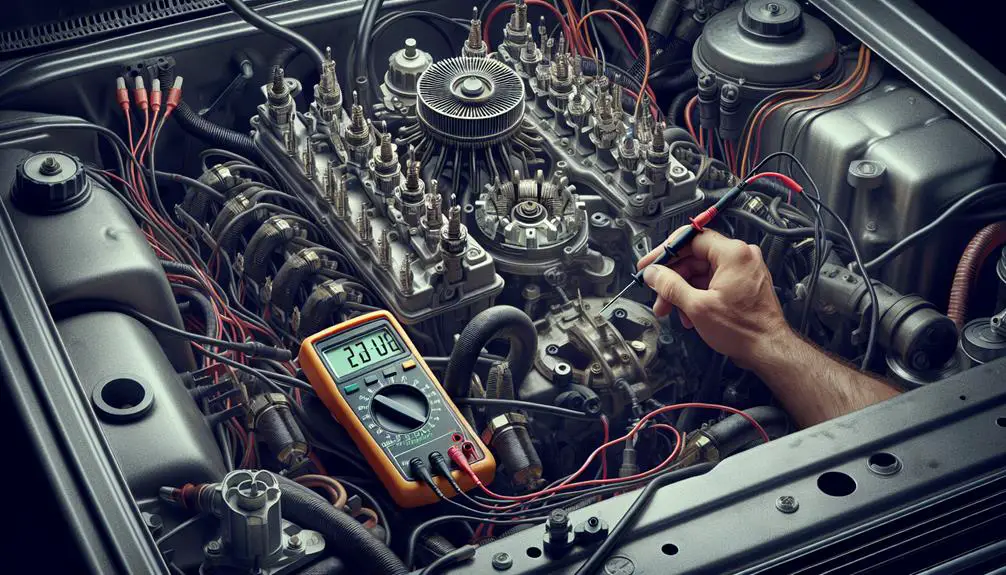
  • Electrical diagnostics: Conduct thorough electrical diagnostics to check for any wiring issues or shorts that might affect the distributor's performance. Using a multimeter, verify the integrity of the distributor's electrical connections and make sure they're secure and free from corrosion. This can prevent unexpected failures and ensure consistent electrical flow.
  • Routine inspection and maintenance: Implement a schedule for inspecting the distributor for signs of wear, misalignment, or damage. Regular checks allow for early detection of potential problems, reducing the risk of improper installation and ensuring the distributor operates efficiently.

Conclusion

To sum up, if you're having difficulty removing your distributor, it's likely because of corrosion, rust, or previous improper installation. Grasping the mechanics of the distributor is essential for diagnosing these common hurdles.

To prevent future issues, always guarantee correct installation and adopt regular maintenance practices. Applying anti-seize compound can combat rust, while periodic inspections can catch early signs of corrosion.

Remember, tackling these challenges early on is vital for maintaining your vehicle's ignition system's health and performance.