Recent Posts

How to Add a Water Temperature Gauge to Your 2012 Honda Civic Si


Adding a water temperature gauge to your 2012 Honda Civic Si allows you to easily monitor your engine’s coolant temperature in real-time. This is important for detecting any issues with your cooling system before they cause major engine damage. A water temp gauge is an affordable and easy-to-install modification for your Civic Si.

What is a Water Temperature Gauge and Why Do I Need One?

A water temperature gauge measures the temperature of your engine’s coolant and displays it on an analog dial or digital readout mounted inside the cabin. Unlike the stock coolant temperature warning light that only alerts you when the engine is already overheating, a water temp gauge lets you continuously monitor the coolant temp and detect any abnormal fluctuations.

Benefits of installing a water temperature gauge in your 2012 Honda Civic Si include:

  • Easily see your engine’s operating temperature
  • Detect cooling system issues like a stuck thermostat, failing water pump, or low coolant level
  • Avoid engine overheating and potential damage
  • Peace of mind knowing your engine is running at the optimal temperature

What Tools and Materials Do I Need to Add a Water Temperature Gauge?

To install a water temperature gauge in your 2012 Civic Si, you will need:

  • Water temperature gauge kit (gauge, wiring, sending unit, adapter fittings)
  • Drill and 2 1/16″ hole saw for mounting the gauge
  • Wire strippers and crimpers
  • Electrical tape
  • Zip ties for securing wiring
  • Teflon tape or thread sealant
  • Ratchet and socket set
  • Pliers
  • Flathead and Phillips screwdrivers
  • Coolant to top off the system after install

Choose a quality water temp gauge from a reputable brand like GlowShift, Prosport, or AutoMeter. Make sure the gauge matches your Civic’s 12V negative ground electrical system.

Where Should I Mount the Water Temperature Gauge in My 2012 Honda Civic Si?

The most common mounting locations for aftermarket gauges in a 2012 Civic Si are:

  1. A-pillar pod – Mounts to the A-pillar next to the driver’s side door. Keeps the gauge at eye level but requires modifying the pillar trim panel.
  2. Steering column pod – Attaches to the steering column. Easy to install and keeps the gauge in clear view.
  3. In-dash – Requires modifying the dash to cut a hole for the gauge. Keeps a clean OEM look.
  4. Center console – Can be mounted in the small storage tray forward of the shifter. May require fabricating a custom mount.

Consider visibility, ease of installation, and aesthetics when choosing a mounting location. Make sure the gauge doesn’t obstruct any controls or block your view of the road.

How Do I Connect the Water Temperature Gauge to the Engine?

The water temperature sending unit needs to be installed in a coolant passage to measure the temperature. On a 2012 Civic Si, you have a few options:

  1. Radiator hose adapter – Splices into the upper radiator hose. Easy to install and doesn’t require draining coolant. Make sure to get the correct size adapter for your hose diameter.
  2. Coolant neck – Remove the coolant temperature sensor from the coolant neck on the engine and replace it with a dual-port adapter that has threads for both the original sensor and the aftermarket sending unit.
  3. Cylinder head – The Civic Si cylinder head has a 1/8″ NPT port near the thermostat housing that can be used for a temperature sender. This may require removing the intake manifold for access.

The sending unit should come with detailed instructions on wiring and installation. In general, follow these steps:

  1. Drain some coolant from the radiator if installing in the coolant neck or cylinder head port.
  2. Install the sending unit into the adapter or port using Teflon tape on the threads. Tighten securely.
  3. If using a radiator hose adapter, cut the upper hose and splice in the adapter. Secure with hose clamps.
  4. Route the sending unit wiring through the firewall grommet into the cabin. Keep it away from hot or moving parts.
  5. Refill the cooling system and check for leaks.

What Are the Wiring and Electrical Considerations for the Water Temperature Gauge?

Wiring the water temperature gauge is straightforward. Most aftermarket gauges come with a wiring harness that plugs into the back of the gauge. The harness has the following wires:

  • Red – 12V ignition power
  • Black – Ground
  • Green – Sending unit signal
  • Yellow or Orange – Gauge illumination

Here’s how to wire the gauge in your Civic Si:

  1. Connect the red wire to a switched 12V power source, like the ignition switch or fuse box. Add an inline fuse if the harness doesn’t have one.
  2. Connect the black wire to a clean ground, like a bolt on the chassis or negative battery terminal.
  3. Route the green wire through the firewall and connect it to the sending unit.
  4. Tap the yellow or orange wire to the instrument panel lighting circuit so the gauge dims with the other lights.
  5. Secure all wiring with zip ties and avoid any moving or hot parts.

Some gauges have additional wires for features like a high temperature alarm or peak recall. Follow the manufacturer’s instructions for wiring these functions.

How Do I Calibrate the Water Temperature Gauge for Accurate Readings?

Most aftermarket water temperature gauges are pre-calibrated and don’t require any adjustment. However, it’s a good idea to check the accuracy of the gauge after installation.

To do this, start the engine and let it idle until the coolant reaches operating temperature (around 195-220°F for a Civic Si). Compare the reading on the aftermarket gauge to the stock coolant temp gauge or OBD-II scanner. They should be within a few degrees of each other.

If the readings don’t match, check the wiring and sending unit installation for any issues. Some gauges have an adjustment screw on the back for fine-tuning the calibration. Consult the manufacturer’s instructions for the proper calibration procedure.

What Are Some Common Issues to Watch Out for When Installing a Water Temperature Gauge?

Installing a water temperature gauge is a relatively simple process, but there are a few potential issues to be aware of:

  • Leaks – Make sure all connections are tight and sealed properly to prevent coolant leaks. Double check hose clamps and sending unit threads.
  • Electrical problems – Poor wiring connections can cause the gauge to malfunction or not work at all. Use proper crimp connectors and solder joints.
  • Interference – The sending unit wire can pick up interference from other electrical components, causing erratic readings. Route the wire away from spark plug wires, alternator, and other electronics.
  • Overheating – If the gauge reads excessively high, don’t ignore it. Check for low coolant level, a stuck thermostat, or other cooling system issues.
  • Inaccurate readings – If the gauge seems inaccurate, the sending unit may be faulty or improperly installed. Double check the wiring and calibration.

How Do I Troubleshoot Problems with the Water Temperature Gauge After Installation?

If you encounter any issues with your water temperature gauge, here are some troubleshooting steps:

  1. Gauge not working at all
  • Check for blown fuses and proper power and ground connections.
  • Test for 12V at the gauge with a multimeter.
  • Check the sending unit wiring for breaks or loose connections.
  1. Inaccurate or erratic readings
  • Make sure the sending unit is properly grounded.
  • Check for wiring interference from other components.
  • Verify the sending unit is compatible with the gauge.
  • Test the sending unit resistance with an ohmmeter and compare to specs.
  1. Leaks around the sending unit
  • Retighten the sending unit and check the threads for damage.
  • Make sure the proper adapter fitting is being used.
  • Reseal the threads with Teflon tape or sealant.
  1. Overheating indicated
  • Verify the reading with an OBD-II scanner or infrared thermometer.
  • Check coolant level and condition.
  • Test the thermostat, water pump, and radiator fan operation.
  • Look for air in the cooling system and bleed if necessary.

Consult the gauge manufacturer’s support resources or a professional mechanic if you can’t resolve the issue.

Are There Any Additional Features or Accessories I Should Consider with My Water Temperature Gauge?

Some popular accessories and features to consider for your water temperature gauge install include:

  • Matching boost, oil pressure, or air/fuel ratio gauges for a complete engine monitoring setup
  • LED backlighting or multiple color options to match your interior
  • Peak recall function to record the highest temperature reached
  • Programmable high temperature alarm with output for a warning light or buzzer
  • Gauge pod or panel for a clean, integrated mounting solution

Think about your goals for the project and choose accessories that fit your needs and budget.

How Do I Ensure the Water Temperature Gauge is Safe and Reliable for Long-Term Use?

To ensure your water temperature gauge install is safe and reliable for the long haul, follow these tips:

  • Choose a quality gauge from a reputable brand with good reviews and customer support.
  • Follow the manufacturer’s installation and wiring instructions carefully.
  • Use the proper tools and materials for the job, including heat-resistant wiring and sealed connectors.
  • Double check all connections and test the gauge thoroughly before putting everything back together.
  • Regularly inspect the sending unit and wiring for any signs of damage or wear.
  • Address any issues with the cooling system promptly to prevent overheating.
  • Avoid using stop-leak additives or other temporary fixes that can clog the sending unit.

With proper installation and maintenance, a water temperature gauge can provide reliable engine monitoring for years to come on your 2012 Honda Civic Si. It’s an affordable and easy way to keep an eye on your engine’s health and catch potential problems before they lead to costly repairs.

How Long Does It Take to Get a New Key Made for a Honda?


Getting a new key made for your Honda usually takes anywhere from 10 minutes up to an hour, depending on the type of key and where you go to get it made. A traditional, non-chipped key can be cut in just a few minutes at most hardware stores or locksmiths. However, if you have a newer Honda with a transponder chip key or smart key, it will take longer and you’ll likely need to visit a dealership or automotive locksmith to have it programmed.

What Do I Need to Get a New Key Made for My Honda?

To get a new key made for your Honda, you will need:

  • Your vehicle’s year, make and model
  • Proof of ownership (vehicle title or registration)
  • Your VIN (vehicle identification number)
  • A form of ID
  • Your current key, if you have one

If you don’t have a current key, a locksmith or dealership can still make you a new key using your vehicle’s VIN, but it may take longer and cost more than if you had an existing key to duplicate.

Do I Need to Go to a Honda Dealership to Get a New Key Made?

For most newer model Hondas that use transponder chip keys or smart keys, it’s recommended to go to a Honda dealership to get a replacement key. The dealership will have the necessary equipment to cut and program the key to your specific vehicle.

However, for older Hondas that use traditional, non-chipped metal keys, you have the option of going to a locksmith or even a hardware store to get a duplicate key made more affordably. Just make sure you have your registration to prove ownership.

Can I Get a New Key Made at an Auto Parts Store or Hardware Store?

Yes, you can get a new Honda key made at some auto parts stores like AutoZone or hardware stores like Ace Hardware – but only if you have an older model Honda that uses a basic, non-chipped metal key. These types of keys can be quickly duplicated in store.

However, if your Honda uses any of the following key types, you will need to go to the dealership or a specialized automotive locksmith instead:

  • Transponder chip key
  • Laser cut key
  • Switchblade key
  • Smart key

Auto parts stores and hardware stores do not have the equipment needed to program these high-tech keys.

How Much Does It Cost to Get a New Key Made for a Honda?

The cost to get a new Honda key made varies depending on the key type:

Key TypeAverage Cost
Traditional, non-chipped key$7 – $25
Transponder chip key$50 – $250
Laser cut key$150 – $250
Switchblade key$200 – $300
Smart key$220 – $500

Additional factors that can affect the price include:

  • Your location
  • Where you go (dealership, locksmith, hardware store)
  • Time of day (after hours may cost more)
  • Whether you need the key delivered

In general, getting a key from the dealership tends to cost the most, while a basic hardware store duplicate will be the least expensive option, if available for your Honda’s key type. Calling around to compare prices can help you find the best deal.

How Long Does It Take to Get a New Key Made for a Honda?

The time it takes to get a new Honda key made depends on the key type and where you go:

  • Traditional, non-chipped metal key – 5-15 minutes at hardware store, locksmith, or dealership
  • Transponder chip key – 15-30 minutes at dealership or automotive locksmith, after they have the key blank in stock
  • Laser cut key – 1 hour at dealership or automotive locksmith, if key blank is in stock, longer if it needs to be ordered
  • Switchblade key – 1 hour at dealership or automotive locksmith, if key blank is in stock
  • Smart key – 1-2 hours to program at the dealership

If you need a transponder, laser cut, switchblade or smart key, and the dealership or locksmith doesn’t have the key blank in stock, it may take 3-5 business days before they can cut and program your key. Overall, most people can get a new Honda key in under an hour, unless you have a rare key type that needs to be special ordered.

Is It Faster to Get a New Key Made at a Dealership or a Locksmith?

In most cases, a locksmith can cut and program a new Honda key faster than the dealership, as long as they have the needed key blank in stock. Locksmiths are specialists in key cutting and programming and may offer mobile service to your location.

Dealerships often need to order key blanks before they can cut them, which can add several days to the process. They may also have limited hours. However, for the newest high-security Honda keys, the dealership is sometimes the only option for proper programming.

Can I Program a New Key Myself or Do I Need a Professional?

Most Honda keys made after 1998 have a transponder chip that needs to be programmed. You cannot program a new Honda transponder key yourself – it requires professional equipment that is only available at a dealership or locksmith shop.

Trying to program your own key can actually cause the key to lock up, requiring even more expensive repairs. It’s always best to leave Honda key programming to the professionals.

The only exception is if you have an older Honda that uses a basic, non-chipped metal key. In that case, you can easily get a duplicate made at a hardware store or locksmith and it will work without any programming needed.

What If I Have a High-Security Key or a Smart Key?

If you have a high-security laser cut key, switchblade key, or smart key for your Honda, expect it to take longer to replace than a basic key or transponder key. These keys have more complex programming requirements.

You will need to tow your vehicle to the Honda dealership if you have lost all copies of your smart key, as they are the only ones with the equipment to pair a new smart key from scratch. Locksmiths can program a spare smart key, but they need to have an existing key to work from.

High-security laser cut and switchblade keys are harder to duplicate as the key blanks are more rare. Not all locksmiths will have them in stock, so it may take a few days to order before they can cut and program your new key. Dealerships are more likely to have these key blanks on hand.

Are There Any Additional Steps I Need to Take After Getting a New Key?

After getting a new Honda key programmed, you should test that it works smoothly in the ignition and doors before leaving the dealership or locksmith. Make sure you can start the car, turn it off, and restart it again. Also check that the key fob buttons are working to lock, unlock, and open the trunk.

If you have any problems with the new key, let them know right away so they can resolve it. Once you’ve confirmed the new key is working properly, it’s a good idea to get a spare made so you always have a backup.

Consider where you will store your spare key. It’s best not to keep it in the vehicle, in case your main key gets locked inside. Many people keep a spare at home or give one to a trusted friend or family member. You can also get a magnetic key holder box to store a spare key securely under your vehicle.

Can I Get a Spare Key Made or Should I Only Get One Key?

It’s always wise to have at least one spare Honda key made, in case you lose or damage your main key. Having a spare will save you the hassle and expense of getting stranded without a key.

You can get a spare key made at the same time as you replace your main key, or you can have a spare made later on if you prefer. The process is the same either way. Dealerships and locksmiths can use your existing key to duplicate a matching spare.

If you only have one key left, consider getting two spares made while you’re at the dealership or locksmith. That way you’ll have a backup at home even if you lose the spare you carry with you. It’s a small additional cost for extra peace of mind.

Wrapping Up

In summary, how long it takes to get a new Honda key made depends mostly on they key type and where you go to get it done. Traditional metal keys can be duplicated in minutes almost anywhere. But if you have a transponder key, expect it to take 15-30 minutes at a dealership or locksmith. High-security laser cut, switchblade, and smart keys can take an hour or more to program. Always get a spare key made to avoid getting stranded if you lose your main key.

How to Reset Maintenance Light on 2020 Toyota Tacoma


To reset the maintenance light on a 2020 Toyota Tacoma, start by turning the ignition to the “On” position. Press and hold the trip meter reset button, then turn the ignition to “Off.”

Release the button and turn the ignition back to “On. ” The maintenance light should be reset. Maintaining the health of your Toyota Tacoma is important for its longevity and performance. Whether it’s routine maintenance, such as changing the oil or addressing a specific issue, taking care of your vehicle ensures it runs smoothly and efficiently.

When the maintenance light pops up on your dashboard, it’s essential to address it promptly. In this guide, we’ll walk you through the simple steps to reset the maintenance light on your 2020 Toyota Tacoma, allowing you to stay on top of your truck’s maintenance needs with ease.

How to Reset Maintenance Light on 2020 Toyota Tacoma

Credit: m.youtube.com

Understanding The Maintenance Light

Understanding the Maintenance Light on 2020 Toyota Tacoma

The maintenance light on a 2020 Toyota Tacoma is a crucial indicator that alerts the driver when the vehicle requires servicing. Understanding this light’s significance, triggers, and different types will help you effectively manage your truck’s maintenance requirements.

What Triggers The Maintenance Light

The maintenance light is typically triggered when the vehicle’s internal computer system detects that one or more of the pre-programmed maintenance thresholds are approaching or have been exceeded. These thresholds could include factors such as mileage, engine running time, or specific diagnostic codes. Understanding these triggers will enable you to stay proactive in addressing your Toyota Tacoma’s maintenance needs.

Different Types Of Maintenance Lights

There are various types of maintenance lights that may illuminate on the dashboard. These can include the oil change indicator, tire pressure monitoring system (TPMS) light, check engine light, and more. Each of these signals different areas of concern, requiring specific attention and maintenance. Recognizing and responding to these various light indicators is crucial in ensuring the optimal functioning of your vehicle.

How to Reset Maintenance Light on 2020 Toyota Tacoma

Credit: www.way.com

Resetting The Maintenance Light

To ensure your 2020 Toyota Tacoma continues to run smoothly, it’s important to reset the maintenance light as part of routine maintenance. Resetting the maintenance light is a simple process and can be done in just a few steps. In this guide, we’ll walk you through the step-by-step process of resetting the maintenance light on your 2020 Toyota Tacoma, as well as explore alternative methods for doing so. Keeping up with this regular maintenance will help you keep your truck in top condition for the road ahead.

Step-by-step Guide For 2020 Toyota Tacoma

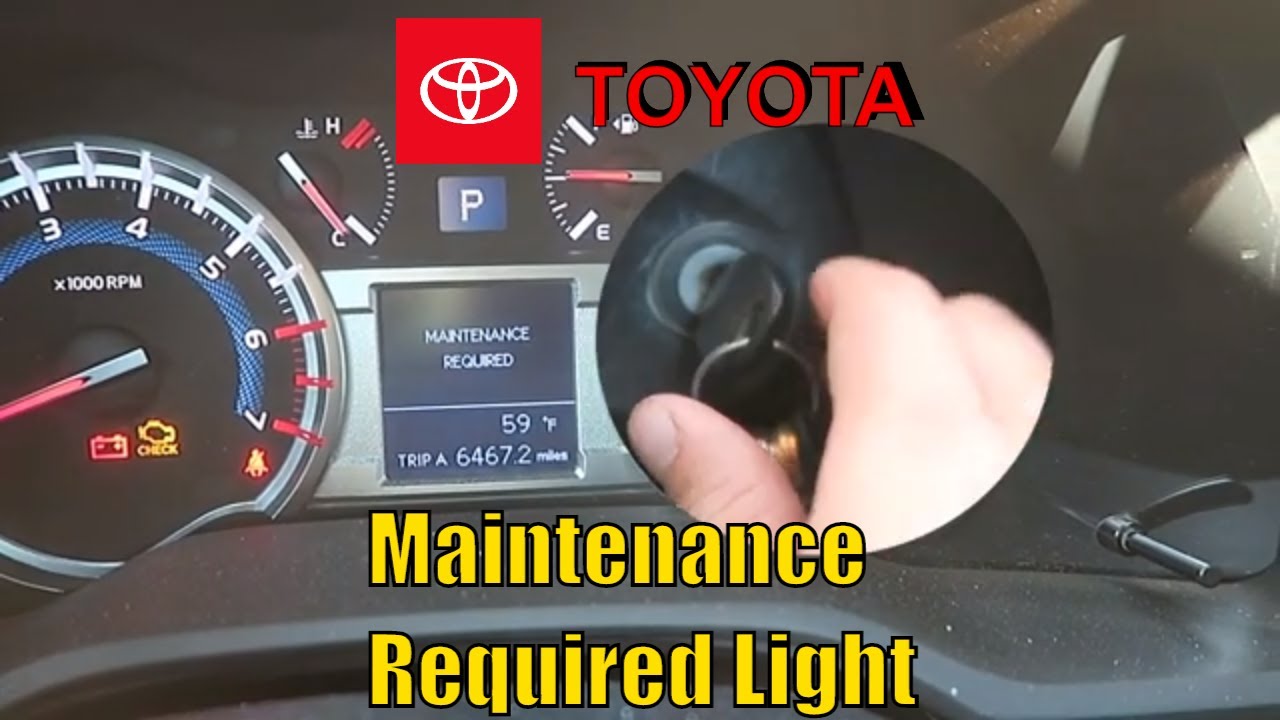
  1. Insert the key into the ignition and turn it to the “On” position, without starting the engine.
  2. Locate the trip button on the instrument cluster and press and hold it.
  3. While holding the trip button, turn the key to the “Off” position then back to the “On” position.
  4. Continue holding the trip button until the maintenance light starts flashing and then turns off, indicating the reset is complete.
  5. Release the trip button and start the engine to confirm that the maintenance light has been successfully reset.

Alternative Methods For Resetting

If the above method doesn’t work for your 2020 Toyota Tacoma, fear not! There are alternative approaches you can try:

  • Use the odometer trip button to navigate to the “Trip A” screen, then turn the key to the “Off” position. Press and hold the trip button and turn the key to the “On” position to reset the maintenance light.
  • Consult your vehicle’s owner’s manual for model-specific instructions on resetting the maintenance light.

Tips For Vehicle Maintenance

Regular Maintenance Schedule:

Adhering to a regular maintenance schedule is crucial to keeping your 2020 Toyota Tacoma in top condition. Make sure to follow the manufacturer’s guidelines for oil changes, tire rotations, and other scheduled services. This will help prevent potential issues and extend the lifespan of your vehicle.

Common Maintenance Tasks:

Performing common maintenance tasks on your Toyota Tacoma can help you keep it running smoothly. Regularly check the oil levels, tire pressure, and brake pads to ensure everything is in optimal condition. Additionally, keep an eye on the vehicle’s fluids and replace air filters as needed.

How to Reset Maintenance Light on 2020 Toyota Tacoma

Credit: www.jdpower.com

Frequently Asked Questions On How To Reset Maintenance Light On 2020 Toyota Tacoma

How Do You Reset The Maintenance Light On A 2020 Toyota Tacoma?

To reset the maintenance light on a 2020 Toyota Tacoma, follow these simple steps:
1. Start with the ignition turned off. 2. Press and hold the trip meter reset button. 3. Turn the ignition switch to the on position, while continuing to hold the reset button. 4. After about 5 seconds, the maintenance light should start flashing. 5. Release the trip meter reset button. 6. Finally, turn the ignition off and then back on to confirm that the maintenance light has been reset.

Why Is My Maintenance Light On In My 2020 Toyota Tacoma?

There are several reasons why the maintenance light may be on in your 2020 Toyota Tacoma. It could indicate that your vehicle is due for scheduled maintenance or that there is a malfunction in the system. It is important to consult your owner’s manual or visit a qualified mechanic to determine the exact cause of the maintenance light being illuminated.

How Often Should I Reset The Maintenance Light On My 2020 Toyota Tacoma?

The frequency of resetting the maintenance light on your 2020 Toyota Tacoma depends on the maintenance schedule recommended by the manufacturer. Generally, it is recommended to reset the maintenance light after each scheduled maintenance service is completed. Consult your owner’s manual or contact your dealership for specific guidelines on when to reset the maintenance light.

Conclusion

Resetting the maintenance light on your 2020 Toyota Tacoma is a simple yet essential task. By following the steps outlined in this guide, you can ensure your vehicle is properly maintained. Regular maintenance is crucial for optimal performance and longevity.

Take charge of your vehicle’s health today.

How to Reset Maintenance Light on Toyota Tacoma 2012


To reset the maintenance light on a 2012 Toyota Tacoma, turn the key to the “off” position and press and hold the trip meter reset button. Then, while continuing to hold the button, turn the key to the “on” position.

After the maintenance light starts blinking and goes out, release the reset button. Your maintenance light should now be reset. If you drive a 2012 Toyota Tacoma, you may need to reset the maintenance light after completing routine service or repairs.

This simple process can help ensure that your vehicle’s maintenance reminders are accurate and up to date. By following a few straightforward steps, you can quickly reset the maintenance light on your Toyota Tacoma 2012 model. This guide will walk you through the process, allowing you to easily reset the light without the need for a trip to the dealership.

How to Reset Maintenance Light on Toyota Tacoma 2012

Credit: carbuzz.com

Locating Maintenance Light

Locating the maintenance light on your Toyota Tacoma 2012 is the first step in resetting it. Understanding the indicator is crucial in successfully resetting the maintenance light. Follow these simple steps to locate and reset the maintenance light on your Toyota Tacoma 2012.

Step 1: Find Maintenance Light On Dashboard

Locating the maintenance light on the dashboard is the initial step. Sit in the driver’s seat and observe the instrumental cluster, typically located behind the steering wheel. Look for the “Maintenance Required” light, which is a small, illuminated symbol resembling an engine. Note its position for later use in resetting the light.

Step 2: Understand Indicator

Understanding the indicator is essential for successfully resetting the maintenance light. When the “Maintenance Required” light illuminates, it indicates that your vehicle is due for routine maintenance. This reminder is based on mileage or time intervals calculated by the vehicle’s internal computer system. Familiarize yourself with this indicator to ensure accurate resetting of the maintenance light.

Resetting Maintenance Light

Resetting the maintenance light on your Toyota Tacoma 2012 is a simple process that can be done without the need for a trip to the dealership. By following a few easy steps, you can clear the maintenance light and ensure that your vehicle is running smoothly. Here’s a step-by-step guide on how to reset the maintenance light on a Toyota Tacoma 2012.

Step 1: Ensure Car Is Off

Before you start, make sure that your Toyota Tacoma is turned off. This is a crucial first step to ensure that the reset process is completed successfully.

Step 2: Press And Hold Odometer Button

Next, locate the odometer button on your dashboard and press and hold it. This button is usually located near the speedometer and tachometer.

Step 3: Turn Ignition Key To On Position

With the odometer button still held down, turn the ignition key to the “On” position. You don’t need to start the engine at this point, just turn the key to the position right before starting.

Step 4: Continue Holding Odometer Button

Keep holding down the odometer button for about 10-15 seconds. This allows the reset process to begin and ensures the maintenance light is cleared.

Step 5: Wait For Light To Reset

After holding the odometer button for the specified time, you can release it. At this point, the maintenance light should reset, indicating that the process was successful.

Alternative Methods

Here are some alternative methods to reset the maintenance light on your Toyota Tacoma 2012:

Using Trip Meter Button

1. Turn off the engine.

2. Press and hold the trip meter button.

3. While holding the button, turn the ignition key to the “On” position.

4. Continue holding the trip meter button until the maintenance light blinks and turns off.

Using Odometer Reset Button

1. Switch off the engine.

2. Press and hold the odometer reset button.

3. Turn the ignition key to the “On” position while still holding the button.

4. Keep holding the odometer reset button until the maintenance light resets.

How to Reset Maintenance Light on Toyota Tacoma 2012

Credit: www.jdpower.com

How to Reset Maintenance Light on Toyota Tacoma 2012

Credit: m.youtube.com

Frequently Asked Questions On How To Reset Maintenance Light On Toyota Tacoma 2012

How Do I Reset The Maintenance Light On My Toyota Tacoma 2012?

To reset the maintenance light on your Toyota Tacoma 2012, follow these steps:
1. Insert your key into the ignition and turn it to the “on” position without starting the engine. 2. Locate the trip meter reset button on your dashboard. It is usually located near the odometer. 3. Press and hold the trip meter reset button until the maintenance light starts flashing. 4. Release the button and then press it again for at least 5 seconds until the maintenance light turns off. 5. Turn off the ignition and then start your Tacoma. The maintenance light should be reset.

Why Is My Maintenance Light On In My Toyota Tacoma 2012?

The maintenance light on your Toyota Tacoma 2012 is an indication that the vehicle’s computer has detected that it’s time for a scheduled maintenance. It could be due to a variety of reasons such as an oil change, tire rotation, or other routine inspections.

It is important not to ignore this light as it helps to keep your vehicle running smoothly and efficiently.

Can I Reset The Maintenance Light Without Going To A Dealership?

Yes, you can reset the maintenance light on your Toyota Tacoma 2012 without going to a dealership. The process is simple and can be done by following the instructions in your owner’s manual or by searching for specific instructions for your model online.

Remember to always follow the correct procedure to ensure the light is reset accurately and to avoid any potential issues.

Conclusion

When it’s time to reset your Toyota Tacoma 2012 maintenance light, follow these simple steps. Regular maintenance is crucial for your vehicle’s performance and longevity. By taking care of these small tasks, you ensure your truck remains in top condition.

Keep up with maintenance to keep your Tacoma running smoothly.


How to Reset Maintenance Light on 2018 Toyota 4Runner


To reset the maintenance light on a 2018 Toyota 4Runner, start the vehicle and make sure the odometer is displaying the total mileage. Turn the ignition off.

Then, press and hold the trip meter reset button, turn the ignition to the on position, and continue to hold the button until the maintenance light blinks and then turns off. Release the button and the maintenance light should be reset.

If you drive a 2018 Toyota 4Runner, it’s important to know how to reset the maintenance light when necessary. Following the proper steps can ensure that you maintain your vehicle’s performance and functionality.

By taking a few simple actions, you can reset the maintenance light and keep your 4Runner in top condition. Let’s explore the process of resetting the maintenance light on the 2018 Toyota 4Runner in detail.

How to Reset Maintenance Light on 2018 Toyota 4Runner

Credit: www.toyotaofcedarpark.com

Identifying The Maintenance Light

Before you can reset the maintenance light on your 2018 Toyota 4Runner, it’s crucial to know where to locate the maintenance light indicator in the vehicle.

Locating The Maintenance Light Indicator

The maintenance light indicator is typically situated on the dashboard. It is a small symbol that resembles an engine. The location may vary slightly depending on the vehicle model, but it is usually found near the speedometer or tachometer.

Once you have identified the maintenance light indicator, you can proceed with the steps to reset it. Refer to your vehicle’s manual for specific instructions or follow our guide on how to reset the maintenance light on your 2018 Toyota 4Runner.

How to Reset Maintenance Light on 2018 Toyota 4Runner

Credit: www.howtoautomotive.com

Resetting The Maintenance Light

In this section, I will provide a step-by-step guide on how to reset the maintenance light on a 2018 Toyota 4Runner.

It’s important to reset the maintenance light after completing a maintenance task on your vehicle to ensure accurate tracking of the maintenance schedule. Follow the instructions below to reset the maintenance light and keep your 4Runner in optimal condition.

Step-by-step Guide

  1. Enter your 4Runner and ensure the odometer display shows the total mileage.
  2. Turn the ignition switch to the “OFF” position.
  3. Press and hold the trip meter reset button located on the instrument panel.
  4. While holding the trip meter reset button, turn the ignition switch to the “ON” position, but do not start the engine.
  5. Continue holding the trip meter reset button until the maintenance light starts flashing and eventually turns off, indicating the reset is complete.
  6. Release the trip meter reset button.
  7. Turn the ignition switch to the “OFF” position.
  8. Start your 4Runner to ensure the maintenance light is no longer illuminated.

Ensuring The Reset

To confirm that the maintenance light has been successfully reset, turn off the 4Runner and then restart it. Verify that the maintenance light does not reappear, indicating that the reset was effective.

Alternative Methods

Alternative Methods to Reset Maintenance Light on 2018 Toyota 4Runner

Using The Odometer Button

Turn the key to the “on” position without starting the engine.

  • Press and hold the trip reset button on the odometer.
  • While holding the button, turn the key to the off position.
  • Continue holding the trip reset button and turn the key back to the on position.
  • Release the trip reset button when the maintenance light flashes and resets.

Consulting The Owner’s Manual

Refer to the owner’s manual for specific instructions tailored to your Toyota 4Runner.

  1. Locate the maintenance light reset procedure section in the manual.
  2. Follow the detailed steps provided to reset the maintenance light.
  3. Ensure to accurately carry out the reset process as outlined in the manual.

How to Reset Maintenance Light on 2018 Toyota 4Runner

Credit: m.youtube.com

Frequently Asked Questions For How To Reset Maintenance Light On 2018 Toyota 4runner

How Do I Reset The Maintenance Light On My 2018 Toyota 4runner?

To reset the maintenance light on your 2018 Toyota 4Runner, simply follow these steps:
1. Insert the key into the ignition and turn it to the “ON” position without starting the engine. 2. Locate the small, black “Odo/Trip” button on the instrument panel. 3. Press and hold the “Odo/Trip” button while simultaneously turning the key to the “OFF” position. 4. Release the “Odo/Trip” button, and then turn the key back to the “ON” position. The maintenance light should now be reset.

Why Is The Maintenance Light On In My 2018 Toyota 4runner?

The maintenance light in your 2018 Toyota 4Runner comes on to remind you that it is time for scheduled maintenance. This could include an oil change, tire rotation, or other routine services. It is important not to ignore the maintenance light, as neglecting to address these services could result in further damage to your vehicle.

Can I Reset The Maintenance Light Without Going To The Dealership?

Yes, you can reset the maintenance light on your 2018 Toyota 4Runner without going to the dealership. By following the simple steps outlined in this guide, you can reset the maintenance light yourself. However, it is still advisable to have your vehicle serviced regularly by a qualified technician to ensure its optimal performance and longevity.

Conclusion

Resetting the maintenance light on your 2018 Toyota 4Runner is a simple process that ensures your vehicle stays in top condition. By following the steps outlined you can easily take control of this maintenance task. Keep your 4Runner running smoothly and efficiently with these easy-to-follow instructions.

How Much Does It Cost to Replace a Speedometer on a 1992 Honda Civic


Replacing the speedometer on a 1992 Honda Civic typically costs between $150 and $250. The replacement speedometer itself ranges from $100 to $180, while labor costs average $50 to $70. Factors that affect the total cost include the type of replacement speedometer (OEM, aftermarket, used, or refurbished), the specific model and trim of the Civic, and labor rates at the repair shop. Opting for a used or refurbished unit can save money compared to purchasing a new speedometer.

What is the average cost of replacing a speedometer on a 1992 Honda Civic?

The average cost to replace the speedometer on a 1992 Honda Civic ranges from $150 to $250. This includes the cost of the replacement speedometer itself which is typically between $100-$180, plus the labor cost for installation which averages $50-$70.

Several factors can influence the total cost, such as whether you purchase an OEM (original equipment manufacturer) or aftermarket part, the specific model and trim of your 1992 Civic, and the rates charged by your local mechanic or dealership. Opting for a used or refurbished speedometer may save some money compared to buying a brand new unit.

It’s important to replace a faulty speedometer promptly, as an inaccurate speed reading can lead to unintentionally exceeding the speed limit and risking a ticket, or driving unsafely slow and impeding traffic. A malfunctioning speedometer may also be a sign of problems with the vehicle speed sensor (VSS) or other components that could affect transmission shifting and engine performance if left unaddressed.

What are the factors that affect the cost of replacing a speedometer on a 1992 Honda Civic?

The main factors that determine the cost to replace the speedometer on your 1992 Honda Civic include:

  1. Type of replacement speedometer (OEM, aftermarket, used, refurbished)
  2. The specific model and trim level of your Civic
  3. Labor rates of your mechanic or dealership
  4. Additional parts that may need replacement (VSS, wiring, etc.)
  5. Your geographic location

OEM speedometers purchased directly from Honda tend to be more expensive than aftermarket units, but offer guaranteed compatibility and quality. Used speedometers pulled from other vehicles may cost less but come with a higher risk of problems. Refurbished speedometers fall somewhere in between in terms of cost and reliability.

Labor rates vary significantly across the country and from one shop to another. Dealerships often charge more per hour than independent mechanics. Urban areas also tend to have higher labor costs than rural regions.

In some cases, related parts like the vehicle speed sensor, wiring harness, or instrument cluster may need to be replaced along with the speedometer itself. This can add to the total cost of the job.

What are the labor costs associated with replacing a speedometer on a 1992 Honda Civic?

For most 1992 Honda Civics, the labor cost to replace the speedometer will be between $50 and $70. This typically covers 1-2 hours of work to:

  • Remove trim pieces and access the instrument cluster
  • Disconnect wiring and remove the old speedometer
  • Install and calibrate the new speedometer
  • Reassemble trim and test operation

Some shops charge a flat rate for this job, while others bill hourly. Choosing a mechanic with experience working on older Honda models can help minimize the time spent on the replacement and keep labor costs down.

If you are mechanically inclined, you may be able to save on labor by replacing the speedometer yourself. This job requires only basic hand tools and can be completed in a few hours with the help of a service manual or online tutorial. However, it’s important to exercise caution when working with delicate dashboard components and electrical connections.

What is the cost of a replacement speedometer for a 1992 Honda Civic?

A replacement speedometer for a 1992 Honda Civic typically costs between $100 and $180, depending on the type:

  • OEM speedometer from Honda: $150-$180
  • Aftermarket speedometer: $100-$150
  • Used/refurbished speedometer: $50-$120

OEM speedometers are identical to the original part and guaranteed to work, but come at a premium price. Aftermarket speedometers from third-party manufacturers usually cost less and can offer similar quality, but may require extra steps to install.

Used speedometers pulled from salvage vehicles are the least expensive option, but may have unknown wear or defects. Refurbished speedometers are inspected and restored to like-new condition and offer a balance of cost savings and peace of mind.

When shopping for a replacement speedometer, make sure to verify compatibility with your specific model year and trim level of Civic. The speedometer is calibrated to match the gear ratios of each particular transmission option.

Can I replace the speedometer myself, or do I need a professional mechanic?

Replacing the speedometer on a 1992 Honda Civic is a job that can be done by a skilled DIYer with the right tools and a service manual. The process typically involves:

  1. Disconnecting the battery
  2. Removing the trim pieces around the instrument cluster
  3. Unbolting the cluster and unplugging the wiring harness
  4. Swapping the old speedometer for the new unit
  5. Reinstalling the cluster and trim pieces
  6. Reconnecting the battery and testing operation

While not overly complex, this job does require careful attention to detail and a delicate touch to avoid damaging plastic dashboard components or electrical connectors. If you are not confident in your mechanical abilities, it may be wise to leave speedometer replacement to a professional.

Advantages of DIY replacement:

  • Substantial cost savings on labor
  • Opportunity to inspect and replace related components
  • Satisfaction of completing the repair yourself

Advantages of professional replacement:

  • Guaranteed correct installation
  • Experienced technicians can spot potential issues
  • No risk of causing accidental damage
  • Warranty on parts and labor

Whether you choose the DIY route or opt for a mechanic, make sure to source a high-quality replacement speedometer from a reputable supplier. Cheaply made or incompatible parts can lead to inaccurate readings or premature failure.

What are the consequences of not replacing a faulty speedometer on a 1992 Honda Civic?

Failing to replace a malfunctioning speedometer on your 1992 Honda Civic can lead to a number of problems:

  1. Speeding tickets: Without an accurate speed reading, you may unintentionally exceed posted limits and risk expensive fines and increased insurance premiums if cited by law enforcement.
  2. Unsafe driving: An incorrect speedometer can cause you to drive much slower than surrounding traffic, creating a hazard for yourself and other motorists. You may also misjudge your speed when navigating turns, hills, or slick road conditions.
  3. Transmission damage: In some cases, a faulty speedometer is a symptom of a bad vehicle speed sensor (VSS). The VSS provides data that helps the powertrain control module regulate shifting in automatic transmissions. Incorrect VSS signals can cause harsh shifts, slipping, or failure to engage certain gears.
  4. Inaccurate mileage: Most 1992 Civics have a mechanical odometer driven by the speedometer cable. If the speedometer is not working, the odometer will not advance, leading to underreported mileage. This can be problematic when selling the vehicle or maintaining service records.
  5. Failed inspection: Depending on your local regulations, a vehicle with a broken speedometer may not pass a required safety inspection. This can lead to fines or registration issues until the problem is fixed.
  6. Diagnostic difficulties: Modern scan tools and code readers rely on VSS data to help diagnose driveability issues. A faulty speedometer can complicate the troubleshooting process for unrelated engine or transmission problems.

To avoid these consequences, it’s best to have your speedometer replaced promptly when you notice signs of failure such as intermittent operation, a stuck needle, or inconsistent readings compared to GPS or roadside radar displays. A proactive approach to speedometer repair can save you money and hassle in the long run.

Are there any DIY alternatives to replacing the speedometer on a 1992 Honda Civic?

In some cases, you may be able to repair your 1992 Civic’s speedometer without replacing it entirely. Here are a few DIY alternatives to consider:

  1. Clean the VSS: If your speedometer is behaving erratically, the problem may lie with the vehicle speed sensor (VSS) rather than the gauge itself. The VSS is located on the transmission and can accumulate dirt or metallic debris over time, leading to intermittent signal loss. Carefully remove the VSS and clean the sensor and surrounding area with brake cleaner and a soft brush. Reinstall the sensor and check for proper speedometer function.
  2. Inspect wiring: Frayed, corroded, or loose wiring connections can cause the speedometer to malfunction. Visually inspect the wiring harness between the VSS and instrument cluster for any obvious damage. Use a multimeter to check for continuity and proper voltage at each connection point. Repair or replace any faulty wiring and secure all connections.
  3. Recalibrate the speedometer: If your speedometer is consistently reading high or low, it may be out of calibration. This can sometimes occur after a tire size change or differential gear swap. While not a common issue on the 1992 Civic, there are a few ways to recalibrate the speedometer:
  • Use a GPS device or smartphone app to compare your actual speed to the speedometer reading. Calculate the percent difference and locate the small recalibration screw on the back of the instrument cluster. Adjust the screw in small increments until the speedometer matches the GPS reading.
  • Have a mechanic or speedometer shop perform a dynamic recalibration using a dynamometer or special tools to simulate road speeds and dial in the correct readings.
  1. Repair the gauge itself: In rare cases, the speedometer needle may become stuck or dislodged due to physical impact or age-related wear. If you are comfortable disassembling the instrument cluster, you may be able to carefully realign or lubricate the needle mechanism. This is a delicate process that requires patience and a steady hand to avoid causing further damage.

Before attempting any DIY speedometer repairs, consult a service manual or online tutorial for your specific model year Civic. If you are unsure of your abilities or encounter unexpected issues, it’s best to seek professional assistance. Improper repairs can lead to electrical shorts, damaged components, or inaccurate readings that compromise your safety on the road.

How long does it take to replace the speedometer on a 1992 Honda Civic?

Replacing the speedometer on a 1992 Honda Civic typically takes between 1 and 2 hours, depending on the skill level of the mechanic and any unforeseen issues that may arise.

The process involves the following steps:

  1. Disconnect the battery negative terminal for safety
  2. Remove the trim pieces and screws securing the instrument cluster
  3. Unplug the wiring harness from the back of the cluster
  4. Remove the cluster and separate the speedometer from the housing
  5. Install the new speedometer and reassemble the cluster
  6. Plug in the wiring harness and reinstall the cluster in the dash
  7. Replace the trim pieces and reconnect the battery
  8. Test the new speedometer for proper operation

An experienced Honda technician who has performed this job before may be able to complete it in about an hour. However, it’s important not to rush the process, as the plastic dashboard components can be delicate and easily damaged if not handled carefully.

If you are replacing the speedometer yourself, budget at least 2 hours to account for consulting the service manual, properly labeling connectors, and double-checking your work. Taking your time can help you avoid costly mistakes or the need to backtrack.

In some cases, additional time may be needed to diagnose related issues such as wiring faults, VSS problems, or instrument cluster malfunctions. These complications can add an hour or more to the total repair time.

When scheduling a speedometer replacement with a mechanic, be sure to ask for a time estimate upfront. Most shops will be able to give you a reasonable idea of how long the job will take based on their experience with similar repairs. Keep in mind that if the shop is busy or waiting on parts delivery, the actual completion time may be longer than the estimated labor hours.

Are there any common issues that may arise during the replacement process?

While replacing the speedometer on a 1992 Honda Civic is generally straightforward, there are a few common issues that can arise during the process:

  1. Brittle plastic components: The trim pieces and instrument cluster housing on a 30-year-old Civic are likely to be brittle and prone to cracking or breaking if not handled gently. Take your time when removing and reinstalling these parts, and be prepared to source replacements if any damage occurs.
  2. Stubborn connectors: The wiring harness plugs on the back of the instrument cluster may be stiff or corroded after years of exposure to heat and humidity. Use a small flathead screwdriver to gently pry the release tab while wiggling the connector free. Avoid pulling on the wires themselves, as this can cause breaks or shorts.
  3. Misrouted cables: When reinstalling the instrument cluster, be careful to route the speedometer cable and wiring harness correctly to avoid pinching or chafing. Consult the service manual or take photos before disassembly to ensure proper placement.
  4. Faulty replacement parts: While uncommon, it is possible to receive a defective replacement speedometer. If your new gauge does not work correctly after installation, double-check all connections and test for proper voltage at the cluster. If the problem persists, you may need to return the part for a warranty exchange.
  5. Unrelated electrical issues: In some cases, what appears to be a simple speedometer problem may be a symptom of a larger electrical issue such as a short circuit, blown fuse, or corroded ground connection. If you encounter unexpected problems during the replacement process, it may be necessary to perform additional diagnostic steps to identify and repair the root cause.

To minimize the risk of these issues, it’s important to work carefully, consult reliable reference materials, and use high-quality replacement parts. If you encounter any difficulties or are unsure how to proceed, don’t hesitate to seek advice from a trusted mechanic or online automotive forum. With proper preparation and attention to detail, most DIYers can successfully replace the speedometer on their 1992 Civic without major complications.

Can I purchase a used or refurbished speedometer for my 1992 Honda Civic?

Yes, it is possible to purchase a used or refurbished speedometer for your 1992 Honda Civic. These options can be more affordable than buying a new OEM or aftermarket unit, but there are some important considerations to keep in mind.

Used speedometers are typically sourced from salvage yards or online marketplaces. They are pulled from donor vehicles that may have been involved in accidents or retired due to mechanical issues. The main advantages of used speedometers are their low cost and OEM compatibility. However, there are some potential drawbacks:

  • Unknown remaining lifespan
  • Possible undisclosed defects or wear
  • Inconsistent availability for specific models and years
  • May not include warranty or return policy

When shopping for a used speedometer, look for a reputable seller who can provide detailed photos and a description of the part’s condition. Check for any visible damage, missing components, or signs of tampering. If possible, choose a speedometer from a low-mileage donor vehicle to maximize its remaining useful life.

Refurbished speedometers are used units that have been inspected, cleaned, and repaired to restore proper function. They are often rebuilt by specialty speedometer shops or automotive electronics remanufacturers. The benefits of choosing a refurbished speedometer include:

  • Lower cost than new parts
  • Improved reliability compared to untested used units
  • May include warranty or guarantee against defects