Recent Posts

Hyundai Venue Chassis Number


The Hyundai Venue's chassis number, or Vehicle Identification Number (VIN), is a unique code that reveals the vehicle's history.

It influences maintenance strategies and legal responsibilities.

Understanding Chassis Numbers

deciphering vehicle identification numbers

A chassis number, often referred to as a vehicle identification number (VIN), is a unique code used to identify individual motor vehicles. For your Hyundai Venue, this series of digits and letters is more than just a random string; it's the fingerprint of your car. Each character in the VIN holds specific information about your vehicle, from its country of origin to its engine size.

You might wonder why you'd need to know your car's chassis number. Well, it's important for different reasons. If you're buying a used Hyundai Venue, the VIN lets you verify the car's history, ensuring it hasn't been stolen or involved in major accidents. When ordering parts or scheduling repairs, providing the VIN ensures you get the correct components that match your car's specifications.

Comprehending your Hyundai Venue's chassis number simplifies registering the vehicle or when you need to insure it. Insurance companies and registration offices use the VIN to access detailed information about your car, streamlining the process.

Locating Your Venue's VIN

Finding your Hyundai Venue's VIN is straightforward once you know where to look.

Primarily, check the lower corner of the dashboard on the driver's side. You'll need to peer through the windshield from outside to see it clearly. It's the most common spot and probably the first place you should look.

If you don't find it there, open the driver's side door and examine the area where the door latches when closed. There's usually a label or a sticker placed here by the manufacturer that includes the VIN.

Another location to check is under the hood. Open it up and look around the engine bay. The VIN might be stamped onto a metal plate attached to the chassis or the engine block. This spot can require a bit more effort to locate, but it's a good alternative if the other locations don't pan out.

Lastly, don't forget to check your vehicle's documentation. The VIN is always listed on your car's registration documents, insurance papers, and the vehicle title. This method is foolproof if you have access to these papers.

Decoding the VIN

interpreting vehicle identification numbers

Once you've located your Hyundai Venue's VIN, you can start decoding it to uncover valuable information about your vehicle.

Each VIN is unique and follows a standardized 17-character format, acting as your car's fingerprint. The beginning three characters, known as the World Manufacturer Identifier (WMI), reveal the vehicle's country of origin, manufacturer, and division. Hyundai's WMIs typically start with 'KMH,' indicating a Korean-made Hyundai.

The next six characters (positions 4-9) are the Vehicle Descriptor Section (VDS), providing details about the model, body style, engine type, and more. This part of the VIN can help you understand the specifications your Venue was built to meet.

Characters 10 through 17 make up the Vehicle Identifier Section (VIS). The 10th character signifies the model year, offering a quick way to determine the age of your car. The 11th character reveals the plant where your Venue was assembled, giving insight into its manufacturing location. The final six characters are a unique serial number, ensuring that no two vehicles share the same VIN.

Decoding your VIN not only helps in identifying vehicle specs but aids in verifying the authenticity of your Hyundai Venue.

Can I Use the Chassis Number to Identify the Hyundai Venue Model?

Yes, you can use the car model chassis number to identify the Hyundai Venue model. The chassis number, also known as the Vehicle Identification Number (VIN), contains specific information about the vehicle, including the model, year, and manufacturing location. It can be found on the vehicle’s registration documents, dashboard, or driver’s side door frame.

Importance for Owners

Grasping your Hyundai Venue's VIN not only helps in identifying its specifications but plays a key role in ensuring your ownership rights are protected. This unique identifier is like your car's fingerprint, making it vital for you, as the owner, to familiarize yourself with it.

When you're buying or selling a Hyundai Venue, the VIN is your best friend. It's the initial thing you should check to verify the car's history and authenticity. This prevents you from falling victim to scams or buying a vehicle that's been stolen or has a hidden past. You'll know exactly what you're getting into before making any decisions.

Additionally, if your vehicle ever gets stolen, reporting the VIN to the authorities significantly increases the chances of recovering it. Insurance companies require this number to process claims efficiently. It's how they verify your ownership and the specifics of your vehicle without any confusion.

Maintenance and Legalities

maintenance and legal responsibilities

Comprehending your Hyundai Venue's VIN is essential for proper maintenance and traveling legal requirements. This unique identifier not only serves as a fingerprint for your vehicle but plays an essential role in ensuring you're up to date with necessary services and adhering to legal standards. By keeping track of your VIN, you're setting yourself up for a smoother ride, both literally and figuratively.

Here's why your car's VIN is a game-changer:

  • Parts Compatibility: It ensures you get the right parts during maintenance or repairs. No more guessing games or costly mistakes.
  • Service History: It helps track your vehicle's service history, making it easier to stay on top of maintenance schedules.
  • Recall Notifications: It alerts you to any manufacturer recalls. Staying informed could be essential for your car's performance and your safety.
  • Legal Documentation: It simplifies vehicle registration, insurance processes, and legal matters. Having your VIN handy can speed up paperwork and reduce headaches.

Conclusion

Now you've got the hang of your Hyundai Venue's chassis number, or VIN, it's time to put that knowledge to good use. Remember, it's not just a random string of characters. It's important for maintenance, legal processes, and even for comprehending your car better.

So, keep it handy, and make sure you're using it to stay on top of your vehicle's history and health. After all, it's all about making your driving experience smoother and safer.

2013 Hyundai Sonata Hybrid Will Not Start Showing Check Brakes


When your 2013 Hyundai Sonata Hybrid displays 'Check Brakes' and won't start, common causes include a faulty brake switch or low brake fluid. Use a diagnostic scanner to identify issues and inspect electrical components. Check brake fluid, look for leaks, and seek professional help promptly for safety. Consider DIY checks but rely on professionals for accurate diagnosis and repairs due to the hybrid system complexity. Regular maintenance like battery care and brake checks can help prevent starting problems. Address brake issues promptly to ensure vehicle functionality and safety. Essential tips and insights await beyond these initial steps.

Common Reasons Why Your 2013 Hyundai Sonata Hybrid Wont Start with a "Check Brakes" Message

When your 2013 Hyundai Sonata Hybrid displays a 'Check Brakes' message and refuses to start, there are a few common culprits to consider.

A faulty brake switch, low brake fluid level, or issues with the brake system components could be causing the problem.

These issues can disrupt the proper functioning of the vehicle and may require professional attention to diagnose and resolve effectively.

Faulty brake switch

A common issue contributing to the 'check brakes' warning message and starting difficulties in the 2013 Hyundai Sonata Hybrid can often be traced back to a faulty brake switch.

The brake switch is a crucial component that detects when the brake pedal is pressed, signaling the starting mechanism to engage. If the brake switch malfunctions, it can lead to erratic signals being sent to the vehicle's systems, causing issues with starting and potentially draining the battery due to continuous electrical activity.

In this scenario, the brake sensor fails to communicate effectively with the starting mechanism, resulting in the 'check brakes' warning. Owners facing this issue should consider having the brake switch inspected by a qualified mechanic to diagnose and replace the faulty component promptly, ensuring proper vehicle functionality.

Low brake fluid level

Commonly, a potential reason for a 'Check Brakes' warning message and starting issues in the 2013 Hyundai Sonata Hybrid could be attributed to a low brake fluid level. The brake fluid plays a crucial role in ensuring the proper functioning of the brake system.

A low brake fluid level may lead to decreased brake pedal responsiveness, triggering brake warning indicators on the dashboard. It is essential to check for brake system leaks that could result in fluid loss and potentially contaminate the brake fluid.

Regular brake system maintenance, including monitoring the brake fluid level and addressing any leaks promptly, is vital to prevent issues like the 'Check Brakes' message and maintain the overall safety and performance of your vehicle.

Issues with the brake system components

Issues with the brake system components in the 2013 Hyundai Sonata Hybrid may lead to the vehicle not starting and displaying a 'Check Brakes' warning message. The brake pedal, ABS sensors, brake fluid, brake calipers, and brake master cylinder are critical elements that, if malfunctioning, can trigger this issue.

Problems with the brake pedal, such as a faulty sensor or wiring, may prevent the vehicle from starting as a safety precaution. Issues with ABS sensors or brake fluid levels can also trigger the warning message. Additionally, malfunctioning brake calipers or a compromised brake master cylinder could disrupt the brake system's functionality, causing the vehicle to display the 'Check Brakes' warning and fail to start.

Regular maintenance and prompt attention to brake system components can help prevent such issues.

How to Diagnose the Starting Problem in Your 2013 Hyundai Sonata Hybrid

To diagnose the starting problem in your 2013 Hyundai Sonata Hybrid, you will need specific tools and equipment for an accurate assessment.

Following a step-by-step guide can help in identifying the root cause of the issue efficiently.

Tools and equipment needed for diagnosis.

Utilizing a diagnostic scanner and a multimeter are essential tools for pinpointing the starting problem in your 2013 Hyundai Sonata Hybrid. When diagnosing issues like the 'check brakes' warning, consider the following tools and equipment:

  1. Diagnostic Scanner: Used to retrieve error codes from the vehicle's computer system, providing insights into potential electrical faults.
  2. Multimeter: Essential for testing electrical components like the battery, alternator, and starter for proper voltage and continuity.
  3. Brake Fluid Tester: Helps determine the condition of the brake fluid, ensuring optimal brake system performance.
  4. Hybrid System Analyzer: Specifically designed for hybrid vehicles, it aids in diagnosing mechanical issues related to the hybrid system.

Step-by-step guide on diagnosing the issue.

Step 1: Conduct a visual inspection of the vehicle's electrical components for any visible signs of faults such as loose connections or corroded terminals.

Step 2: Test the battery discharge level to ensure it is within the recommended range for proper functioning.

Step 3: Examine the brake warning lights and indicators to identify any potential brake system malfunctions.

Step 4: Refer to the vehicle manual for recommended starting troubleshooting methods.

Step 5: If the issue persists, seek assistance from authorized dealerships or qualified mechanics to address any underlying problems promptly.

Immediate Steps to Take When Your 2013 Hyundai Sonata Hybrid Shows "Check Brakes" and Wont Start

Upon encountering the 'Check Brakes' warning and experiencing difficulty starting your 2013 Hyundai Sonata Hybrid, immediate action is essential to address the potential underlying issues effectively.

Firstly, check the brake fluid level to ensure it is within the recommended range. Low brake fluid levels can trigger the warning and cause starting problems.

Inspect for visible leaks or brake system malfunctions that may be affecting the vehicle's operation. If no visible issues are found, consider potential electrical faults that could be impacting the starting process.

Seeking professional assistance from authorized dealerships or qualified mechanics is advisable to diagnose the brakes accurately and address any complex underlying problems efficiently. Remember, prompt attention to these issues can prevent further damage and ensure the safety and functionality of your vehicle.

Professional Repair vs. DIY for the 2013 Hyundai Sonata Hybrid Brake Warning Issue

Considering the complexity and potential safety implications of the brake warning issue in the 2013 Hyundai Sonata Hybrid, weighing the decision between professional repair services and DIY solutions is crucial for ensuring the vehicle's optimal performance.

When faced with the 'check brakes' warning, owners can start with DIY troubleshooting to check for visible signs of brake system malfunctions, conduct hybrid battery maintenance, and inspect the electrical system. However, due to the intricate nature of the hybrid system and brake components, seeking professional diagnostics and brake system inspection from authorized dealerships or qualified mechanics is recommended.

Professional evaluation ensures accurate identification of underlying issues, leading to proper repairs and maintenance to address potential brake-related problems effectively while maintaining the vehicle's safety and performance standards.

Do Brake Issues in a Hyundai I10 Impact the Starting of a Hyundai Sonata Hybrid?

Yes, brake issues in a Hyundai i10 can impact the starting of a Hyundai Sonata Hybrid. It is crucial to regularly check and replace Hyundai i10 brake pads to ensure the safety and smooth functioning of the vehicle, especially when it comes to the starting of a Hyundai Sonata Hybrid.

Preventative Maintenance to Avoid Starting Issues in Your 2013 Hyundai Sonata Hybrid

Implementing routine maintenance practices is essential for mitigating potential starting issues in your 2013 Hyundai Sonata Hybrid. To avoid future troubles, consider the following preventative measures:

  1. Battery maintenance: Regularly check and maintain your hybrid vehicle's battery to ensure it is functioning optimally.
  2. Electrical system: Keep an eye on the electrical components to prevent any disruptions that may affect the starting process.
  3. Brake fluid: Periodically inspect and top up brake fluid levels to guarantee proper brake system functionality.
  4. Brake components: Maintain brake components such as pads and discs to prevent any issues that could impact starting and overall vehicle performance.

FAQs About 2013 Hyundai Sonata Hybrid Starting Problems

When your hybrid car displays a 'check brakes' warning, it could indicate potential issues with the braking system that might affect the vehicle's overall performance, including starting problems.

Brake malfunctions can indeed impede the car from starting, making it essential to address any brake-related warnings promptly.

Regular inspections of the hybrid's braking system are recommended to detect and prevent such issues before they escalate into more significant problems.

What does it mean when my hybrid car says "check brakes"?

The 'check brakes' warning in a hybrid car like the 2013 Hyundai Sonata Hybrid indicates potential issues with the braking system. These issues could stem from malfunctions, electrical faults, or battery discharge. It is crucial to seek immediate assistance from authorized dealerships or mechanics to diagnose and address the problem for safe driving.

Can brake issues prevent my car from starting?

Yes, brake issues in a 2013 Hyundai Sonata Hybrid can prevent the car from starting by interfering with the starting process and potentially leading to battery discharge.

It is crucial to address brake problems promptly to ensure the vehicle's functionality and safety.

How often should I have my hybrids braking system checked?

It is recommended to have the hybrids braking system checked at least once a year. This helps maintain peak performance and address any underlying concerns promptly.

Having regular checks ensures that any issues can be identified early on, preventing potential safety hazards or costly repairs down the line. Regular maintenance also extends the lifespan of the braking system, providing a safer driving experience for you and your passengers.

Conclusion

In conclusion, addressing a 'check brakes' warning and starting issues in a 2013 Hyundai Sonata Hybrid requires a systematic approach.

Diagnosing the problem accurately, taking immediate steps, and considering professional repair options are crucial for resolving these complex issues effectively.

By prioritizing preventative maintenance and seeking expert assistance when needed, owners can ensure the reliability and performance of their vehicles for continued driving satisfaction.

Hyundai Tucson Vs Santa Fe


The main difference between the Hyundai Tucson and Santa Fe lies in their size, performance, and utility. The Tucson offers a more compact and agile driving experience, making it ideal for city driving, while the Santa Fe, being larger, provides more space and is better suited for families or those requiring extra cargo room.

Both models boast impressive safety features, interior comforts, and efficient performance, but the choice ultimately depends on your need for space versus maneuverability.

Size and Space Comparison

size comparison of celestial bodies

When choosing between the Hyundai Tucson and Santa Fe, size and space are important.

The Tucson is smaller, making it better for driving in cities and for small families. It fits five people but has less cargo space.

The Santa Fe is bigger, offering more space for passengers and luggage, making it better for long trips or carrying big items. Both have seats that fold for more space, but the Santa Fe is better if you need more room.

If you need less space, the Tucson might be better. If you need more, consider the Santa Fe.

Performance and Efficiency

When comparing the Hyundai Tucson and Santa Fe, it's important to look at their performance and efficiency. The Tucson is more fuel-efficient, partly because it's smaller and offers a hybrid option. The Santa Fe focuses on providing more power, making it better for those who value driving dynamics and need to tow.

Here's a simple comparison:

FeatureHyundai TucsonHyundai Santa Fe
Engine OptionsVarious, includes hybridVarious, prioritizes power
Fuel EfficiencyHigherLower
PowerSuitable for its sizeStronger, good for towing

Your choice depends on what you prefer: efficiency and sufficient power with the Tucson, or more power and towing capabilities with the Santa Fe. Both cater to different needs.

Interior and Features

interior car features highlighted

Exploring the inside and features of both the Hyundai Tucson and Santa Fe, each offers a spacious and high-tech environment. They differ in certain areas that might influence your choice based on what you value in a car's interior and features.

  1. Space and Comfort: The Santa Fe is bigger, offering more space for passengers, especially in the back row, making it better for families or those traveling with others. The Tucson, while smaller, still provides a comfortable and spacious interior for its size, ensuring long drives are enjoyable.
  2. Technology and Connectivity: Both cars have Hyundai's latest entertainment systems, with Apple CarPlay and Android Auto for easy phone use. The Santa Fe has a larger touchscreen and offers extras like a head-up display and wireless charging, which may not be in the Tucson's basic models.
  3. Customization and Luxury Options: Both have different versions to suit various preferences and budgets. The Santa Fe has more luxury options, like leather seats, advanced climate control, and a panoramic sunroof. The Tucson also offers high-end options in its higher versions.

What Is the Difference in Engine Performance between the Hyundai Tucson and Santa Fe?

When it comes to the comparison of Kia vs Hyundai engines, the Hyundai Tucson and Santa Fe each offer their own unique engine performance. The Tucson is equipped with a 2.0-liter 4-cylinder engine, while the Santa Fe comes with a more powerful 2.4-liter 4-cylinder engine, resulting in a difference in overall engine performance between the two models.

Safety and Reliability

Looking at the Hyundai Tucson and Santa Fe, we see their focus on safety and reliability for protecting passengers.

Both cars have advanced safety features like forward-collision warnings, automatic braking, and lane-keeping assist as standard. This means they can warn you of dangers and even act to prevent accidents. They also have adaptive cruise control, which helps keep a safe distance from the car in front on long drives.

Hyundai is known for making reliable cars, and the Tucson and Santa Fe continue this tradition with high reliability ratings. They come with a 10-year/100,000-mile powertrain warranty and a 5-year/60,000-mile new vehicle warranty, showing Hyundai's confidence in their durability.

In safety tests by the IIHS and NHTSA, both models scored well, showing they're designed to protect in accidents.

Choosing either the Tucson or the Santa Fe means picking a car that's safe and reliable, important for anyone's peace of mind on the road.

Price and Value Proposition

effective pricing strategy essentials

When choosing between the Hyundai Tucson and Santa Fe, consider what's most important to you. Here's a simple breakdown:

  1. Price: The Tucson usually costs less than the Santa Fe. If you have a tight budget, the Tucson is a good choice. It's affordable and suitable for city driving and occasional trips.
  2. Features: Although both SUVs come with many features, the Santa Fe includes more high-end features as standard because of its higher price. This means you might get more comfort and technology for a bit more money.
  3. Long-term Value: Both vehicles are known for their reliability and come with excellent warranty coverage. However, the Santa Fe might hold its value better over time due to its larger size and additional features. This could be important if you need more space or prefer luxury features.

Conclusion

When you have to choose between the Hyundai Tucson and Santa Fe, you're looking at two good cars.

The Tucson is smaller, which is nice for driving in the city, and the Santa Fe is bigger and more comfortable for trips with the family.

Both of these cars have good features and are safe, but the Tucson uses less gas. The Tucson is also cheaper, so you get a lot for your money.

In the end, if you need more room or want to save money will help you decide. But either choice is a smart one.

How to Switch From Trip Meter to Odometer Rav4


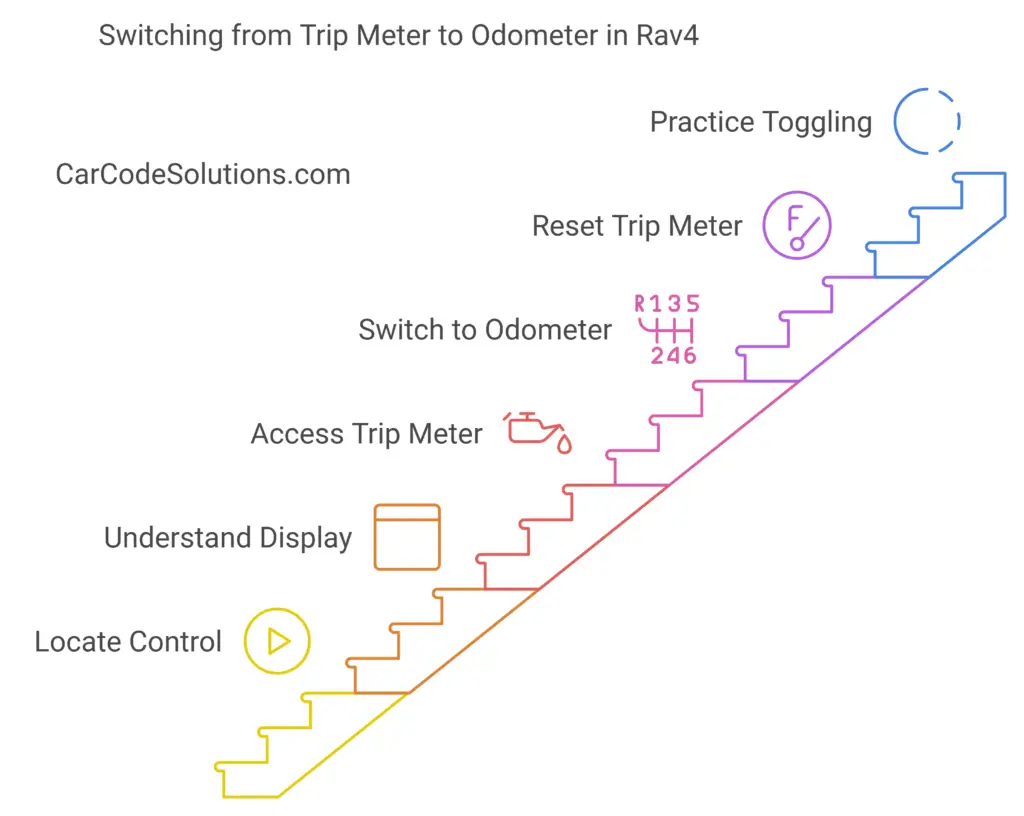
To switch from the trip meter to the odometer in your Rav4, locate the control button near the steering wheel on the dashboard. Press this button to toggle between the trip meter and odometer displays. Understand the different information options available, such as fuel efficiency and outside temperature. You can access the trip meter by pressing the control button and reset it by holding it down. For odometer reading, press the button until the odometer display appears to track your total distance. Need more detailed steps and insights to optimize your Rav4’s features? Start by locating the control button for seamless transitioning.

How to Switch From Trip Meter to Odometer Rav4

Step 1: Locate the Control Button

When locating the control button to switch from the trip meter to the odometer in your Rav4, begin by examining the dashboard near the steering wheel.

In most Rav4 models, this control button is typically located on the instrument panel, close to the speedometer and fuel gauge. It is essential to familiarize yourself with the layout of your specific Rav4 model to pinpoint the exact location of this button.

Once you have located the control button, you can easily toggle between the trip meter and the odometer by pressing it. The trip meter is used to track the distance traveled for a specific trip, while the odometer displays the total distance the vehicle has covered since it was first driven.

This functionality can be useful for monitoring fuel efficiency, maintenance schedules, and overall usage of your Rav4.

Familiarizing yourself with the control button’s location and function will make it easier for you to access and utilize the trip meter and odometer features in your Rav4 conveniently.

Step 2: Understand the Display Options

Exploring the various display options available on the Rav4 allows for a comprehensive understanding of the vehicle’s information presentation capabilities. The Rav4 provides a range of display options that allow drivers to access essential information at a glance.

The display typically includes information such as the trip meter, odometer, fuel efficiency, and outside temperature. By familiarizing yourself with the different display options, you can easily navigate through the information the vehicle provides.

The Rav4’s display options can usually be accessed through the control button on the dashboard. This button allows you to cycle through the various display modes available on the vehicle.

Some Rav4 models may also offer customization options, allowing you to prioritize the information that is most important to you on the display.

Step 3: Access the Trip Meter

To access the trip meter in the Rav4, drivers can utilize the control button on the dashboard to navigate through the display options available on the vehicle. By pressing the button multiple times, users can cycle through the different displays until they reach the trip meter screen.

Once on the trip meter screen, drivers can reset the trip meter to zero by pressing and holding the same button for a few seconds. This allows users to track the distance traveled for a specific trip, making it useful for monitoring fuel efficiency or estimating travel time.

The table below outlines the steps to access the trip meter in the Rav4:

Steps to Access Trip Meter
1. Turn on the vehicle
2. Locate the control button on the dashboard
3. Press the button to cycle through display options
4. Stop when the trip meter screen is displayed
5. Hold the button to reset the trip meter to zero

Step 4: Switch to Odometer Reading

To transition from the trip meter display to the odometer reading on the Rav4, drivers can access the essential mileage information by following a straightforward method via the dashboard controls.

The odometer provides the total distance the vehicle has traveled since it was first driven and is a crucial metric for monitoring the car’s usage and maintenance schedule.

To switch to the odometer reading, locate the control button on the dashboard that allows you to toggle between the trip meter and odometer. Typically, this button is labeled ‘ODO’ or ‘Trip/Odo‘ and can be pressed or held to switch the display.

Once you have found the button, simply press it until the odometer reading appears on the screen. This action will ensure that you have access to the accurate and cumulative mileage data of your Rav4, enabling you to track its overall usage effectively.

Step 6: Reset the Trip Meter

Resetting the trip meter is a straightforward process that allows drivers to track individual distances traveled on specific trips. To reset the trip meter in a Rav4, locate the trip meter button on the dashboard.

This button is usually labeled ‘Trip’ and is situated near the speedometer or tachometer. Once you have located the trip button, press and hold it until the trip meter resets to zero.

Some Rav4 models may require you to turn the ignition to the ‘On’ position without starting the engine before you can reset the trip meter.

Resetting the trip meter is useful for monitoring fuel efficiency, tracking distances between fill-ups, or keeping a record of mileage for maintenance purposes.

Step 7: Practice Toggling Between Functions

When familiarizing yourself with the trip meter functions in a Rav4, practicing toggling between different modes can help you efficiently navigate and access various information displays while on the road.

To begin, locate the trip meter button on your dashboard. Pressing this button will cycle through the different modes available, such as the trip meter A, trip meter B, and the odometer.

By toggling between these functions, you can track your mileage for specific trips, monitor fuel efficiency, and view the total distance your vehicle has traveled.

Engaging in this practice regularly will make it easier for you to switch between functions without distraction while driving. It is essential to understand the different displays each mode offers, so you can utilize the information to enhance your driving experience.

Wrapping Up

In conclusion, switching from the trip meter to the odometer in a Rav4 involves:

  • Locating the control button
  • Understanding the display options
  • Accessing the trip meter
  • Switching to the odometer reading
  • Resetting the trip meter

By following these steps, you can easily toggle between functions to access the desired information on your vehicle’s display.

Mastering this process will enable you to track your mileage and trips effectively.

How to Switch From Trip Meter to Odometer Toyota Camry


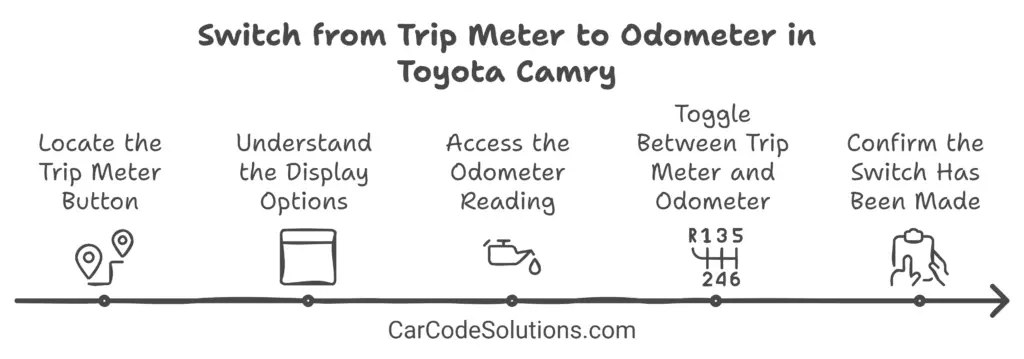
To switch from the trip meter to the odometer in your Toyota Camry, locate the trip meter button near the speedometer and tachometer gauges. Press the button to cycle through display options until you reach the odometer reading. This will show the total distance traveled. Toggle between the trip meter and odometer easily by pressing the control button on the dashboard. Confirm the switch on the instrument cluster. Verify the total mileage displayed for accuracy. For a more detailed walkthrough of switching between the trip meter and odometer, keep exploring the steps provided.

How to Switch From Trip Meter to Odometer Toyota Camry – Step By Step

Step 1: Locate the Trip Meter Button

To begin the process of switching from the trip meter to the odometer in your Toyota Camry, the first step is to locate the Trip Meter button on the vehicle’s dashboard. The Trip Meter button is typically situated near the speedometer and tachometer gauges. It may be labeled as ‘Trip’ or ‘Trip Meter’ and is used to cycle through different display options on the instrument cluster.

Once you have located the Trip Meter button, you can press it to switch from the trip meter reading to the odometer reading. The trip meter is used to measure the distance traveled for a specific trip, while the odometer provides the total distance the vehicle has covered since it was manufactured.

Step 2: Understand the Display Options

Understanding the display options available on the instrument cluster of your Toyota Camry provides valuable insight into the different information and settings that can be accessed while driving. Here are five key display options you may encounter:

  • Trip Meter: Displays the distance traveled since the last reset.
  • Odometer: Shows the total distance the vehicle has traveled.
  • Average Fuel Consumption: Indicates the average fuel efficiency over a specified period.
  • Outside Temperature: Displays the current temperature outside the vehicle.
  • Clock: Shows the current time.

Each of these display options serves a specific purpose, allowing you to stay informed about important aspects of your driving experience.

Step 3: Access the Odometer Reading

Accessing the odometer reading in your Toyota Camry is a straightforward process that provides you with essential information about the total distance your vehicle has traveled. To access the odometer reading, follow these simple steps:

  1. Step 1: Sit in the driver’s seat of your Toyota Camry and ensure the vehicle is turned off.
  2. Step 2: Locate the dashboard display where the odometer reading is shown.
  3. Step 3: Turn the ignition key to the ‘On’ position without starting the engine. This will power up the vehicle’s systems.
  4. Step 4: Look for the total mileage displayed on the odometer. This number represents the total distance your Toyota Camry has traveled since it was new.

Step 3: Toggle Between Trip Meter and Odometer

Switching between the trip meter and odometer on your Toyota Camry can be done easily using the control button provided on the dashboard. This feature allows you to conveniently switch between tracking your overall mileage and monitoring the distance covered during specific trips.

Here are some simple steps to toggle between the trip meter and odometer:

  • Locate the control button: Identify the button on your dashboard that is specifically designated for switching between the trip meter and odometer.
  • Press the button: Press the button to cycle through the different display options available for your Toyota Camry’s mileage tracking.
  • Watch the display: Keep an eye on the information displayed on your instrument cluster as you toggle between the trip meter and odometer.
  • Confirm the selection: Ensure that the desired mileage tracker (trip meter or odometer) is being shown on the dashboard.
  • Enjoy the flexibility: Appreciate the convenience of easily switching between monitoring your overall mileage and tracking individual trip distances with just the push of a button.

Step 4: Confirm the Switch Has Been Made

To verify the selection made between the trip meter and odometer on your Toyota Camry, refer to the displayed mileage information on the instrument cluster. If you see the total mileage of your vehicle, then the switch from the trip meter to the odometer has been successfully completed.

The odometer typically shows the overall distance your car has traveled since it was manufactured. It is a useful tool for keeping track of the total wear and tear on your vehicle. Once you have confirmed that the odometer is displaying, you can rest assured that the changeover has been executed correctly.

It is essential to double-check this switch to ensure that you have accurate mileage information at your disposal. If you encounter any issues or uncertainties regarding the switch from the trip meter to the odometer, consult your Toyota Camry’s user manual for further guidance.

People Also Ask

Where is the odometer button on a Toyota Camry?

To find the odometer button on your Toyota Camry, look near the speedometer and tachometer gauges. It is typically located to the right of the instrument cluster. If there isn’t an ODO or TRIP button visible, check for a thin black dial on the dashboard screen between the speedometer and the multi-information display. You can press this dial to cycle through the odometer display options.

How do you show the odometer on a Toyota?

To display the odometer on your Toyota Camry, press the odometer button to cycle through the display options until you reach the odometer reading, which indicates the total distance traveled. If you want to switch from “Trip A” to the total odometer reading, press the long skinny button to the right of the instrument cluster screen. This will allow you to cycle through “Trip B” and then display the total mileage.

How do I turn off the trip on my Toyota Camry?

To turn off the trip meter on your Toyota Camry, first navigate to the trip meter display you want to reset. Then, press and hold the relevant button for 3-5 seconds. This will reset the trip meter to zero, effectively turning it off.

Wrapping Up

In conclusion, switching from the trip meter to the odometer on a Toyota Camry is a simple process that involves:

  • Locating the trip meter button
  • Understanding the display options
  • Accessing the odometer reading
  • Toggling between the two

By following these steps, you can easily switch between the trip meter and odometer to monitor your mileage and trips effectively.

How to Switch from Trip Meter to Odometer Toyota Corolla


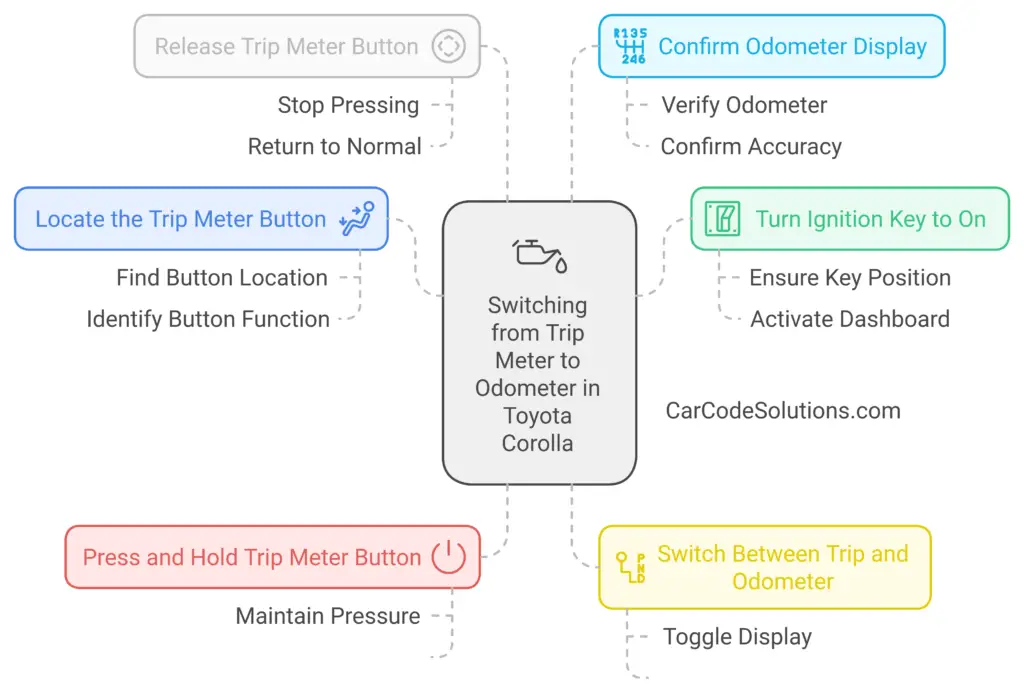
To switch from the trip meter to the odometer in a Toyota Corolla, locate the trip meter button on the dashboard near the speedometer. Ensure the car is turned on. Press and hold the button to toggle between trip meter and odometer displays. Release the button after selecting the desired mode for a smooth transition. Confirm the odometer display near the speedometer for total distance traveled. By following these steps, you can easily switch between tracking trips and viewing overall mileage on your Toyota Corolla. Unlock the full potential of your dashboard functionality effortlessly.

How to Switch From Trip Meter to Odometer Toyota Corolla – Step By Step

Step 1: Locate the Trip Meter Button

To locate the Trip Meter Button in your Toyota Corolla, begin by examining the dashboard controls near the driver’s side. The Trip Meter Button is typically positioned among the cluster of buttons and knobs located close to the steering wheel. In most Toyota Corolla models, it is situated either on the instrument panel near the speedometer or on the dashboard near the driver’s side door. The Trip Meter Button is usually labeled with the letter ‘A’ or ‘B,’ corresponding to the two trip meters available in the vehicle.

Locating this button is essential for accessing and switching between the trip meter and odometer functions in your Toyota Corolla. By pressing the Trip Meter Button, you can cycle through the different display options on the multifunction display, including the trip meters and the odometer. Familiarizing yourself with the position of this button will facilitate seamless navigation through the various functions offered by your vehicle’s dashboard controls.

Step 2: Turn the Ignition Key to On

With your Toyota Corolla in park, ensure that the vehicle’s gear shift is in the ‘P’ position before proceeding to turn the ignition key to the ‘On’ position. This step is crucial as it allows the vehicle’s electrical systems to power up without starting the engine.

The ‘On’ position is typically the second position when turning the key clockwise after the ‘Off’ position. You should see various dashboard lights illuminate, indicating that the car is ready to be operated.

Step 3: Press and Hold the Trip Meter Button

Pressing and holding the trip meter button on your Toyota Corolla is the next step to switch from the trip meter to the odometer display.

To begin, locate the trip meter button, usually situated on the dashboard near the speedometer. Once you have found the button, press and hold it for a few seconds until the display changes from the trip meter reading to the odometer reading.

The trip meter button is designed to toggle between different display modes, allowing you to easily switch between tracking your trips and viewing the overall mileage of your vehicle.

Step 5: Switch Between Trip and Odometer

When switching between the trip meter and odometer on your Toyota Corolla, locate the trip meter button and follow the specified steps to navigate between the two display modes seamlessly. To switch between the trip meter and odometer in your Toyota Corolla, follow these steps:

StepInstructions
Step 1Ensure your Toyota Corolla is turned on.
Step 2Locate the trip meter button on the dashboard.
Step 3Press the trip meter button to switch between the trip meter and odometer.
Step 4Toggle between the trip meter A, trip meter B, and the odometer by pressing the button repeatedly.

Step 6: Release the Trip Meter Button

To disengage the trip meter button in your Toyota Corolla, simply release the button after selecting the desired mode. Once you have chosen between the trip meter and odometer display, press the trip meter button until the display shows the mode you want.

To switch from the trip meter to the odometer, hold down the trip meter button until the display changes to the odometer reading. When you are ready to release the trip meter button, ensure that you do so without applying excessive force to avoid any damage to the button or the dashboard.

Releasing the trip meter button promptly after selecting the desired mode allows the system to register your choice accurately. By following these simple steps and handling the trip meter button gently, you can smoothly transition between the trip meter and odometer functions in your Toyota Corolla.

Step 7: Confirm the Odometer Display

After confirming the selected mode on the trip meter button, proceed to verify the odometer display in your Toyota Corolla. The odometer display is typically located on the dashboard near the speedometer and fuel gauge. It shows the total distance the vehicle has traveled since it was first driven off the lot.

To confirm the odometer display, take a look at the numbers shown. The odometer will typically display mileage in miles or kilometers, depending on the unit of measurement preferred. Ensure that the numbers are steady and not flashing, as a flashing display could indicate a possible issue that may require attention from a certified technician.

Once you have verified the odometer display, you can be confident that you are now viewing the total mileage of your Toyota Corolla. This information is crucial for keeping track of regular maintenance schedules and monitoring the overall usage of your vehicle.

People Also Ask

How do you show the odometer on a Toyota?

To display the odometer on your Toyota, locate the button labeled ‘DISP’ or ‘DISPLAY’ on the steering wheel. Press this button repeatedly until the odometer reading appears on the display. The odometer shows the total distance your vehicle has traveled since it was manufactured.

How to reset trip meter on Toyota Corolla?

To reset the trip meter on your Toyota Corolla, first navigate to the trip meter display you want to reset. Press and hold the relevant button for 3-5 seconds. The display should zero out, effectively resetting the trip meter.

Why does my odometer say trip?

If your odometer display shows “trip” instead of the total mileage, it means you are currently viewing the trip meter rather than the odometer. To switch to the odometer, locate the ‘DISP’ or ‘DISPLAY’ button on the steering wheel and press it repeatedly until the odometer reading appears.

Wrapping Up

In conclusion, switching from the trip meter to the odometer in a Toyota Corolla is a simple process.

By locating the trip meter button, turning the ignition key to on, pressing and holding the trip meter button, switching between trip and odometer, and releasing the trip meter button, you can easily switch the display.

Make sure to confirm the odometer display to ensure accuracy in your mileage tracking.