Recent Posts

How to Check Tire Pressure on Toyota Rav4


How to Check Tire Pressure on Toyota Rav4

Ensuring that your Toyota Rav4 has the correct tire pressure is crucial for both safety and performance. Proper tire pressure not only improves fuel efficiency but also enhances the overall handling and lifespan of the tires. In this guide, we’ll walk you through the simple steps to check your Toyota Rav4’s tire pressure.


Step 1: Gather the Necessary Tools

Before you begin, make sure you have a tire pressure gauge. There are various types of gauges available, including digital and analog options. Choose one that best suits your preference and budget.

Step 2: Identify the Recommended Tire Pressure

The recommended tire pressure for your Toyota Rav4 can be found in several locations. Typically, it’s located on a sticker on the driver’s side door jamb, inside the fuel door, or in the owner’s manual. It’s essential to adhere to the manufacturer’s recommended tire pressure for optimal performance and safety.

Step 3: Check the Tire Pressure

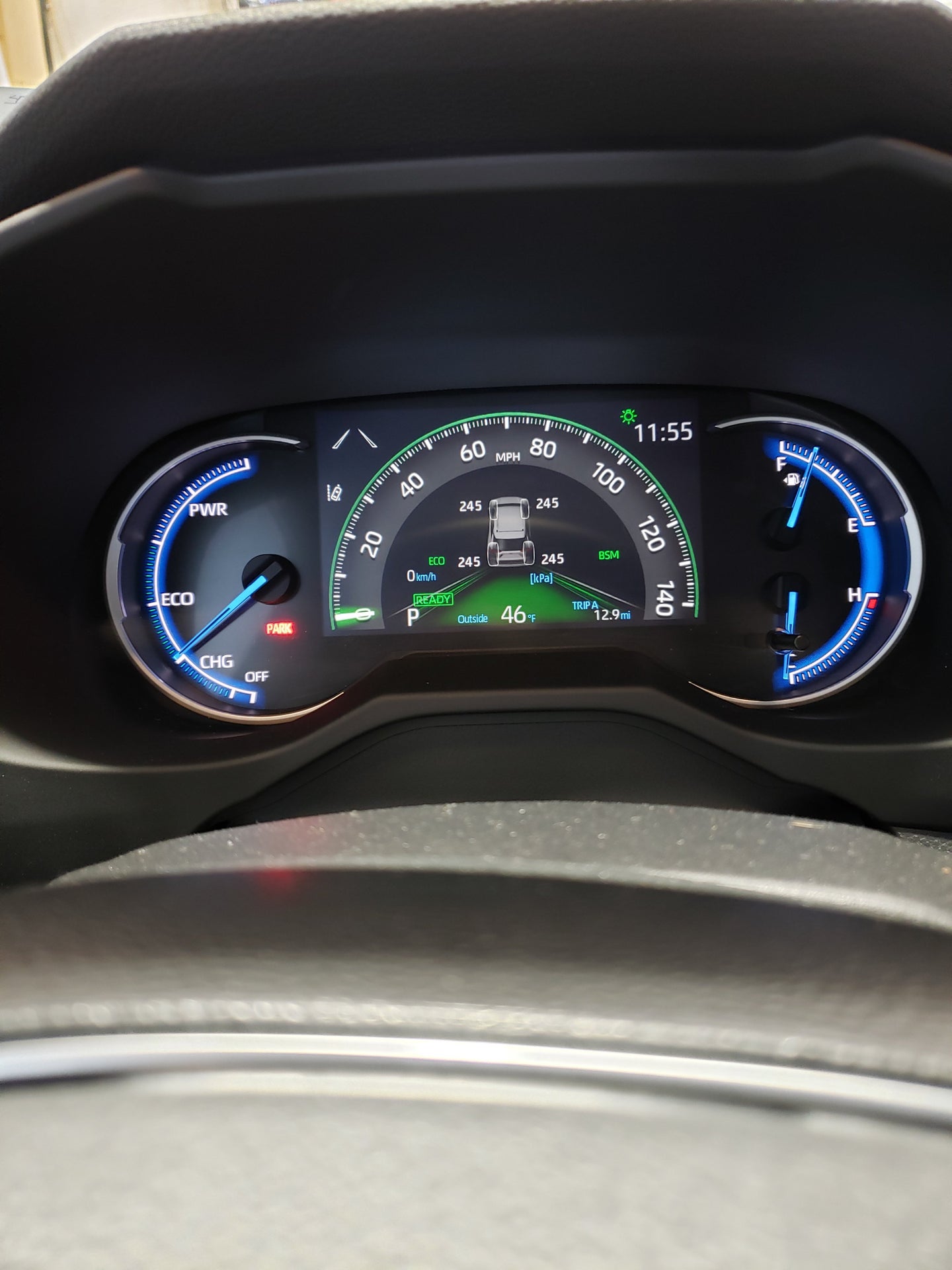
Park your Toyota Rav4 on a flat surface and remove the valve cap from the tire. Press the tire pressure gauge onto the valve stem and wait for the reading to stabilize. Ensure that the gauge is firmly and squarely attached to the valve stem to get an accurate reading.

Step 4: Compare the Reading

Once you have the tire pressure reading, compare it to the recommended pressure for your Toyota Rav4. If the reading is lower than the recommended pressure, you’ll need to add air to the tire. Conversely, if the reading is higher, release some air until it reaches the correct pressure.

Step 5: Adjust the Tire Pressure

If the tire pressure is low, use an air compressor to add air to the tire. Many gas stations and auto service centers have air compressors that you can use. It’s crucial to add air in short bursts and continually check the pressure to avoid overinflating the tire.

Step 6: Repeat for All Tires

Be sure to check the pressure of all four tires, including the spare. Each tire can have a different pressure, so it’s important to check and adjust individually. Remember to replace the valve caps securely after checking each tire.
How to Check Tire Pressure on Toyota Rav4

Credit: www.reddit.com

Step 7: Final Checks

After adjusting the tire pressure, recheck all four tires to ensure they are at the correct pressure. Once you’ve confirmed that all tires are properly inflated, you can confidently hit the road knowing that your Toyota Rav4 is optimized for safety and performance.

Why Is Proper Tire Pressure Important?

Maintaining the right tire pressure offers several key benefits, including improved fuel efficiency, enhanced handling and braking, and prolonged tire lifespan. Underinflated tires can result in poor fuel economy, increased tire wear, and compromised safety, while overinflated tires can lead to reduced traction and a harsher ride.
How to Check Tire Pressure on Toyota Rav4

Credit: www.rav4world.com

Frequently Asked Questions For How To Check Tire Pressure On Toyota Rav4

How Often Should I Check The Tire Pressure On My Toyota Rav4?

It is recommended to check the tire pressure on your Toyota Rav4 at least once a month to ensure optimal safety and performance.

What Is The Recommended Tire Pressure For A Toyota Rav4?

The recommended tire pressure for a Toyota Rav4 typically ranges from 30 to 35 psi, but it is best to refer to the owner’s manual or the tire placard on the driver’s side door for the precise recommendation.

What Are The Consequences Of Driving With Underinflated Tires On My Toyota Rav4?

Driving with underinflated tires on your Toyota Rav4 can lead to decreased fuel efficiency, uneven tire wear, reduced handling and braking performance, and an increased risk of tire blowouts. It is crucial to check and maintain proper tire pressure for optimal safety and longevity.

Conclusion

Checking the tire pressure on your Toyota Rav4 is a simple yet essential task that contributes to both safety and performance. By following the steps outlined in this guide and keeping your tires properly inflated, you can optimize your driving experience and extend the lifespan of your vehicle’s tires.

How to Reset Toyota Sienna Maintenance Light 2015


How to Reset Toyota Sienna Maintenance Light? To reset the maintenance light on a 2015 Toyota Sienna, turn the ignition switch to the “off” position, then press and hold the Trip Reset button while turning the ignition key to the “on” position. If you own a 2015 Toyota Sienna, you may need to reset the maintenance light after completing a service.

This can be easily done by following a few simple steps. We will guide you through the process of resetting the maintenance light on your Toyota Sienna, ensuring that your vehicle’s maintenance indicator is properly reset and your car is kept in optimal condition.

Step 1: Preparing To Reset The Maintenance Light

Step 1: Preparing to Reset the Maintenance Light

Check The Owner’s Manual

Refer to the Toyota Sienna 2015 owner’s manual for specific instructions.

Gather The Necessary Tools

  • Owner’s manual
  • OBD-II scanner
  • Paperclip or similar tool for resetting

Ensure you have all the necessary tools to reset the maintenance light efficiently.

How to Reset Toyota Sienna Maintenance Light 2015

Credit: www.youtube.com

Step 2: Accessing The Maintenance Light Reset Button

Step 2: Accessing the Maintenance Light Reset Button

Locate The Obd-ii Port

Before resetting the maintenance light on your 2015 Toyota Sienna, you need to locate the OBD-II port, which is typically located under the dashboard on the driver’s side. It is a standardized port used to connect diagnostic tools to the vehicle’s onboard computer system. Once you have located the OBD-II port, you can proceed to the next step.

Plug In The Code Reader

After locating the OBD-II port, it’s time to plug in the code reader. Ensure the vehicle is turned off before doing this. The code reader is a diagnostic tool that allows you to read and clear trouble codes from your vehicle’s computer. Simply connect the code reader to the OBD-II port, and wait for it to establish a connection with the vehicle’s computer system. Once the connection is established, you can proceed with resetting the maintenance light.

Step 3: Resetting The Maintenance Light

Need to reset the maintenance light on your 2015 Toyota Sienna? Follow these simple steps to get it done quickly and easily.


Resetting the Maintenance Light on Toyota Sienna 2015

Turn On The Ignition

To start the reset process, turn on the ignition by inserting the key and turning it to the “ON” position without starting the engine.

Access The ‘maintenance Reset’ Option

After turning on the ignition, locate the trip button on the instrument panel. Press and hold it until the maintenance light blinks and then stays illuminated.

Reset The Maintenance Light

Once the maintenance light is illuminated, release the trip button and then press it again to toggle to the “Reset” mode. Hold the button for a few seconds until the maintenance light turns off and then back on. At this point, the maintenance light should be successfully reset.


How to Reset Toyota Sienna Maintenance Light 2015

Credit: www.savannahtoyota.com

Step 4: Verifying The Reset

After completing the reset process, the final step is to verify that the maintenance light on your Toyota Sienna 2015 has been successfully turned off.

Start The Engine

  1. Take a moment to start the engine of your Toyota Sienna.

Check If The Maintenance Light Is Off

  • Observe the dashboard and ensure the maintenance light is no longer illuminated.

How to Reset Toyota Sienna Maintenance Light 2015

Credit: www.siennachat.com

Frequently Asked Questions On How To Reset Toyota Sienna Maintenance Light 2015

How Do I Reset The Maintenance Light On My Toyota Sienna 2015?

To reset the maintenance light on your Toyota Sienna 2015, follow these simple steps:
1. Turn the ignition key to the ON position without starting the engine. 2. Press and hold the trip reset button until the maintenance light starts flashing. 3. Release the trip reset button and then immediately press it again for about five seconds. 4. Once the maintenance light stops flashing and remains illuminated, turn off the ignition.

Why Is The Maintenance Light On In My Toyota Sienna 2015?

The maintenance light in your Toyota Sienna 2015 is a reminder to perform routine maintenance tasks. It could indicate that it’s time for an oil change, tire rotation, or other regular maintenance services. It’s important to address these maintenance needs to keep your vehicle running smoothly and prevent potential issues.

How Often Should I Reset The Maintenance Light On My Toyota Sienna 2015?

You should reset the maintenance light on your Toyota Sienna 2015 after performing the required maintenance services or as recommended by the vehicle manufacturer. Generally, it’s a good practice to reset the maintenance light after an oil change or other scheduled maintenance tasks.

This ensures that the maintenance reminder is accurate and helps you keep track of when your next service is due.

Conclusion

Resetting the maintenance light on your 2015 Toyota Sienna is a straightforward process that can save you time and money. By following these simple steps, you can stay on top of your vehicle’s maintenance schedule and ensure optimal performance. Remember that regular maintenance is key to a long-lasting vehicle.

How to Reset Maintenance Light on Toyota Yaris


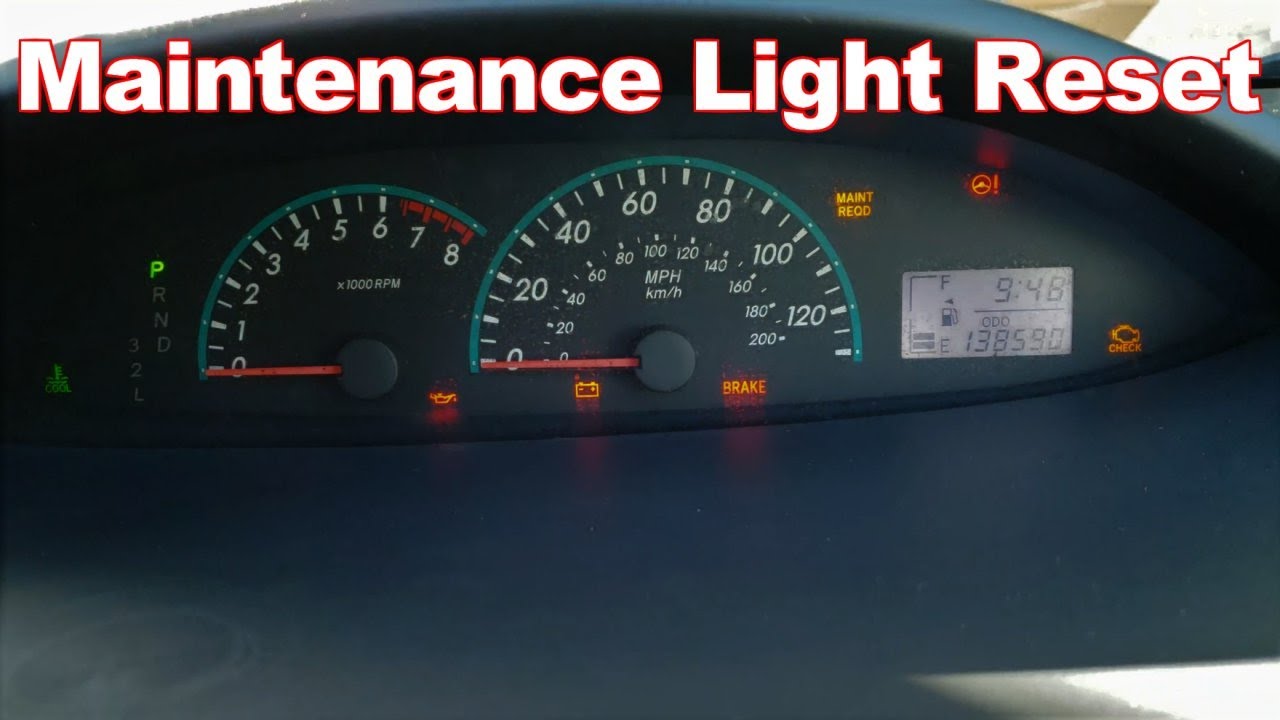
How to Reset Maintenance Light on Toyota Yaris? To reset the maintenance light on a Toyota Yaris, first, turn the ignition switch to the “ON” position. Then, press and hold the trip meter reset button until the maintenance light turns off.

This simple process can be completed in just a few seconds, allowing you to reset the maintenance light and continue driving your Toyota Yaris without any distractions. Driving a Toyota Yaris is a delightful experience, with its compact size and efficient performance making it perfect for urban commutes.

However, like all vehicles, it requires regular maintenance to stay in top condition. One common task is resetting the maintenance light after a service. Whether you’ve just had an oil change or completed another scheduled maintenance, knowing how to reset the maintenance light is essential for keeping your Yaris in prime condition. In this guide, we’ll walk you through the simple steps to reset the maintenance light on your Toyota Yaris, ensuring you can get back on the road with peace of mind.

How to Reset Maintenance Light on Toyota Yaris

Credit: www.tvtoyota.com

Understanding The Maintenance Light

Understanding the Maintenance Light in your Toyota Yaris is crucial to ensure timely servicing and maintenance of your vehicle. It serves as a helpful indicator that notifies you when your car is due for maintenance.

What Is The Maintenance Light?

The Maintenance Light, also known as the Maintenance Required Light, is a small warning light on your Toyota Yaris dashboard that illuminates to remind you that your vehicle is due for scheduled maintenance.

Why Does The Maintenance Light Illuminate?

The Maintenance Light illuminates based on parameters such as mileage and time elapsed since the last maintenance. It’s designed to help you keep your Toyota Yaris running smoothly, ensuring optimal performance and longevity.

How to Reset Maintenance Light on Toyota Yaris

Credit: www.youtube.com

Resetting The Maintenance Light

Resetting the Maintenance Light on your Toyota Yaris is essential for keeping your vehicle running smoothly and ensuring you are aware of any necessary maintenance needs. Follow these simple steps to reset the maintenance light on your Toyota Yaris and keep your vehicle in top shape.

Step 1: Locate The Maintenance Light Button

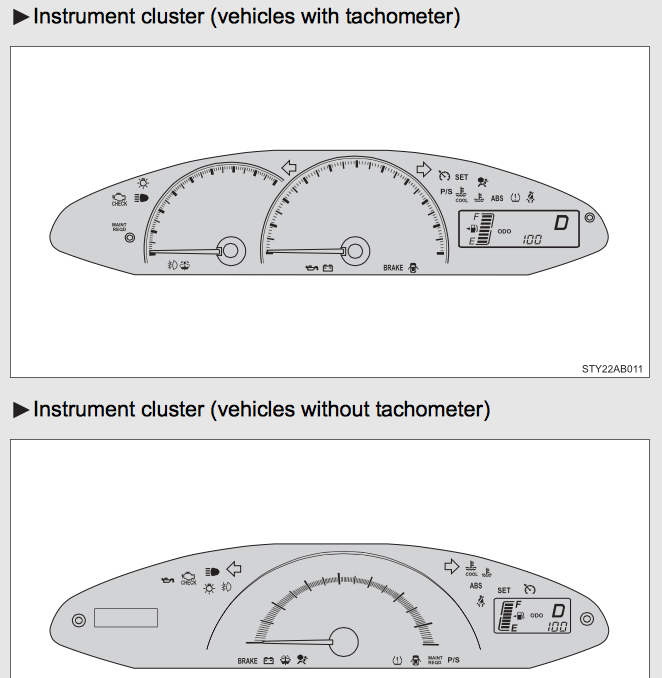
First, locate the maintenance light button on your Toyota Yaris. This button is typically located on the dashboard near the steering wheel.

Step 2: Turn The Ignition Key To The ‘on’ Position

Next, insert your key into the ignition and turn it to the ‘on’ position. You do not need to start the engine for this process.

Step 3: Press And Hold The Maintenance Light Button

Once the key is in the ‘on’ position, press and hold the maintenance light button. Hold it for approximately 5 seconds or until the maintenance light starts blinking.

Step 4: Release The Maintenance Light Button

After the maintenance light begins to blink, release the maintenance light button. The light should stop blinking and remain off.

Step 5: Verify The Maintenance Light Reset

To verify that the maintenance light has been successfully reset, turn the ignition off and then start your Toyota Yaris. If the maintenance light does not reappear, the reset was successful.

Common Questions And Troubleshooting

What If The Maintenance Light Doesn’t Reset?

If the maintenance light doesn’t reset after following the proper steps, there are a few troubleshooting techniques that can be attempted to resolve the issue. These include checking the vehicle’s manual for specific instructions, ensuring the correct reset procedure is being used, and making sure the vehicle’s ignition is in the correct position during the reset process.

Can I Reset The Maintenance Light Without A Button?

Toyota Yaris models equipped with digital displays typically feature a button or combination of buttons used to reset the maintenance light. If the vehicle lacks this feature, it may still be possible to reset the light using a manual reset method, as outlined in the vehicle’s manual or by consulting a professional mechanic.

Does Resetting The Maintenance Light Affect Warranty?

Resetting the maintenance light on a Toyota Yaris should not affect the vehicle’s warranty. This routine maintenance action does not interfere with the vehicle’s overall performance or safety. However, for specific warranty-related concerns, it’s advisable to refer to the manufacturer’s warranty guidelines or consult a certified Toyota service center for clarification.

How to Reset Maintenance Light on Toyota Yaris

Credit: oilreset.com

Frequently Asked Questions Of How To Reset Maintenance Light On Toyota Yaris

How Can I Reset The Maintenance Light On My Toyota Yaris?

To reset the maintenance light on your Toyota Yaris, follow these simple steps:
1. Insert your key into the ignition and turn it to the “ON” position (without starting the engine). 2. Locate the trip meter reset button on the dashboard and press and hold it. 3. While holding the button, turn the key to the “OFF” position and then back to the “ON” position. 4. Continue holding the button until the maintenance light goes off, usually within 10 seconds. 5. Release the button and start your Toyota Yaris to confirm that the maintenance light has been reset.

Why Is The Maintenance Light On In My Toyota Yaris?

The maintenance light in your Toyota Yaris typically comes on to remind you that a scheduled maintenance is due. This could include an oil change, tire rotation, or other regular maintenance tasks. It is important not to ignore the maintenance light as it helps ensure the longevity and performance of your vehicle.

Can I Reset The Maintenance Light On My Toyota Yaris Myself?

Yes, you can easily reset the maintenance light on your Toyota Yaris yourself, without the need for a visit to the dealership. By following a few simple steps, you can clear the maintenance light and ensure that your vehicle is properly maintained.

Conclusion

Resetting the maintenance light on your Toyota Yaris is a simple task that can save you time and money. By following the steps outlined in this blog post, you can easily take control of your car’s maintenance schedule. Keep your Yaris running smoothly with these easy reset instructions.

How to Reset Toyota Tundra Maintenance Light


How to Reset Toyota Tundra Maintenance Light? To reset the Toyota Tundra maintenance light, start the vehicle and make sure the odometer is displaying trip meter A. Turn the vehicle off, then press and hold the trip meter reset knob.

While holding the knob, turn the vehicle on and continue to hold the knob until the trip meter displays “000000. ” Release the knob and the maintenance light should be reset. Resetting the maintenance light on your Toyota Tundra is a simple process that can be done in just a few steps.

This ensures that you can keep track of your vehicle’s maintenance schedule and avoid any unnecessary warning lights. By following these instructions, you can easily reset the maintenance light and maintain the optimal performance of your Toyota Tundra for years to come.

How to Reset Toyota Tundra Maintenance Light

Credit: m.youtube.com

How to Reset Toyota Tundra Maintenance Light

Credit: www.mossytoyota.com

Frequently Asked Questions Of How To Reset Toyota Tundra Maintenance Light

How Do I Reset The Maintenance Light On My Toyota Tundra?

To reset the maintenance light on your Toyota Tundra, turn the engine off, hold the trip meter reset button, and turn the key to the “On” position. Release the button when the maintenance light goes off.

Why Is My Toyota Tundra Maintenance Light On?

The Toyota Tundra maintenance light turns on to remind you that your vehicle needs routine servicing, such as an oil change or tire rotation. It is important to address these maintenance tasks promptly to keep your Tundra running smoothly.

Can I Reset The Maintenance Light Without Going To The Dealership?

Yes, you can reset the maintenance light on your Toyota Tundra without going to the dealership. Follow the steps outlined in your vehicle’s manual or refer to online tutorials for specific instructions on how to reset the light yourself.

Conclusion

After following these simple steps to reset your Toyota Tundra maintenance light, you can drive worry-free. Maintaining your vehicle is crucial for its performance and longevity. Remember to consult your owner’s manual for specific instructions. Regular maintenance ensures a smooth and safe driving experience.

How to Reset Maintenance Light on Toyota Chr


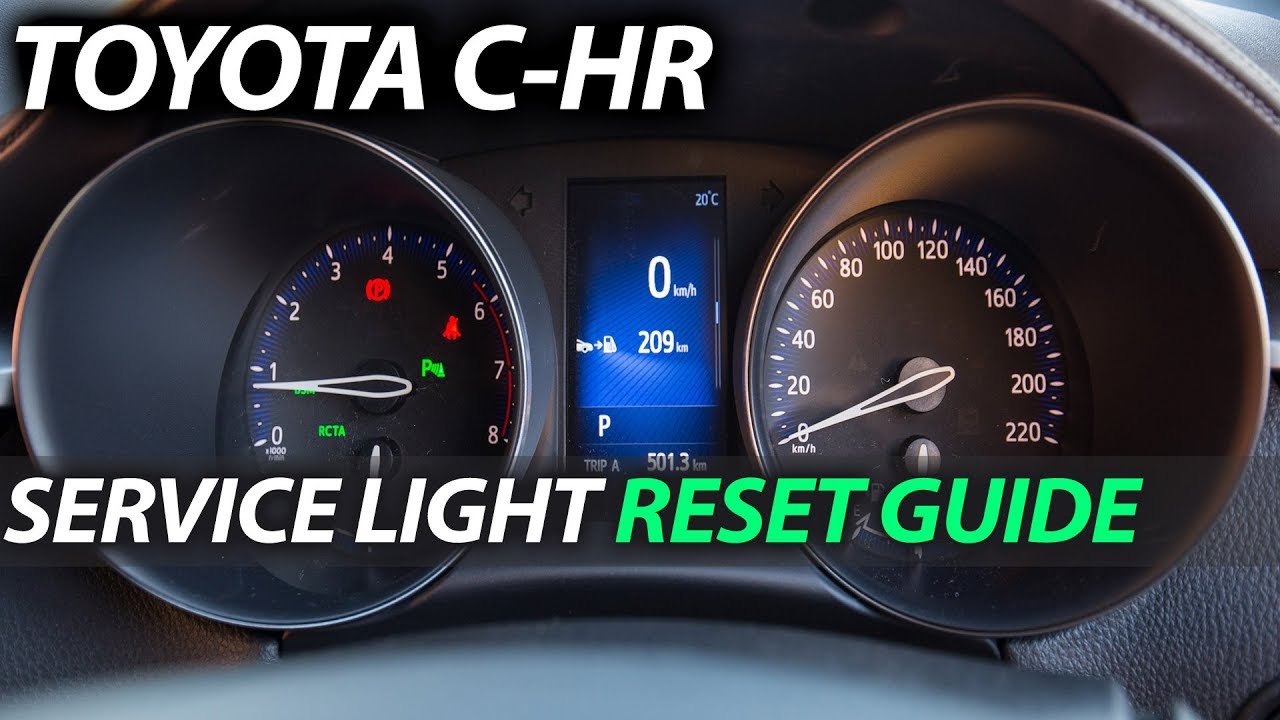
How to Reset Maintenance Light on Toyota Chr? To reset the maintenance light on a Toyota CHR, turn the ignition to the “On” position and press the “Trip” button to display the odometer. Then, turn the ignition off, press and hold the trip meter reset button, and turn the ignition back to the “On” position while holding the button until the light resets.

For Toyota CHR owners looking to reset the maintenance light, this simple and quick procedure can save a visit to the dealership. Keeping your vehicle’s maintenance light reset helps ensure you stay on top of scheduled services and avoid potential issues down the road.

By following a few easy steps, you can reset the maintenance light on your Toyota CHR and keep your vehicle running smoothly.

How to Reset Maintenance Light on Toyota Chr

Credit: www.reddit.com

Why Does The Maintenance Light Illuminate?

The Maintenance Light in your Toyota CHR can illuminate due to various reasons. Understanding why it turns on is crucial for proper vehicle maintenance.

Possible Reasons For The Maintenance Light To Turn On

  • Exceeded oil change interval
  • Low engine oil level
  • Malfunctioning sensors

Possible Causes For The Maintenance Light To Illuminate

  1. Exceeded oil change interval
  2. Low engine oil level
  3. Malfunctioning sensors

Resetting The Maintenance Light

Learn how to easily reset the maintenance light on your Toyota Chr with just a few simple steps. Avoid unnecessary trips to the mechanic by following these quick instructions to clear the indicator and keep your car running smoothly.

Resetting the Maintenance Light

Is your Toyota CH-R displaying a maintenance light that needs to be reset? Don’t worry, it’s a straightforward process. Follow these simple steps to reset the maintenance light on your Toyota CH-R.

Step 1: Open the driver’s side door

First, open the driver’s side door and ensure that the odometer display is set to show the total mileage, rather than trip A or trip B.

Step 2: Insert and turn the key

Insert the key into the ignition and turn it to the “on” position, without starting the engine. Make sure all doors are closed during this process.

Step 3: Press and hold the ODO/Trip button

Locate the ODO/Trip button on the instrument cluster. Press and hold it down while also turning the key to the “off” position. Keep the button pressed until the maintenance light resets.

Step 4: Turn the key to the Off position

Turn the key back to the “on” position, without starting the engine. You should see that the maintenance light has been reset.

Step 5: Release the ODO/Trip button

Finally, release the ODO/Trip button. The maintenance light should now be reset, indicating that the maintenance has been successfully completed.

By following these simple steps, you can quickly reset the maintenance light on your Toyota CH-R, ensuring that your vehicle continues to run smoothly and efficiently.

Using The Multi-information Display

When it comes to maintaining the health of your Toyota CHR, staying on top of regular maintenance tasks is crucial. One common task that owners need to know how to handle is resetting the maintenance light. The Multi-Information Display in your Toyota CHR makes this process quick and straightforward. Follow these steps to reset the maintenance light using the Multi-Information Display.

Step 1: Press The Menu Button

Start by pressing the MENU button on the Multi-Information Display. This will give you access to the display’s settings.

Step 2: Select ‘vehicle Settings’

Within the MENU, navigate to the ‘Vehicle Settings’ option using the directional buttons. This section allows you to customize various vehicle settings, including maintenance options.

Step 3: Choose ‘maintenance’

Once in the ‘Vehicle Settings’, locate and select the ‘Maintenance’ option. This is where you can access the maintenance-related settings and perform tasks like resetting the maintenance light.

Step 4: Select ‘reset’

After choosing the ‘Maintenance’ option, look for the ‘Reset’ feature within the menu. This is the function you’ll use to initiate the reset process for the maintenance light.

Step 5: Confirm The Reset

Once you’ve selected ‘Reset’, the Multi-Information Display will prompt you to confirm the action. Confirm the reset to clear the maintenance light and complete the process.

How to Reset Maintenance Light on Toyota Chr

Credit: www.coggintoyota.com

How to Reset Maintenance Light on Toyota Chr

Credit: m.youtube.com

Frequently Asked Questions On How To Reset Maintenance Light On Toyota Chr

How Do You Reset The Maintenance Light On A Toyota Chr?

To reset the maintenance light on a Toyota CHR, follow these steps:
1. Turn on the ignition without starting the engine. 2. Press and hold the ODO/Trip button until the maintenance light starts flashing. 3. Release the button and then immediately press and hold it again until the light resets.

Why Is My Maintenance Light On In My Toyota Chr?

The maintenance light in your Toyota CHR may be on due to a variety of reasons. It could indicate that your vehicle is due for regular maintenance such as an oil change or tire rotation. It’s important to check your vehicle’s owner manual for specific details and consult with a professional if needed.

How Often Should The Maintenance Light Be Reset On A Toyota Chr?

The maintenance light on a Toyota CHR should be reset after each scheduled maintenance service. These services are typically performed at specific mileage intervals or as recommended by the manufacturer. Regularly resetting the maintenance light ensures that you stay on top of your vehicle’s maintenance needs and can help prevent potential issues down the line.

Conclusion

Resetting the maintenance light on your Toyota CHR is a simple process that can save you time and money. By following the steps outlined in this blog post, you can easily take control of your vehicle’s maintenance reminders. Stay proactive and ensure your CHR runs smoothly for years to come.

How to Reset Maintenance Light on Toyota Highlander 2013


How to Reset Maintenance Light on Toyota Highlander? To reset the maintenance light on a 2013 Toyota Highlander, turn the engine off and press the trip meter button. Then, turn the ignition key to the “on” position while holding the button until the light turns off.

The Toyota Highlander 2013 is a reliable and popular SUV. However, like all vehicles, it requires regular maintenance to ensure optimal performance. One crucial aspect of maintenance is resetting the maintenance light after service to keep track of scheduled upkeep.

Knowing how to reset the maintenance light on your 2013 Toyota Highlander can save you time and money by eliminating the need for a trip to the dealership or mechanic for a simple reset. Follow these easy steps to reset the maintenance light on your Toyota Highlander 2013 and keep your vehicle running smoothly.

Why Does The Maintenance Light Come On?


Why does the maintenance light come on?

Possible Reasons

⦁ Routine maintenance schedule exceeded
⦁ Engine oil needs to be changed
⦁ Faulty sensor triggering the light
⦁ Low engine oil pressure
⦁ Air filter replacement due

Importance Of Addressing The Issue

⦁ Avoid potential engine damage
⦁ Ensure optimal vehicle performance
⦁ Safety on the road
⦁ Prolong vehicle lifespan


How to Reset Maintenance Light on Toyota Highlander 2013

Credit: www.howtoautomotive.com

Methods To Reset The Maintenance Light


Resetting the maintenance light on your Toyota Highlander 2013 is a simple task that can be done by following a couple of methods. These methods are quick and easy, allowing you to reset the maintenance light without the need for a professional mechanic.

Method 1: Using The Trip Meter Button

To reset the maintenance light using the trip meter button, follow these steps:

  1. Insert the key into the ignition and turn it to the “On” position without starting the engine.
  2. Press and hold the trip meter button until the maintenance light starts flashing.
  3. Release the trip meter button and then press and hold it again until the maintenance light stops flashing and resets.
  4. Turn off the ignition, and then start the engine to ensure the maintenance light has been successfully reset.

Method 2: Using The Information Display Button

If you prefer to use the information display button, here’s how to reset the maintenance light:

  • Turn the key to the “On” position without starting the engine.
  • Press the “Info” button on the information display until the maintenance screen is displayed.
  • Press and hold the “Info” button until the maintenance screen resets and the maintenance light turns off.
  • Turn off the ignition, and then start the engine to confirm that the maintenance light has been reset successfully.


Step-by-step Guide For Each Method

When it comes to maintaining your Toyota Highlander 2013, resetting the maintenance light after completing an oil change or other routine maintenance is an essential step. To ensure your vehicle’s longevity and performance, it’s crucial to follow the correct procedures for resetting the maintenance light. In this step-by-step guide, we will walk you through two methods to reset the maintenance light on your Toyota Highlander 2013.

Method 1: Using The Trip Meter Button

To reset the maintenance light using the trip meter button, follow these simple steps:

  1. Start by turning the ignition switch to the “off” position.
  2. Next, press and hold the trip meter reset button.
  3. While holding the reset button, turn the ignition switch to the “on” position.
  4. Continue holding the reset button until the maintenance light begins to flash and eventually turns off.
  5. Once the maintenance light goes off, release the trip meter reset button.
  6. Finally, start the engine to ensure the maintenance light is successfully reset.

Method 2: Using The Information Display Button

If you prefer to use the information display button to reset the maintenance light, follow these steps:

  1. Turn the ignition switch to the “off” position.
  2. Locate the information display button on the dashboard.
  3. Press and hold the information display button.
  4. While holding the button, turn the ignition switch to the “on” position.
  5. Continue holding the display button until the maintenance light resets and turns off.
  6. Release the information display button, and the maintenance light should be successfully reset.
How to Reset Maintenance Light on Toyota Highlander 2013

Credit: www.youtube.com

Precautions To Take While Resetting The Maintenance Light

Precautions to take while resetting the maintenance light:

When resetting maintenance light on 2013 Toyota Highlander, ensure these precautions are followed:

Check For Any Other Warning Lights

  • Inspect dashboard for additional warning lights
  • Address any other issues promptly

Consult The Vehicle Manual

  1. Refer to the Toyota Highlander 2013 manual
  2. Follow manufacturer’s guidelines precisely

How to Reset Maintenance Light on Toyota Highlander 2013

Credit: www.brentbrowntoyota.com

Frequently Asked Questions On How To Reset Maintenance Light On Toyota Highlander 2013

How Can I Reset The Maintenance Light On My Toyota Highlander 2013?

To reset the maintenance light on your Toyota Highlander 2013, follow these steps:
1. Turn the ignition switch to the “ON” position. 2. Press and hold the trip meter reset button. 3. While holding the button, turn the ignition switch to the “OFF” position. 4. Continue holding the button, then turn the ignition switch back to the “ON” position. 5. Release the trip meter reset button, and the maintenance light should reset.

Why Is The Maintenance Light On My Toyota Highlander 2013 Blinking?

If the maintenance light on your Toyota Highlander 2013 is blinking, it indicates a more serious issue that requires immediate attention. It could be an engine problem, a faulty sensor, or a malfunction in the vehicle’s systems. It’s important to have your vehicle inspected by a qualified mechanic to diagnose and fix the issue.

How Often Should I Reset The Maintenance Light On My Toyota Highlander 2013?

You should only reset the maintenance light on your Toyota Highlander 2013 after completing the necessary maintenance tasks, such as an oil change or tire rotation. It’s important to follow the manufacturer’s recommended maintenance schedule, typically found in the owner’s manual, to ensure the longevity and performance of your vehicle.

Conclusion

Resetting the maintenance light on your Toyota Highlander 2013 is a simple process. By following these steps, you can easily take care of this task on your own. Regular maintenance is crucial for your vehicle’s longevity and performance, so stay on top of it for hassle-free driving experience.