Recent Posts

How to Install Rear View Camera on a 2012 Honda Civic


To install a rear view camera on a 2012 Honda Civic:

  1. Mount the camera above the license plate. Drill a hole to route the wiring inside the trunk.
  2. Connect the camera’s power wire to the reverse light wiring for automatic activation.
  3. Run the video cable to the front of the car, hiding it along trim panels.
  4. Tap into the factory wiring behind the i-MID display using an adapter harness. Enable the camera input in the diagnostic menu.
  5. Test and calibrate the camera angle and guidelines.

Installing an aftermarket rear view camera on your 2012 Honda Civic is a great way to improve visibility and safety when backing up. While it may seem like a daunting task, with the right tools, parts, and instructions, it’s a project that most DIY enthusiasts can tackle in a few hours. This guide will walk you through the process step-by-step.

What Do I Need to Install a Rear View Camera on My 2012 Honda Civic?

Before getting started, make sure you have all the necessary materials and tools:

  • Aftermarket rear view camera compatible with 2012 Honda Civic
  • Wiring harness adapter to connect camera to Civic’s factory wiring
  • Power drill and drill bits
  • Trim removal tools
  • Screwdrivers
  • Electrical tape
  • Zip ties
  • Multimeter (optional but recommended for testing connections)

You don’t need any specialized skills, but having some experience with basic car audio/video installation and wiring is helpful. Carefully follow the instructions and take your time to ensure a quality install.

Where Can I Mount the Rear View Camera on My 2012 Honda Civic?

The most common and recommended mounting location is near the center of the rear bumper, above the license plate. This provides the best vantage point for viewing what’s behind your vehicle.

Some cameras mount to the license plate itself, while others include a separate mounting bracket. Make sure the camera is centered and level. Use the supplied hardware and recommended procedures to firmly attach the camera to the vehicle. Ensure the lens is aimed properly down the center and is not obstructed.

How Do I Connect the Rear View Camera to My 2012 Honda Civic’s Infotainment System?

The 2012 Civic’s i-MID display is capable of showing the video feed from an aftermarket rear camera, but it requires tapping into the factory wiring. You’ll need to access the connectors behind the i-MID screen and use a wiring harness to interface with the camera.

First, carefully remove the trim panels to access the area behind the screen. Unplug the factory connectors. Plug the wiring harness in-between the factory wires and the i-MID. The harness should have a yellow RCA video connector for the camera signal.

On the i-MID, go to the “Diag” diagnostic menu by pressing and holding “Menu” and “Select” for 20 seconds. Then go to “Backup Camera” settings to enable the rear camera input. Adjust the guidelines as needed.

What Are the Wiring and Electrical Considerations for Installing a Rear View Camera on My 2012 Honda Civic?

The rear view camera needs to be wired for power and ground in addition to the video signal connection covered above. Typically, you’ll want to tap into the reverse light wiring so the camera turns on automatically when shifting into reverse.

Locate the wiring for the reverse lights near the rear of the vehicle. Use a multimeter to confirm the function of the wires. Then splice into the 12V+ reverse signal wire and the ground wire to power the camera. Solder the connections if possible and seal with electrical tape to prevent shorts.

When routing the video cable from the rear of the vehicle to the front, be careful to avoid any moving parts or heat sources. Use zip ties to secure the cable along existing factory wiring. Hide the cable behind trim panels and weatherstripping as much as possible for a clean install.

How Do I Test and Calibrate the Rear View Camera on My 2012 Honda Civic?

With everything wired up, reconnect the vehicle’s battery and put the car in reverse to test the camera. The video feed should automatically appear on the i-MID display. If it doesn’t, double check the wiring and i-MID settings.

Adjust the physical angle of the camera to optimize the view behind the vehicle. You want it level and pointed straight back. Use the grid line settings on the i-MID to dial in the camera aim and correct any distortion.

To access the grid line adjustment:

  1. Press “Menu” on the steering wheel controls
  2. Press and hold “Select” and “Menu” for 20 seconds to enter diagnostic mode
  3. Go to “Backup Camera” settings
  4. Select “Yellow Grid Line Adjustment”
  5. Use the controls to position the grid lines to account for the camera angle

Take the vehicle for a test drive to evaluate the camera performance in real-world conditions. Make sure the image is clear and the grid lines match the actual direction of the vehicle when turning the steering wheel.

Are There Any Additional Features or Settings I Should Know About for My Rear View Camera on My 2012 Honda Civic?

Aftermarket rear view cameras may include additional features like parking guidance lines, night vision, or image mirroring. Check the documentation for your specific camera model to see what features are available and how to configure the settings.

Some cameras allow you to turn parking lines on or off, or even customize the style of the grid. Higher-end cameras may offer settings to enhance visibility at night or in low light conditions. Refer to your camera’s instruction manual for details on what options are available.

What Are Some Common Issues or Troubleshooting Tips for Installing a Rear View Camera on My 2012 Honda Civic?

Here are a few things to watch out for and some troubleshooting advice:

  • If the camera works sometimes but not consistently, the power/ground connections may be loose or the wrong wires were tapped at the reverse lights. Double check the wiring with a multimeter.
  • A fuzzy, distorted, or black and white image can indicate a weak video signal. Check for damaged wiring or a loose connection on the video cable. Make sure the camera is compatible with the Civic’s video system.
  • If the camera doesn’t activate automatically when reversing, the reverse signal wire may not have been connected properly. Use a multimeter to verify you tapped the correct wire that gets 12V+ when the car is in reverse.
  • Moisture or condensation behind the camera lens can cause a blurry image. Make sure the camera housing is sealed properly and consider applying an anti-fog coating to the lens.
  • Glare from the sun shining directly into the camera can wash out the image. Consider a camera with a glare-resistant lens or adjustable sunshade.

By following these tips and the installation steps carefully, you should be able to successfully install a rear view camera on your 2012 Honda Civic. Take your time, refer to the instructions, and don’t hesitate to consult a professional if you get stuck. With a little effort, you’ll be backing up with added confidence in no time!

How To Change the Pull Rope on a Honda 7000 Watt Inverter Generator


To change the pull rope on a Honda 7000 watt inverter generator:

  1. Remove the recoil starter assembly by unscrewing the mounting bolts.
  2. Pull out the old rope and untie it from the starter grip handle.
  3. Thread the new rope through the recoil pulley, tie a knot, and wind it around the pulley.
  4. Thread the rope through the starter grip, tie another knot, and melt the ends.
  5. Wind the recoil spring, reinstall the assembly, and test the new rope.

In this guide, we will walk you through the step-by-step process of changing the pull rope on your Honda EU7000iS generator. We’ll cover everything from the tools and materials you’ll need to the detailed instructions for removing the old rope and installing a new one.

Tools and Materials Needed

Before you begin, gather the following tools and materials:

  • Replacement pull rope (Honda part number 28462-Z37-V31 or equivalent)
  • Needle-nose pliers
  • Flathead screwdriver
  • Phillips head screwdriver
  • Lighter or matches
  • Scissors
  • Safety glasses
  • Work gloves

Step 1: Prepare the Generator

  1. Make sure the generator is turned off and cooled down completely.
  2. Disconnect the spark plug boot to prevent accidental starting.
  3. Place the generator on a flat, stable surface.

Step 2: Remove the Recoil Starter Assembly

  1. Locate the recoil starter assembly on the side of the generator engine.
  2. Remove the four bolts securing the recoil starter assembly to the engine using a 10mm socket or wrench.
  3. Carefully lift the recoil starter assembly off the engine and set it aside.

Step 3: Remove the Old Pull Rope

  1. Locate the rope guide on the recoil starter assembly. It’s the small plastic or metal piece that the rope passes through.
  2. If there is any rope remaining, pull it out of the assembly until you feel resistance from the recoil spring.
  3. Hold the rope securely and allow the recoil pulley to slowly unwind until all tension is released from the spring.
  4. If the rope is broken, you may need to use needle-nose pliers to grab the end of the rope inside the pulley and pull it out.
  5. Once the rope is fully extended, untie the knot at the end of the rope that secures it to the starter grip handle.
  6. Remove the old rope completely from the recoil starter assembly.

Step 4: Install the New Pull Rope

  1. Cut the new pull rope to the same length as the old rope using scissors. It’s better to have it slightly longer than too short.
  2. Melt both ends of the new rope with a lighter or matches to prevent fraying.
  3. Thread one end of the new rope through the hole in the recoil pulley and tie a secure knot. Make sure the knot is tight and won’t slip through the hole.
  4. Wind the rope counterclockwise around the pulley, following the grooves. Leave about 12 inches of rope unwound.
  5. Thread the loose end of the rope through the rope guide and then through the starter grip handle.
  6. Tie another knot at the end of the rope, securing it to the starter grip handle. Melt the end of the rope once again to prevent fraying.

Step 5: Wind the Recoil Spring

  1. Hold the recoil starter assembly in one hand and the loose end of the rope in the other.
  2. Slowly turn the pulley counterclockwise 4-5 full rotations to pre-tension the recoil spring. You should feel the resistance increase as you wind.
  3. While holding the pulley in place, pull the rope out until the starter grip handle is about 12 inches from the recoil starter assembly.
  4. Slowly release the pulley, allowing it to wind the rope back onto itself. The starter grip handle should retract until it rests against the rope guide.

Step 6: Reinstall the Recoil Starter Assembly

  1. Place the recoil starter assembly back onto the engine, aligning the mounting holes.
  2. Secure the assembly to the engine using the four bolts you removed earlier. Tighten the bolts evenly using a 10mm socket or wrench.
  3. Reconnect the spark plug boot.

Step 7: Test the New Pull Rope

  1. Ensure the area around the generator is clear of any obstructions.
  2. Put on safety glasses and work gloves.
  3. Grip the starter handle and pull the rope slowly to feel for any resistance or binding. The rope should pull smoothly and retract fully when released.
  4. If everything feels normal, give the rope a few quick, firm pulls as if you were starting the engine. The rope should continue to function smoothly.

Troubleshooting

What if the rope doesn’t retract fully?

If the rope doesn’t retract fully or feels sluggish, the recoil spring may not have been wound tightly enough. Remove the recoil starter assembly and repeat step 5, adding an extra turn or two to the pulley when pre-tensioning the spring.

What if the rope binds or gets stuck?

If the rope binds or gets stuck, there may be an issue with the rope guide or the pulley. Disassemble the recoil starter and inspect these components for damage or obstruction. Clean or replace parts as necessary.

Can I use any rope as a replacement?

While it’s best to use a genuine Honda replacement rope or an equivalent, in an emergency, you can use a similar-sized nylon or polypropylene rope as a temporary fix. However, make sure to replace it with the correct part as soon as possible for optimal performance and reliability.

Preventive Maintenance

To extend the life of your pull rope and avoid premature failure, follow these maintenance tips:

  • Inspect the rope regularly for signs of wear, fraying, or damage. Replace the rope at the first sign of deterioration.
  • Avoid letting the rope snap back violently when starting the engine. Always guide the rope back gently to prevent damage to the recoil mechanism.
  • Store your generator in a dry, protected area to prevent moisture and debris from affecting the recoil starter components.
  • If your generator sits unused for extended periods, occasionally pull the starter rope a few times to keep the recoil mechanism and engine components lubricated and moving freely.

Conclusion

Changing the pull rope on your Honda EU7000iS generator is a straightforward task that can be completed with basic tools and a little know-how. By following the steps outlined in this guide and adhering to the preventive maintenance tips, you can ensure that your generator’s recoil starter remains in good working order, ready to provide reliable starting power when you need it most.

Remember, if you encounter any difficulties or are unsure about any aspect of the repair process, consult your generator’s owner’s manual or seek the assistance of a qualified technician. With proper care and maintenance, your Honda generator will continue to serve you well for years to come.

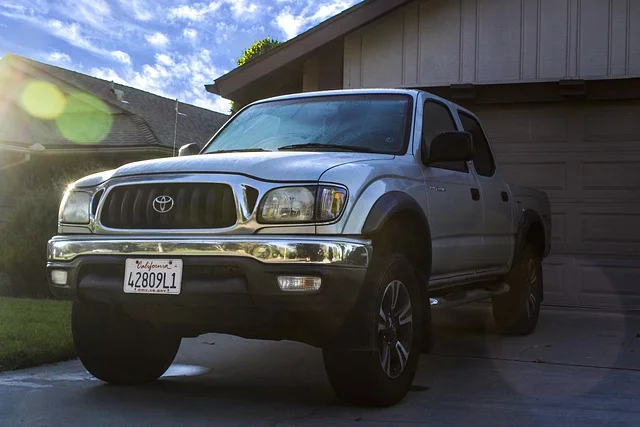
How Long Do Toyota Tacomas Last


Toyota Tacomas can last up to 200,000 to 250,000 miles with proper maintenance and care. These trucks have a reputation for reliability and longevity thanks to their durable construction and quality engineering.

Toyota designed their vehicles to last, making them an excellent investment for those looking for a long-lasting truck. With regular maintenance, a Toyota Tacoma can serve its owner for many years, providing reliable transportation and performance.

Factors Affecting Toyota Tacoma Lifespan

When considering the longevity of a Toyota Tacoma, various factors come into play. Understanding these factors can help owners take the necessary steps to ensure their trucks last as long as possible.

Maintenance And Care

Regular maintenance and attentive care significantly impact the lifespan of a Toyota Tacoma. This includes adhering to the manufacturer’s recommended service schedule, addressing any issues promptly, and using quality parts and fluids.

Driving Conditions

The driving conditions a Toyota Tacoma is exposed to can greatly affect its lifespan. Frequent off-road driving, towing heavy loads, and harsh weather conditions can accelerate wear and tear on the vehicle.

Quality Of Parts

The quality of parts used in repairs and maintenance can influence the longevity of a Toyota Tacoma. Genuine OEM parts and high-quality replacements can contribute to a longer lifespan, while subpar parts may lead to premature wear and potential issues.

Common Issues To Watch Out For

Being aware of common issues specific to Toyota Tacomas can help owners address potential problems early on. Keep an eye out for signs of frame rust, defective leaf springs, transmission issues, and other frequently reported issues to prevent them from escalating.

How Long Do Toyota Tacomas Last

Credit: www.copilotsearch.com

Average Lifespan Of Toyota Tacomas

When it comes to durability and longevity, Toyota Tacomas have earned a reputation for being incredibly reliable vehicles. These trucks are known for their robust build quality and exceptional engineering, making them a favorite among truck enthusiasts and off-road adventurers alike. If you’re considering investing in a Toyota Tacoma, you’re probably wondering about the average lifespan of these vehicles. In this blog post, we’ll explore the average lifespan of Toyota Tacomas and provide insights from experts, real-world examples, and mileage expectations.

Expert Opinions

Experts in the automotive industry consistently praise the longevity of Toyota Tacomas. With proper maintenance and care, a Toyota Tacoma can easily surpass 200,000 miles on the odometer. According to several expert reviews and sources, Toyota Tacomas have been known to last up to 250,000 miles or even more. This exceptional lifespan is a testament to the quality and reliability that Toyota vehicles are renowned for.

Real-world Examples

Real-world examples further confirm the long-lasting nature of Toyota Tacomas. Numerous Tacoma owners have shared their experiences and stories of high mileage on various online platforms. Many owners report driving their Tacomas well beyond the 200,000-mile mark without encountering any major issues or breakdowns. These personal anecdotes highlight the durability and resilience of these trucks, making them an excellent investment for long-term use.

Mileage Expectations

When it comes to mileage expectations, it’s important to note that individual driving habits, maintenance practices, and environmental factors can impact the lifespan of any vehicle. However, on average, Toyota Tacomas have been known to reliably serve their owners for well over 200,000 miles. This impressive mileage expectation gives Tacoma owners peace of mind, knowing their truck can handle both daily commutes and rugged adventures without compromising on performance or reliability.

Overall, the average lifespan of a Toyota Tacoma is exceptional compared to other trucks in its class. With the right care and attention, a Tacoma can easily surpass 200,000 miles, providing years of reliable service. So, whether you’re looking for a trusted workhorse or a capable off-roader, investing in a Toyota Tacoma is a smart choice for long-term durability and dependability.


What Makes Toyota Tacomas Reliable

Toyota Tacomas have a well-deserved reputation for their longevity and reliability. As one of the most popular midsize trucks on the market, owners often wonder just how long these vehicles can last. In this section, we will explore the key factors that contribute to the exceptional reliability of Toyota Tacomas.

Build Quality

The build quality of Toyota Tacomas is unmatched in its class. Toyota is known for its meticulous attention to detail and commitment to producing vehicles that can withstand the test of time. From the moment you lay eyes on a Tacoma, you can see the durable construction and superior craftsmanship that went into its design. Whether you are driving on smooth highways or rugged off-road trails, you can trust that your Toyota Tacoma will hold up under any conditions.

Engine Performance

The engine is the heart and soul of any vehicle, and Toyota Tacomas are equipped with engines that are built to last. Toyota engineers have developed powerful and efficient engines that deliver impressive performance while maintaining excellent fuel efficiency. With proper maintenance and care, Toyota Tacoma engines can easily surpass 200,000 miles and beyond. So whether you are hauling heavy loads or tackling tough terrains, you can rely on your Tacoma’s engine to get the job done.

Transmission Durability

Another key factor in the reliability of Toyota Tacomas is the durability of their transmissions. Toyota has invested years of research and development into designing transmissions that provide smooth shifts and long-lasting performance. The transmissions in Tacomas are built to withstand heavy usage and ensure a seamless driving experience. Whether you choose a manual or automatic transmission, you can trust that your Tacoma will continue to perform at its best for many miles to come.

How To Extend The Lifespan Of A Toyota Tacoma

To extend the lifespan of a Toyota Tacoma, regular maintenance is crucial. Keep up with oil changes, replace worn-out parts, and address any issues promptly. With proper care, a Toyota Tacoma can last anywhere from 200,000 to 250,000 miles.

Regular Maintenance

Regular maintenance is crucial for prolonging the life of your Toyota Tacoma. Keep up with oil changes, tire rotations, and fluid checks to ensure that your truck runs smoothly.

Keep a record of scheduled maintenance and ensure that it’s performed on time. Additionally, conduct periodic inspections of the brakes, suspension, and other critical components to catch any potential issues early.

Addressing Issues Immediately

Addressing issues as soon as they arise can prevent further damage to your Tacoma. Look out for warning lights, unusual noises, or changes in performance, and promptly address any concerns with a qualified mechanic.

Timely repairs can prevent minor issues from escalating into major problems, potentially saving you both time and money in the long run.

Proper Driving Habits

Proper driving habits play a significant role in extending the life of your Toyota Tacoma. Avoid aggressive driving, excessive idling, and overloading the truck beyond its payload capacity.

Utilize the appropriate transmission gear for the driving conditions and practice smooth acceleration and braking to minimize wear and tear on the vehicle.

Buying A Used Toyota Tacoma

Buying a Used Toyota Tacoma

If you are considering buying a used Toyota Tacoma, you may be wondering about its lifespan. Toyota Tacomas have a well-deserved reputation for being durable and long-lasting trucks. They are known for their reliability, which is why many people choose to buy a used Tacoma over other truck models. In this section, we will explore important considerations when buying a used Toyota Tacoma, including mileage, inspection checklist, and researching specific years and models.

Mileage Considerations

When buying a used Toyota Tacoma, mileage is an important factor to consider. While Tacomas are known for their longevity, higher mileage generally indicates more wear and tear on the vehicle. However, it’s important to note that Toyota Tacomas can still provide reliable service even with higher mileage.

On average, a Toyota Tacoma can last anywhere between 200,000 to 250,000 miles. However, with proper maintenance and care, many Tacomas have surpassed this range and gone well beyond 300,000 miles. Therefore, when considering mileage, it is essential to factor in the overall condition of the truck and the maintenance history to determine its remaining lifespan.

Inspection Checklist

Before finalizing your purchase, it is essential to thoroughly inspect the used Toyota Tacoma. A comprehensive inspection can help uncover any hidden issues and ensure that you are buying a reliable and well-maintained truck.

Here is a checklist of items to consider during your inspection:

Inspection Checklist
Engine condition
Transmission condition
Rusty frames
Defective leaf springs
Interior condition
Driver’s door seal
Loose steering
Rotten exhaust system
Yellow headlights
Air conditioning issues
Blower motor issues
Burnt climate bulbs
Holes in bed
Engine hesitation
TPMS light on

Researching Specific Years And Models

Not all Toyota Tacoma model years are created equal in terms of reliability. It is important to research specific years and models to ensure you are making a well-informed decision.

Factors to consider when researching specific years and models include:

  • Common issues reported by owners
  • Recalls and technical service bulletins
  • Improvements and changes made in later model years
  • Feedback and reviews from reputable sources

By doing thorough research, you can identify the most reliable years and models of used Toyota Tacomas and make a well-informed buying decision.

How Long Do Toyota Tacomas Last

Credit: www.vehiclehistory.com

How Long Do Toyota Tacomas Last

Credit: www.vehiclehistory.com

Frequently Asked Questions For How Long Do Toyota Tacomas Last

How Many Miles Do Toyota Tacomas Usually Last?

Toyota Tacomas usually last between 200,000 to 250,000 miles with proper maintenance and care.

Are There Any Years Of Tacoma To Avoid?

There are no specific years of the Tacoma to avoid. Toyota Tacomas can last a long time with proper maintenance and care.

What Year Is The Most Reliable Toyota Tacoma?

The most reliable year for a Toyota Tacoma is dependent on various factors, such as maintenance and usage. However, Tacomas typically have a long lifespan and can last virtually forever with proper care.

Conclusion

In sum, Toyota Tacomas have a reputation for exceptional longevity, with many reaching over 200,000 miles. Regular maintenance and care play a crucial role in maximizing the lifespan of these trucks. It’s essential to note that individual driving habits and environmental factors can also influence a Tacoma’s durability.

With proper care, a Toyota Tacoma can stand the test of time, making it a reliable choice for those seeking a long-lasting vehicle.

Why Are Hyundai Dealers Charging Over Msrp


Hyundai dealers are charging over MSRP due to global supply chain issues, high demand, and production constraints.

You might think you've stumbled into a luxury car dealership when you see the price tags on Hyundai vehicles these days. The truth is, it's not just because they're feeling ambitious. A perfect storm has led to a new market reality.

But wait, there's more to it than just economics. To understand the full picture, including dealer markup practices and how you can navigate this inflated market, let's peel back the layers on why paying over MSRP has become the new norm for Hyundai buyers.

Global Supply Chain Issues

supply chain disruptions worldwide

Global supply chain disruptions have greatly impacted car manufacturers, including Hyundai, leading to inventory shortages and increased prices. You might wonder why Hyundai vehicles are now tagged with price tags notably above the Manufacturer's Suggested Retail Price (MSRP).

At the heart of this issue are the tangled webs of trade tariffs and shipping delays, which have strained the automotive industry's ability to maintain steady production and delivery schedules.

Trade tariffs, basically taxes on imports and exports, have escalated costs across the board. For Hyundai, this means paying more for the parts and materials needed to assemble vehicles. These increased expenses inevitably trickle down to you, the consumer, in the form of higher prices.

Shipping delays compound the problem. The global reliance on just-in-time manufacturing models means that any hiccup in the transportation of parts can halt production lines, leading to inventory shortages. Hyundai dealerships, facing limited stock, have found themselves in a position where demand outstrips supply, giving them influence to charge above MSRP.

This investigative look into the supply chain quagmire reveals how external factors like trade tariffs and shipping delays directly influence the price you pay at your local Hyundai dealer.

Rising Demand for Hyundai Vehicles

While supply chain disruptions and higher costs have plagued Hyundai, the brand's vehicles have seen a surge in demand, further exacerbating the situation at dealerships. You're likely wondering why this surge is happening now. It's not just about the cars themselves but a broader shift in the automotive landscape and consumer preferences.

  • Electric Vehicle Trends: Hyundai's commitment to electric vehicles (EVs) has positioned it as a leader in this growing market. With more consumers looking to make the switch to electric, Hyundai's innovative EV models have become highly sought after. This trend is reshaping demand, pushing Hyundai's vehicles to the forefront of buyers' minds.
  • Consumer Loyalty Shifts: There's been a notable shift in consumer loyalty towards brands that offer advanced technology and sustainable options. Hyundai's investment in these areas hasn't gone unnoticed, attracting a new wave of customers loyal to the brand's vision for the future.
  • Competitive Pricing: Despite the current situation with dealers charging over MSRP, Hyundai's reputation for offering value for money remains a strong attraction for buyers. This perceived value, combined with high demand, has created a competitive market for Hyundai vehicles.

This investigative analysis reveals a complex interplay of factors driving the rising demand for Hyundai vehicles, highlighting the impact of electric vehicle trends and shifts in consumer loyalty.

Production Constraints and Shortages

supply chain disruptions impact

Supply chain disruptions have tightened Hyundai's production capabilities, leading to shortages that directly impact availability and customer satisfaction. You've likely noticed the dwindling inventory at your local Hyundai dealership, a direct consequence of these production constraints. But what's causing this squeeze on Hyundai's manufacturing might?

Digging deeper, it's clear that labor strikes have played a significant role. Strikes disrupt the flow of parts and assemblies, essential for maintaining a steady production pace. When workers walk off the job, the ripple effects are felt far and wide, from the factory floor to the showroom.

Additionally, consumer preferences are shifting rapidly, further complicating Hyundai's production strategy. As you clamor for the latest models, equipped with advanced technology and eco-friendly features, Hyundai scrambles to keep up. This shift in demand requires Hyundai to adapt its production lines, a process that's anything but instant. Each adjustment takes time, further straining the supply chain.

These factors, from labor unrest to evolving consumer tastes, have converged to create a perfect storm of shortages. And as you've likely guessed, these shortages are a key driver behind the higher prices you're seeing at Hyundai dealerships.

Dealer Markup Practices Explained

Given the backdrop of production constraints and consumer demand shifts, let's now examine how dealer markups have become a prevalent practice among Hyundai dealerships. This trend isn't merely about adjusting prices; it's a reflection of deeper market dynamics and dealership strategies.

Dealer markups, often seen as price gouging, have sparked significant consumer backlash. Yet, these practices persist for several reasons:

  • Supply and Demand Imbalance: With fewer cars available and high demand, dealers can charge more.
  • Perceived Value: Dealers capitalize on the hype around certain models, pushing prices above MSRP.
  • Market Competition: In areas with fewer dealerships, the lack of competition allows for higher markups.

This situation leaves you, the consumer, facing inflated prices, often above the manufacturer's suggested retail price (MSRP). Dealers defend these markups as a necessary response to market conditions, but they've led to widespread frustration among buyers.

Comprehending why dealers mark up prices is essential. It's not just about profit; it's about navigating a complex landscape of supply shortages, heightened demand, and competitive pressures. Yet, the line between fair market response and exploitative price gouging remains a contentious issue, fueling ongoing debates and consumer backlash against such practices.

Strategies for Navigating Over-MSRP Prices

dealing with high prices

Facing over-MSRP prices can seem intimidating, but there are effective strategies you can employ to navigate this challenging market landscape. As you approach this situation, it's important to arm yourself with knowledge and a plan.

To begin with, understand the power of negotiation tactics. Dealerships often mark up prices based on demand, but that doesn't mean these prices are set in stone. By researching the vehicle's true market value and presenting your findings during negotiations, you're more likely to sway the conversation in your favor.

Additionally, don't overlook the importance of exploring different financing options. Sometimes, dealers offer lower prices if you opt for their financing, but this isn't always the best deal. It's worth shopping around for financing alternatives before you commit. Compare rates from banks, credit unions, and online lenders to not only get the best vehicle price but also the most favorable financing terms.

In this high-stakes market, being well-informed about negotiation tactics and financing options puts you in a stronger position to navigate over-MSRP prices effectively. Remember, knowledge is your most powerful tool in these discussions.

Conclusion

Essentially, you're witnessing Hyundai dealers charging above MSRP because of a storm of global supply chain disruptions, skyrocketing demand, and unavoidable production constraints. These factors have emboldened dealers to mark up prices, capitalizing on the scarcity.

To navigate this challenging market, you'll need a keen grasp of these dynamics and a strategic approach to car buying. Armed with insight, you can better negotiate and find paths to value amidst these inflated prices.

How To Replace Upstream O2 Sensor 2004 Honda Accord Lx


How To Replace Upstream O2 Sensor 2004 Honda Accord Lx? To replace the upstream O2 sensor on a 2004 Honda Accord LX, first locate the sensor in the engine compartment along the driver’s side rear. Disconnect the electrical connector by squeezing the locking tab. Underneath the vehicle, use an O2 sensor socket to remove the sensor from its mounting point near the passenger side axle. Install the new sensor by hand, then torque it to 33 ft-lbs. Reconnect the electrical connector, ensuring it clicks securely.

Tools and Materials Needed

Before you begin the replacement process, it’s essential to gather the necessary tools and materials. Having the right equipment on hand will make the job easier and ensure a successful installation. Here’s what you’ll need:

  • 7/8″ wrench or oxygen sensor socket: This specialized tool is designed to fit the O2 sensor’s hexagonal shape, allowing you to loosen and tighten it without damaging the sensor.
  • Ratchet: A ratchet will provide the necessary leverage and torque to remove and install the sensor.
  • Jack and jack stands: You’ll need to safely lift and secure the vehicle to access the sensor, which is typically located near the exhaust headers.
  • Penetrating oil (e.g., Kroil or Liquid Wrench): Over time, the sensor can become stuck due to corrosion or carbon buildup. Penetrating oil will help loosen the sensor and make removal easier.
  • Anti-seize compound: This lubricant is applied to the threads of the new sensor to prevent seizing and ensure easy removal in the future.
  • New O2 sensor: Make sure to purchase a new sensor that matches the original specifications for your 2004 Honda Accord LX.

Having the right tools and materials on hand will not only make the job easier but also ensure a proper and safe installation. Take the time to gather everything you need before starting the replacement process.

Safety Precautions

Working on your vehicle can be dangerous if proper safety precautions are not followed. When replacing the upstream O2 sensor on your 2004 Honda Accord LX, it’s crucial to prioritize your safety and take the necessary steps to prevent accidents or injuries. Here are some essential safety precautions to keep in mind:

  1. Disconnect the negative battery terminal: Before starting any work on your vehicle, always disconnect the negative battery terminal. This will prevent any electrical issues or short circuits that could occur while working on the sensor.
  2. Properly jack up the car and use jack stands: To access the upstream O2 sensor, you’ll need to lift the vehicle off the ground. Always use a proper jack and jack stands to securely support the car. Never rely solely on the jack, as it could fail and cause the vehicle to fall, potentially causing serious injury.
  3. Wear safety glasses and gloves: Working on your vehicle can expose you to debris, chemicals, and hot surfaces. Protect your eyes by wearing safety glasses, and wear gloves to prevent cuts and burns.
  4. Work in a well-ventilated area: The exhaust system can contain harmful gases, so it’s essential to work in a well-ventilated area or outdoors to avoid exposure to these fumes.
  5. Allow the engine to cool down: The exhaust system and surrounding components can become extremely hot during operation. Always allow the engine to cool down completely before attempting to replace the O2 sensor to prevent burns.
  6. Follow the manufacturer’s instructions: Consult your vehicle’s service manual or the instructions provided with the new O2 sensor for any specific safety guidelines or precautions.

Step-by-Step Replacement Guide

Replacing the upstream O2 sensor on your 2004 Honda Accord LX may seem daunting, but with the right tools and a step-by-step guide, it’s a task that can be accomplished by most DIY enthusiasts. Follow these detailed instructions carefully to ensure a successful replacement:

Step 1: Diagnose the Sensor

Before you begin the replacement process, it’s essential to diagnose whether the upstream O2 sensor is indeed faulty. Here’s how you can do it:

  1. Warm up the engine: Start the engine and let it run for a few minutes to reach operating temperature. This will ensure accurate readings.
  2. Locate the upstream O2 sensor: The upstream O2 sensor is typically located on the exhaust headers, where the transmission meets the engine.
  3. Use a voltmeter: Connect a voltmeter to the sensor’s signal wire or probe directly into the harness connector. A balanced air and fuel mixture should average around 0.45 volts. If the reading is significantly different, it may indicate a faulty sensor.

Step 2: Prepare the Vehicle

Once you’ve confirmed that the upstream O2 sensor needs to be replaced, it’s time to prepare the vehicle for the job:

  1. Disconnect the negative battery terminal: Locate the negative battery terminal and disconnect it using a wrench or pliers. This will prevent any electrical issues while working on the sensor.
  2. Jack up the car: Using a jack, carefully lift the front of the vehicle and secure it with jack stands. Make sure the car is stable and level before proceeding.

Step 3: Remove the Old Sensor

With the vehicle safely raised and the battery disconnected, you can now access and remove the old upstream O2 sensor:

  1. Locate the upstream O2 sensor: It’s typically situated on the exhaust headers, near the engine.
  2. Apply penetrating oil: Spray penetrating oil on the sensor threads if they appear corroded or stiff. Let it sit for a few minutes to help loosen the sensor.
  3. Use a 7/8″ wrench or oxygen sensor socket: Carefully unscrew the sensor by turning the wrench or socket counterclockwise. If the sensor is stuck, apply more penetrating oil and let it sit for a longer period.
  4. Remove the sensor: Once the sensor is loose, you should be able to remove it by hand.

Step 4: Unclip the Wiring Harness

With the old sensor removed, you’ll need to disconnect the wiring harness:

  1. Trace the cable: Follow the cable from the O2 sensor to the wiring harness socket.
  2. Unclip the connector: Carefully unclip or disconnect the wiring harness connector from the sensor.

Step 5: Install the New Sensor

Now it’s time to install the new upstream O2 sensor:

  1. Apply anti-seize compound: Apply a small amount of anti-seize compound to the threaded end of the new sensor. Spread it evenly with a rag to ensure proper installation and prevent seizing in the future.
  2. Clip the new wiring harness: Connect the new sensor’s wiring harness to the socket.
  3. Screw in the new oxygen sensor: Hand-tighten the sensor into the exhaust headers, then use the 7/8″ wrench or socket to snug it up. Avoid overtightening to prevent stripping the threads.

Step 6: Reconnect the Battery

With the new sensor installed, it’s time to reconnect the battery:

  1. Reconnect the negative battery terminal: Reattach the negative battery terminal that was disconnected earlier.

Step 7: Lower the Car and Test

The final step is to lower the car and test the new sensor:

  1. Remove the jack stands: Carefully lower the car back to the ground by removing the jack stands.
  2. Start the engine: Turn on the engine and check for any warning lights on the dashboard. Ensure the engine runs smoothly.

Additional Tips

While the step-by-step guide covers the main process of replacing the upstream O2 sensor, there are a few additional tips that can help ensure a successful installation and troubleshoot any potential issues:

  1. Clear the trouble code: If the check engine light remains on after replacing the sensor, use an OBD-II code scanner to clear the trouble code. Alternatively, you can disconnect the battery for a few minutes to reset the system.
  2. Check for proper installation: After installing the new sensor, double-check that the sensor cable is not touching any hot engine parts and that the sensor is securely in place.
  3. Inspect the wiring harness: If you’re experiencing any issues with the new sensor, inspect the wiring harness for any signs of damage or corrosion. Replace the harness if necessary.
  4. Consider professional assistance: If you encounter any difficulties or feel uncomfortable performing the replacement, don’t hesitate to seek professional assistance from a qualified mechanic or repair shop.

Troubleshooting Common Issues

Even with careful installation, you may encounter some issues after replacing the upstream O2 sensor. Here are some common problems and their solutions:

  1. Check engine light remains on:
    • Double-check the sensor installation and wiring connections.
    • Use an OBD-II scanner to read and clear any trouble codes related to the O2 sensor.
    • Ensure the new sensor is compatible with your vehicle’s specifications.
  2. Sensor installation problems:
    • If the sensor is difficult to install, ensure the threads are clean and free of debris.
    • Apply more anti-seize compound if necessary to help with installation.
    • Check for any obstructions or damage to the sensor bung (the threaded hole where the sensor is installed).
  3. Engine performance issues:
    • If you notice any engine performance problems after replacing the sensor, such as rough idling or misfiring, it could indicate an issue with the sensor or another component in the emission control system.
    • Use an OBD-II scanner to check for any additional trouble codes and diagnose the problem.
    • Consult a professional mechanic if the issue persists.
  4. Sensor failure:
    • In some cases, the new sensor may fail prematurely due to manufacturing defects or other issues.
    • If the check engine light comes back on shortly after replacement, and you’ve ruled out installation problems, the new sensor may need to be replaced again.

By being aware of these common issues and their solutions, you can troubleshoot any problems that may arise after replacing the upstream O2 sensor on your 2004 Honda Accord LX.

Conclusion

Replacing the upstream O2 sensor on your 2004 Honda Accord LX is an important maintenance task that can significantly improve your vehicle’s performance, fuel efficiency, and emissions. By following the step-by-step guide, gathering the necessary tools and materials, and taking the appropriate safety precautions, you can successfully complete this job yourself.

Remember, a properly functioning O2 sensor is crucial for your vehicle’s emission control system and overall engine performance. Ignoring a faulty sensor can lead to decreased fuel economy, increased emissions, and potential engine damage over time.

If you encounter any difficulties or feel uncomfortable performing the replacement, don’t hesitate to seek professional assistance from a qualified mechanic or repair shop. Proper maintenance and timely repairs are essential for keeping your 2004 Honda Accord LX running smoothly and efficiently for years to come.

Frequently Asked Questions (FAQs)

How often should the O2 sensor be replaced?

The lifespan of an O2 sensor can vary depending on various factors, such as driving conditions and maintenance habits. However, most manufacturers recommend replacing the sensor every 60,000 to 100,000 miles or when it starts to show signs of failure.

What are the symptoms of a failing O2 sensor?

Some common symptoms of a failing O2 sensor include:

  • Check engine light illuminated
  • Poor fuel economy
  • Rough idling or engine misfires
  • Increased emissions
  • Engine hesitation or lack of power

If you notice any of these symptoms, it’s a good idea to have the O2 sensor checked and replaced if necessary.

Can a faulty O2 sensor affect fuel economy?

Yes, a faulty O2 sensor can significantly impact your vehicle’s fuel economy. When the sensor is not functioning properly, it can cause the engine to run either too rich (too much fuel) or too lean (not enough fuel), resulting in decreased fuel efficiency.

How much does it cost to replace an O2 sensor?

The cost of replacing an O2 sensor can vary depending on the make and model of your vehicle, as well as the labor costs at your local repair shop or dealership. On average, you can expect to pay between $200 and $400 for parts and labor to replace an upstream O2 sensor.

Can I drive with a faulty O2 sensor?

While it is possible to drive with a faulty O2 sensor, it is not recommended. Driving with a malfunctioning sensor can lead to increased emissions, decreased fuel economy, and potential damage to other components of the emission control system or the catalytic converter.

How long does it take to replace an O2 sensor?

The time required to replace an O2 sensor can vary depending on the accessibility of the sensor and the experience of the technician. On average, it should take a skilled mechanic or DIY enthusiast around 1 to 2 hours to complete the replacement process.

Can I replace the O2 sensor myself?

Yes, replacing the upstream O2 sensor on a 2004 Honda Accord LX is a task that can be performed by most DIY enthusiasts with the right tools and guidance. However, if you feel uncomfortable or encounter any difficulties, it’s always best to seek professional assistance.

What happens if I don’t replace a faulty O2 sensor?

If you don’t replace a faulty O2 sensor, you may experience the following issues:

  • Increased emissions and potential failure of emissions tests
  • Decreased fuel economy
  • Engine performance problems, such as rough idling, misfiring, or lack of power
  • Potential damage to the catalytic converter or other emission control components

Ignoring a faulty O2 sensor can lead to more expensive repairs down the line, so it’s best to address the issue promptly.

By understanding these frequently asked questions and their answers, you can better prepare for and address any concerns or issues that may arise during the upstream O2 sensor replacement process on your 2004 Honda Accord LX.

How To Trace A Radio Speaker Short In A Honda Civic


How To Trace A Radio Speaker Short In A Honda Civic? To trace a radio speaker short in a Honda Civic, start with a visual inspection for obvious damage or loose connections. Use a multimeter to check for continuity in the speaker wires and identify any breaks or shorts. Inspect the head unit for power supply issues and blown fuses. If necessary, use a circuit tester kit to pinpoint the exact location of the short. Repair any damaged wires or connectors, ensuring all connections are secure and insulated.

In this guide, we will walk you through the process of tracing and repairing a radio speaker short in a Honda Civic.

Tools and Materials Needed

Before you begin tracing and repairing a radio speaker short in your Honda Civic, it’s essential to gather all the necessary tools and materials. Having everything on hand will make the process smoother and more efficient. Here’s a list of what you’ll need:

  • Multimeter: A crucial tool for measuring electrical values and checking for continuity in the wiring.
  • Wire Splicing Tool: Used for cutting and stripping wires to make clean connections.
  • Electrical Tape: Essential for insulating and securing wire connections.
  • Replacement Wires/Connectors: In case you need to replace any damaged wiring or connectors.
  • Screwdrivers and Panel Removal Tools: Necessary for removing door panels, the dashboard, and other components to access the wiring.
  • Circuit Tester Kit (Optional): Helpful for tracing the exact location of a short if the multimeter test is inconclusive.

Step-by-Step Guide to Tracing a Speaker Short

1. Initial Diagnosis

Before diving into the detailed inspection and repair, it’s crucial to perform an initial diagnosis to understand the nature of the problem. This step will help you identify whether the issue is indeed a short in the speaker wiring or something else.

  • Visual Inspection: Start by visually inspecting the audio system components. Look for any obvious signs of damage, such as frayed wires, loose connections, or corrosion. Pay special attention to the areas around the speakers, head unit, and wiring harnesses.
  • Symptom Analysis: Note when the problem occurs. Does the sound cut out when you hit a bump, or does it happen after it rains? Understanding the conditions under which the issue arises can provide valuable clues. For example, if the problem occurs after rain, it might indicate water ingress causing a short.

2. Checking the Head Unit

The head unit, or the car stereo, is the central component of your audio system. Ensuring it is functioning correctly is a critical step in diagnosing a speaker short.

  • Power Supply Verification: First, verify that the head unit is receiving power. Turn on the car and check if the head unit powers up. If it doesn’t, there might be an issue with the power supply or the head unit itself.
  • Fuse Inspection: Check all related fuses, including those in the car’s fuse box and any inline fuses connected to the head unit. A blown fuse can cause the head unit to lose power, leading to audio issues. Replace any blown fuses and see if this resolves the problem.
  • Head Unit Test: To rule out head unit failure, connect the head unit directly to a power source using a test bench setup or an external power supply. If the head unit works correctly when connected directly, the issue likely lies in the car’s wiring or connections.

3. Inspecting Speaker Connections

Once you’ve confirmed that the head unit is functioning correctly, the next step is to inspect the speaker connections. Poor or faulty connections can often be the cause of audio issues.

  • Accessing Speakers: To inspect the speaker connections, you will need to remove the door panels or rear deck, depending on the location of the speakers. Use the appropriate panel removal tools to avoid damaging the panels.
  • Connection Check: Once you have access to the speakers, check the connections. Ensure that all speaker wires are securely connected to the speakers and that there is no visible corrosion or damage. Loose or corroded connections can cause intermittent sound or static.
  • Polarity Test: Use a multimeter to check the polarity of the speaker wires. Incorrect polarity can cause phase issues, leading to poor sound quality. Set the multimeter to measure DC voltage, and connect the probes to the speaker terminals. The multimeter should show a positive reading if the polarity is correct.

4. Tracing the Short

If the speaker connections are intact and the head unit is functioning properly, the next step is to trace the short in the wiring. This involves using diagnostic tools to pinpoint the exact location of the short.

  • Multimeter Test: Use a multimeter to check for continuity in the speaker wires. Set the multimeter to the continuity setting and connect the probes to each end of the speaker wire. If the multimeter beeps, it indicates that the wire is continuous and not broken. If there is no beep, the wire may be broken or shorted.
  • Checking for Shorts: To check for shorts, set the multimeter to measure resistance (ohms). Connect one probe to the speaker wire and the other probe to a ground point on the car. A reading close to zero ohms indicates a short to ground. Repeat this test for all speaker wires.
  • Circuit Tester Kit: If the multimeter tests are inconclusive, you can use a circuit tester kit to trace the exact location of the short. These kits often include a tone generator and a probe. Connect the tone generator to the speaker wire and use the probe to follow the wire along its path. The probe will emit a sound when it detects the tone, helping you locate the short.

5. Repairing the Short

Once you have identified the location of the short, the next step is to repair it. This involves replacing damaged wires or connectors and ensuring all connections are secure and insulated.

  • Wire Replacement: If you find any damaged or frayed wires, cut out the damaged section and replace it with new wire. Use a wire splicing tool to strip the ends of the new wire and the existing wire. Twist the wires together and secure them with electrical tape or heat shrink tubing to ensure a solid connection.
  • Connector Replacement: If the short is due to corroded or damaged connectors, replace them with new, high-quality connectors. Cut off the old connector, strip the wire ends, and attach the new connector using a crimping tool. Ensure the connection is tight and secure.
  • Waterproofing: If the short was caused by water ingress, take steps to waterproof the area to prevent future issues. Apply waterproofing measures such as replacing weather stripping, using silicone sealant around connectors, and ensuring all connections are properly insulated with electrical tape or heat shrink tubing.

6. Testing the System

After completing the repairs, it’s essential to test the audio system to ensure the issue has been resolved.

  • Reassembly: Reassemble all panels and components that were removed during the inspection and repair process. Ensure all screws and clips are securely fastened.
  • System Test: Turn on the car and test the audio system. Play music or other audio to check for clear and consistent sound from all speakers. Verify that the issue, such as intermittent sound or static, has been resolved.
  • Final Adjustments: If any issues persist, double-check the wiring and connections. Make any necessary adjustments to ensure everything is properly connected and insulated.

Common Issues and Troubleshooting Tips

Even after following the steps to trace and repair a speaker short, you might encounter some common issues. Here are some troubleshooting tips to help you address these problems:

  • Intermittent Sound: If the sound cuts in and out, check for loose connections or damaged wires. Ensure all connections are secure and that there are no breaks in the wiring. Also, inspect the speaker terminals for corrosion and clean them if necessary.
  • Static Noise: Static noise can be caused by grounding issues or interference from other electrical components. Check the grounding connections of the head unit and speakers. Ensure that the ground wire is securely connected to a clean, unpainted metal surface. Additionally, keep speaker wires away from other electrical wires to minimize interference.
  • Complete Audio Loss: If there is no sound at all, verify that the head unit is receiving power and that all fuses are intact. Double-check the speaker connections and wiring for any breaks or shorts. If the head unit has a reset button, try resetting it to see if that resolves the issue.

Preventive Measures

Taking preventive measures can help you avoid future issues with your car’s audio system. Here are some tips to keep your system in good working order:

  • Regular Maintenance: Periodically check and maintain the audio system. Inspect the wiring and connections for any signs of wear or damage. Clean the speaker terminals and connectors to prevent corrosion.
  • Proper Installation: Ensure all components are installed correctly and securely. Use high-quality connectors and wiring to minimize the risk of shorts and other issues. Follow the manufacturer’s installation guidelines to avoid potential problems.
  • Waterproofing: Protect the audio system from water damage by maintaining weather stripping and seals. Apply waterproofing measures to connectors and wiring, especially in areas prone to moisture.

FAQs

What causes a speaker short?

A speaker short can be caused by damaged or frayed wires, loose connections, corrosion, or water ingress. Identifying the root cause is essential for effective repair.

How can I prevent speaker shorts in the future?

Regular maintenance, proper installation, and waterproofing can help prevent speaker shorts. Periodically inspect the wiring and connections, and address any issues promptly.

What tools are essential for diagnosing a speaker short?

Essential tools include a multimeter, wire splicing tool, electrical tape, replacement wires/connectors, screwdrivers, panel removal tools, and a circuit tester kit (optional).

Conclusion

Diagnosing and fixing a speaker short in your Honda Civic can seem daunting, but with the right tools and a systematic approach, it is entirely manageable. By following the steps outlined in this guide, you can identify and repair the issue, ensuring your audio system functions optimally. Regular maintenance and preventive measures will help you avoid future problems, allowing you to enjoy clear and consistent sound during your drives.