Recent Posts

How to Replace Alternator Hyundai Accent


To replace the alternator in a Hyundai Accent, follow these steps:

  • First, identify signs of alternator failure.
  • Disconnect the battery before starting any work.
  • Remove the belt and the old alternator from the vehicle.
  • Install the new alternator securely in place.
  • Reconnect the belt and battery to the alternator.
  • Test the alternator to ensure proper operation.

Remember to follow safety precautions and consult the vehicle's manual for specific instructions.

Signs of Alternator Failure

alternator issues warning signs

Your Hyundai Accent may show signs of a failing alternator, such as dim headlights or a flashing battery light on the dashboard. These signs indicate the car needs attention to avoid getting stranded or incurring high repair costs.

Other signs include erratic behavior of electrical components like the stereo or power windows moving slowly. This is due to the alternator not supplying enough power.

If your car struggles to start or the engine stalls, it mightn't be a battery issue but an alternator problem. This is especially true if the car's battery is new.

A whining or grinding noise from the engine could also mean the alternator is failing because of worn-out bearings.

Noticing these signs early can prevent major inconveniences and expensive repairs. Ignoring them could lead to being stranded or paying for a tow and repairs. Pay attention to these signs for a smoother ride.

Required Tools and Materials

To replace the alternator in a Hyundai Accent, collect the necessary tools and materials first. This ensures a smooth process. You need basic hand tools like wrenches, sockets, and screwdrivers that fit your car's parts. A ratchet and socket set will help with loosening and tightening.

For safety, use safety glasses, mechanics gloves, and have a good work light.

Set up a clean, organized workspace with enough room for your tools and the new alternator. Make sure the ground is flat for using a jack and stands if needed. Having everything ready beforehand helps avoid delays and problems.

Removing the Old Alternator

replacing the car alternator

To remove the old alternator from a Hyundai Accent:

  1. Make sure the car engine is off and the car is stable.
  2. Open the hood and disconnect the negative battery cable for safety.
  3. Find the alternator at the front of the engine, connected by a belt. Remember the belt's path for later reinstallation.
  4. Use a wrench or belt tool to loosen the belt tension and remove the belt from the alternator.
  5. Disconnect the electrical connections from the alternator. This may involve unplugging a connector and unscrewing a wire. Be gentle to avoid damage.
  6. Unbolt the alternator from the engine. There are usually two or three bolts. Hold the alternator as you remove the bolts to prevent it from falling.
  7. Take the alternator out of the engine bay. It may need some maneuvering in tight spaces.

You have now removed the old alternator.

Installing the New Alternator

To install the new alternator in your Hyundai Accent, follow these steps:

  1. Place the new alternator where the old one was. Make sure it fits well and the holes match the engine bracket. Start by hand-tightening the bolts so you can adjust if necessary.
  2. Make the following connections:
  • Connect the electrical connectors. They should click in easily. Attach the main power cable to the alternator's back using a nut. Make sure it's tight but don't overdo it to avoid damage.
  • Put the serpentine belt on the alternator pulley. Use the belt diagram for your car. You might need to loosen the belt tensioner to do this.
  • If you removed any parts to get to the alternator, put them back now.
  1. Finally, tighten the bolts that hold the alternator to the engine. Don't overtighten to prevent damage. Just make sure they're securely fastened.

Post-Installation Checklist

checklist for setup completion

After you install a new alternator, follow these steps to make sure it works well. First, check all connections are tight and clean, especially the alternator's electrical connectors and battery terminals. A bad connection can cause charging problems or damage.

Next, look at the serpentine belt that powers the alternator. If you'd to loosen or remove it, make sure it's tight and straight. If it's not, it can wear out fast or come off, stopping the alternator from working.

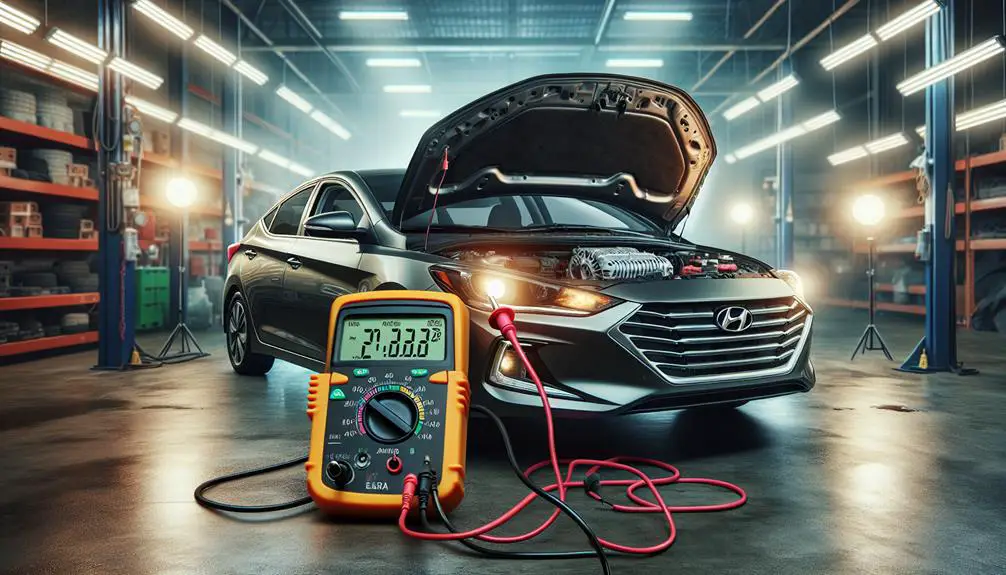
Then, test the alternator by starting your Hyundai Accent and letting it idle. Use a multimeter to measure the voltage at the battery terminals. It should be between 13.8 and 14.2 volts, which means the alternator is charging the battery correctly. If the voltage isn't in this range, there might be a problem with the installation or the alternator itself.

Also, listen for any strange noises. A well-installed alternator should be quiet. Any loud or odd sounds could mean there's an issue with the alternator bearings or installation.

Conclusion

You've figured out that your alternator wasn't working right, got all the tools you needed, took the old alternator out, and put a new one in your Hyundai Accent.

Remember, after you put in the new alternator, to check everything again to make sure it's all connected right and your car's electrical system is working well.

By doing these steps, you've saved some money and helped your car last longer. Great job on doing this project by yourself!

What Is The Best Year For A Used Hyundai Tucson


The best year for a used Hyundai Tucson is the 2017 model.

This year strikes an excellent balance between reliability, safety features, fuel efficiency, and the inclusion of modern tech innovations.

It also maintains its value well over time, making it an optimal choice for those seeking a blend of modernity and economy without compromising on quality.

Assessing Reliability Across Years

analyzing data over time

When looking at the Hyundai Tucson's reliability over different years, it's important to check consumer reports and mechanical performance to find the best year. Some years are more reliable than others, based on owner feedback and mechanical records. Look for years with fewer reported problems, especially serious ones that are expensive to fix.

Certain models are known for having strong powertrain reliability. It's also important to note any recalls or common issues in specific years, as these can indicate potential future maintenance needs.

Exploring online forums and consumer review sites can provide insights from Tucson owners about which years have been reliable and which have not.

Comparing Safety Features

When looking for the best used Hyundai Tucson in terms of safety, compare the safety features of different models and years. Hyundai has improved safety over time, so here's what to look for:

  • Advanced Airbag Systems: Newer models have added side-curtain and driver knee airbags to the standard front airbags for better protection in crashes.
  • Electronic Stability Control (ESC): This feature is standard in later models and helps control the car if it starts to skid.
  • Rearview Cameras and Parking Assistance: These features, which help with parking and reversing, were once rare but are now more common.
  • Blind Spot Detection: This is available in newer models and warns you if there's a car in your blind spot when changing lanes.

When choosing a used Hyundai Tucson, consider both the value and the safety features to ensure you and your passengers are protected.

Fuel Efficiency Evolution

fuel efficiency advancements showcased

The Hyundai Tucson has become more fuel-efficient over time, meaning it uses less gas on city and highway drives. Earlier models used more fuel, but newer versions are much better for saving money on gas.

Around the mid-2010s, Hyundai made big improvements to the Tucson, including better engines and transmissions that use less fuel without losing power. These changes, along with making the car lighter and more aerodynamic, have helped reduce how much fuel the Tucson needs.

When choosing a used Hyundai Tucson, the year it was made can greatly affect its fuel efficiency.

Tech Upgrades and Innovations

Several tech upgrades have made the Hyundai Tucson a better choice for those who like technology. When looking for a used Tucson, pay attention to models with these advanced features. They improve your driving experience by making it safer and more convenient. Here are the main tech features to look for:

  • Infotainment Systems: Newer models have big touchscreens that are easy to use. They connect with your smartphone through Apple CarPlay and Android Auto, making it easy to listen to music or use navigation apps.
  • Safety Features: Some models have Hyundai's SmartSense safety features, including forward collision-avoidance assist, lane-keeping assist, and driver attention warning. These features help keep you safe.
  • Wireless Charging: Some Tucson models have a wireless charging pad. This means you can charge your devices without messy cords.
  • Remote Start and Climate Control: With the Hyundai app, you can start your Tucson and set the temperature before you get in.

Choosing a used Tucson with these features means you're getting a car that's comfortable, safe, and connected.

Value Retention and Depreciation

asset value over time

When looking at the Hyundai Tucson's tech upgrades, it's important to know how its value changes over time. Buying a used Hyundai Tucson can be more cost-effective if you understand how much its value decreases. Usually, a new car's value drops by 20-30% in the first year and 40-60% in three years. But, the Tucson often does better than this average because it's reliable and has good features.

Models with big tech improvements or new designs usually lose value more slowly. So, when choosing a used Hyundai Tucson, think about the car's condition, how much it's been driven, and its tech features. This helps you get a car that stays valuable longer.

Conclusion

To pick the best used Hyundai Tucson, you need to think about what's most important to you. If you want a car that lasts a long time and doesn't cost much, you might like the older versions.

But, if you want the newest safety features and cool tech, newer models are better. It's all about what you need in a car and how much money you're ready to spend on it.

How The Panic Alert Hyundai Works With Other Safety Features


Hyundai's panic alert system integrates with safety features like automatic emergency braking and lane-keeping assist to enhance driver safety through advanced technology.

This synergy ensures the vehicle can respond to dangers on the road, such as obstacles in foggy conditions, by automatically taking action to prevent accidents.

This integration of safety technologies represents a significant step forward in ensuring future road safety for Hyundai drivers.

Understanding Panic Alert

identifying panic attack symptoms

Understanding the Panic Alert feature in Hyundai cars is important for safety during emergencies. This feature helps you feel safer by providing a way to quickly ask for help when needed. Whether you're driving or outside the car, you can use the Panic Alert by pressing a button on your key fob.

This makes your Hyundai flash its lights and sound its horn, which can scare off threats and let others know you need help. It can also help you find your car in a busy parking lot if you feel unsafe.

It's important to know how to use this feature quickly in an emergency. Knowing how to activate the Panic Alert can make a big difference in keeping you and your loved ones safe.

Automatic Emergency Braking

Hyundai vehicles have an Automatic Emergency Braking feature. This system helps prevent or lessen collisions by automatically stopping the car if it senses a potential crash. It works by constantly checking the road ahead for any obstacles using cameras and radar.

If it sees something, it warns the driver with sounds and visuals. If the driver doesn't react in time, the system will brake the car itself. Users can also adjust how sensitive this feature is to match their driving preferences.

Lane Keeping Assist

vehicle safety technology feature

Hyundai's Lane Keeping Assist feature helps drivers stay in their lane. It uses a camera to detect lane markings and if the car starts to leave its lane without a turn signal, it guides it back.

This feature is useful for long drives or in heavy traffic to prevent accidents. Drivers can turn off this feature if they choose, but it can offer extra safety while driving.

Blind Spot Detection

Hyundai's Blind Spot Detection system improves driver safety by alerting you when another vehicle is in your blind spot, helping to prevent side collisions. This feature is particularly useful in busy traffic.

Key features include:

  • Visual Alerts: Warning lights appear in your side mirrors when a vehicle is in your blind spot, providing a clear yet unobtrusive warning.
  • Auditory Warnings: If you attempt to change lanes while a vehicle is in your blind spot, you'll hear an audible alert, adding an extra layer of safety.
  • Rear Cross-Traffic Alert: Although not directly part of the Blind Spot Detection, this additional feature warns you of vehicles approaching from the side when you're reversing, which is helpful in crowded areas.

Smart Cruise Control Integration

advanced vehicle technology features

Hyundai's Smart Cruise Control helps drivers keep a safe distance from the car ahead by adjusting speed automatically. This feature reduces stress during long drives and heavy traffic by controlling the car's speed based on traffic conditions. Drivers simply set their desired speed, and the system manages speed adjustments.

The system becomes even more effective when used with Hyundai's Panic Alert system. This combination enhances safety by either slowing down the car more quickly or alerting the driver when the car is approaching another vehicle too fast. This ensures drivers maintain a safe distance not only in regular conditions but also in unexpected traffic situations.

Conclusion

You've learned about Hyundai's safety tools, including a cool panic button. This button works with other tools like automatic brakes, lane help, and a system that warns you about cars in your blind spot.

There's also a smart cruise control for an easier drive. All these features work together to keep you safe from different problems on the road. It means you can relax a bit more when driving because Hyundai is looking out for you.

Best Car Alarm for Hyundai Elantra


The best car alarm for a Hyundai Elantra varies based on individual needs. Top options include the Viper 5706V, Avital 3100LX, Compustar CS7900-AS, Python 5305P, and Clifford 3305X.

Top Pick: Viper 5706V

viper 5706v top choice

The Viper 5706V is the best car alarm for your Hyundai Elantra. It offers great security with advanced technology. You can check your car's status from up to a mile away with a two-way remote. This alarm tells you right away if it's set off. It also has a remote start feature, useful for warming up your car from inside your house.

You can customize the Viper 5706V to fit your needs, like changing sensor sensitivity or entry delays. This makes the alarm more effective for you.

Installing the Viper 5706V is complex, but worth it for the added security it provides your Hyundai Elantra. It's best to have it professionally installed to ensure it works well with your car's systems. The Viper 5706V is a top choice for keeping your car safe from theft and damage.

Budget-Friendly Choice: Avital 3100LX

If you need a good and affordable car alarm for your Hyundai Elantra, consider the Avital 3100LX. It's cheap but still protects your car well. Here's why the Avital 3100LX is a good choice for Elantra owners who want to save money:

  • Easy to Use: The Avital 3100LX is simple to operate. It's easy to install, even if you're not very technical. But for the best results, getting it installed by a professional is still a good idea.
  • Cost-Effective: It's a budget-friendly option that still offers strong alarm features.
  • Reliable: Avital is a trusted brand, and the 3100LX model is reliable.
  • Key Features Included: It has important features like a shock sensor and a loud siren, which help keep thieves away.

The Avital 3100LX doesn't have the advanced features of more expensive alarms, but it does a good job of protecting your car. It's a great choice for Elantra owners who want to keep their car safe without spending a lot of money.

Best Smart Features: Compustar CS7900-AS

top of the line remote start

The Compustar CS7900-AS is a top choice for Hyundai Elantra owners looking for smart car alarm features. It offers a remote start feature allowing you to start your Elantra from up to 3000 feet away, making it convenient to warm up or cool down your car before getting in.

The system includes a two-way LCD remote that sends alerts about your car's status, and you can also use your smartphone as a remote if you're out of range. Additionally, it has shock sensors that detect impacts and trigger the alarm to protect against theft.

The Compustar CS7900-AS combines smart technology and security, making it an excellent option for Elantra owners who want convenience and safety.

Easiest Installation: Python 5305P

The Compustar CS7900-AS has smart features, but the Python 5305P is easier to install. It's good for Hyundai Elantra owners because it's simple to set up and protects your car well.

Here's why its installation is easy:

  1. Clear Instructions: The Python 5305P has a detailed manual that makes installation easy to understand.
  2. Plug-and-Play Components: Most parts of the alarm are plug-and-play, reducing time spent on wiring.
  3. Minimal Tools Required: You only need a few basic tools for installation, which you probably already have.
  4. Online Support: Python provides online help, including videos and troubleshooting tips.

Choosing the Python 5305P means you get a car alarm that's easy to install and offers good protection for your Hyundai Elantra.

Most Durable: Clifford 3305X

top rated clifford car alarm

The Clifford 3305X is the most durable car alarm for the Hyundai Elantra. It lasts a long time, so you don't need to replace it often. It works well in different conditions like hot or cold weather, and against dust or water. This alarm not only makes noise but also adds extra security to stop thieves. It's a good choice for Elantra owners who want something that lasts and works well.

Installing the Clifford 3305X in your Elantra means your car is more secure. The alarm's strong design makes it reliable over time, protecting your car from theft and damage. By choosing the Clifford 3305X, you invest in a long-lasting and effective security system for your car.

Conclusion

There are many ways to keep your Hyundai Elantra safe. The best option is the Viper 5706V because it protects your car really well.

If you don't want to spend a lot of money, the Avital 3100LX is a good affordable choice.

For people who like technology, the Compustar CS7900-AS has cool tech features.

The Python 5305P is easy to put in your car, and the Clifford 3305X is very strong and lasts a long time.

Whatever you like, there's a perfect car alarm for your Elantra.

Hyundai I20 Brake Light Not Working


  • Checking the bulbs is the first step in troubleshooting a Hyundai i20 brake light that is not working.
  • If the bulbs are in good condition, the next thing to inspect is the fuses.
  • The brake light switch, located near the brake pedal, should also be examined to ensure it is functioning correctly.
  • Lastly, inspect the wiring to identify any potential issues that may be causing the brake light malfunction.

Identifying the Problem

analyzing the root cause

To identify the brake light issue in your Hyundai i20, start by checking if the lights fail to illuminate upon pressing the brake pedal. This initial step is important and sets the stage for further diagnostics. If you've confirmed they're not lighting up, you're dealing with an electrical problem that requires a systematic approach to troubleshoot.

Your next move is to inspect the fuse dedicated to the brake lights. You'll find this in the fuse box, often located under the dashboard or in the engine compartment. A blown fuse is a common culprit and it's an easy fix. Simply replace it with a new one of the same rating. But remember, if the new fuse blows soon after, you've got a deeper issue at hand, possibly a short circuit in the brake light system.

Don't overlook the brake light switch. This switch activates your brake lights when you press the pedal. It's typically mounted near the top of the brake pedal arm. If it's faulty or misaligned, your brake lights won't work. Testing the switch for continuity with a multimeter can confirm if it's working properly. If it fails the test, replacing the switch is your best bet.

Lastly, make sure you're not dealing with a wiring issue. Frayed or damaged wires leading to the brake lights can prevent them from illuminating. Inspecting the wiring harness for any visible signs of damage or wear can uncover issues that might otherwise be overlooked.

Checking the Bulbs

Before diving deeper into the electrical system, it's important to check if the brake light bulbs themselves are the issue. Often, a simple bulb replacement can solve the problem, saving you time and unnecessary hassle.

Here's a step-by-step guide to efficiently check and replace the brake light bulbs on your Hyundai i20:

  1. Locate the Brake Light Assembly: Open your Hyundai i20's trunk to access the brake light compartment. You'll usually find it behind a cover or panel on the trunk's interior side, directly behind the brake lights.
  2. Remove the Cover: Gently remove the cover or panel to expose the brake light assembly. This might require unscrewing bolts or unclipping a panel, depending on your i20's model year. Make sure you keep all screws and clips safe for reassembly.
  3. Inspect the Bulb: Carefully remove the bulb by twisting it counter-clockwise or pulling it straight out, depending on the socket type. Examine the bulb for any signs of damage, blackening, or filaments that appear broken. These are clear indicators that the bulb needs replacing.
  4. Replace If Necessary: If you've identified the bulb is indeed faulty, replace it with a new one that matches the specifications required for your Hyundai i20. Reinsert the new bulb into the socket and twist clockwise to secure it, or push it in until it clicks into place, depending on the design.

After replacing the bulb, test your brake lights to ensure they're working properly. If the problem persists, the issue might lie elsewhere in the brake light system, but you've now ruled out the simplest cause without diving into more complex diagnostics.

Inspecting the Fuse

analyzing electrical component closely

After checking the brake light bulbs on your Hyundai i20, it's significant to inspect the fuse as the next step in troubleshooting the brake light issue. The fuse plays a vital role in the electrical system, acting as a safeguard for your vehicle's electrical components by breaking the circuit if there's an overload, which could potentially damage your brake lights or other parts.

Here's a brief guide to help you locate and inspect the fuse related to the brake lights on your Hyundai i20:

Step Action
1 Locate the fuse box, which is typically found under the dashboard on the driver's side or in the engine compartment.
2 Refer to your Hyundai i20's manual to identify the specific fuse associated with the brake lights.
3 Remove the fuse using a fuse puller or a pair of needle-nose pliers.
4 Inspect the fuse. If the metal strip inside is broken or appears burnt, the fuse is blown and needs to be replaced.

When replacing a fuse, make sure you use one with the same amperage to avoid causing further damage to your vehicle's electrical system. It's also a good idea to keep spare fuses in your glove compartment for emergencies.

Testing the Brake Light Switch

Having inspected the fuse for your Hyundai i20's brake lights, it's now paramount to test the brake light switch to guarantee its proper function. This switch is a critical component that triggers your brake lights when you press the brake pedal. If it's faulty, your brake lights won't illuminate, which can be dangerous and illegal.

Here's how you can test the brake light switch effectively:

  1. Locate the Brake Light Switch: It's usually found near the top of the brake pedal. You might need to remove some panels under the dashboard to get clear access.
  2. Disconnect the Switch: Carefully disconnect the electrical connector from the brake light switch. You'll need to press or slide the locking tab, depending on the model of your i20.
  3. Test with a Multimeter: Set your multimeter to the continuity setting. Attach one lead to one terminal of the switch and the other lead to the next terminal. The multimeter should show no continuity (open circuit) when the brake pedal isn't pressed.
  4. Press the Brake Pedal: While maintaining the multimeter leads on the terminals, press the brake pedal. The multimeter should now indicate continuity (closed circuit). If it doesn't, the switch is likely defective and needs replacement.

If the brake light switch passes this test, it's functioning as it should. However, if it fails any part of the test, it's time to replace it. Remember, working brake lights aren't just a legal requirement but a critical safety feature that shouldn't be overlooked.

Evaluating Wiring Issues

troubleshooting electrical system problems

Once you've confirmed the brake light switch is functioning properly, it's significant to evaluate potential wiring issues that might be affecting your Hyundai i20's brake lights. Wiring problems can often be the culprit when brake lights fail to illuminate, although the bulbs and fuse are in working order. You'll need to check for any signs of wear, tear, or damage along the wiring that leads to the brake lights.

Start by inspecting the wiring harness in the trunk or along the car's rear. Look for any exposed wires, signs of fraying, or corrosion on connectors. These issues can interrupt the electrical current that's supposed to reach the brake lights. If you're not familiar with electrical systems, it's a good idea to consult a professional mechanic to avoid causing further damage.

Here's a brief table highlighting key points to take into account when evaluating wiring issues:

Check Point Reason
Exposed wires Can lead to short circuits
Frayed wiring Interrupts current flow
Corroded connectors Prevents electrical connectivity
Loose connections May cause intermittent light failure

If you come across any of these problems, it's significant to address them promptly. Depending on the extent of the damage, you might need to repair the affected wiring or replace connectors to ensure a secure, uninterrupted flow of electricity to your brake lights. Remember, functioning brake lights are not only a legal requirement but a critical safety feature that signals your intentions to other drivers on the road.

Conclusion

In wrapping up, you've now got the tools to tackle your Hyundai i20's brake light issue head-on. You've checked the bulbs, inspected the fuse, tested the brake light switch, and even investigated potential wiring problems. With these steps, you're well on your way to ensuring your brake lights work perfectly, keeping you safe on the road.

Remember, maintaining these important features not only protects you but also everyone else sharing the road with you.

How to Replace Alternator Hyundai Elantra


To replace the alternator in a Hyundai Elantra, follow these steps:

  1. Disconnect the battery.
  2. Locate the alternator.
  3. Remove the belt and mounting bolts.
  4. Replace the alternator.
  5. Reattach the belt.
  6. Finally, reconnect the battery.

This DIY approach saves mechanic costs and empowers owners.

Gather Necessary Tools

gathering essential gardening tools

Before you begin replacing the alternator in your Hyundai Elantra, make sure you have the necessary tools. This is important for a successful replacement. Without the correct tools, you might damage your car.

First, you need wrenches for loosening and tightening bolts and nuts. Have different sizes because the alternator and related parts have bolts of various sizes.

A socket set is also crucial. Sockets help with hard-to-reach bolts or those that need more force to remove. A ratchet will help in tight spaces.

You'll also need screwdrivers, both flat-head and Phillips-head, to disconnect electrical connectors and remove any clamps or brackets.

A torque wrench is important to ensure bolts are tightened correctly. This prevents damage and ensures the alternator works well.

Finally, wear gloves and safety glasses for protection. Gloves guard against cuts and contaminants, and safety glasses protect your eyes from debris.

Having these tools ready will make replacing the alternator easier and less frustrating.

Locate the Alternator

To find the alternator in a Hyundai Elantra, open the hood to access the engine area. Look for the alternator at the front of the engine. It appears as a metal can with a pulley on one side, facing the car's front. The alternator, responsible for charging the battery, connects to the car's electrical system and has wires coming from it. It also has a belt around the pulley that helps it generate electricity.

Avoid confusing the alternator with other parts like the air conditioning compressor or power steering pump, which also have belts and pulleys. You can identify the alternator by looking for electrical connectors and thick wires attached to it.

In some Elantra models, parts or covers might hide the alternator. You may need to move these for a better view but don't remove anything at this stage.

Remove the Old Alternator

replace the malfunctioning alternator

First, find the alternator in your Hyundai Elantra and disconnect the negative cable from the battery for safety. This prevents electrical shocks or short circuits. With the battery disconnected, you can proceed to remove the alternator. Here's how to do it:

  • Loosen the serpentine belt: First, loosen the serpentine belt around the alternator by moving the tensioner so you can take the belt off the alternator pulley.
  • Disconnect electrical connections: The alternator has a few electrical connections, like the main power cable and possibly more plugs. Disconnect these carefully and remember how they were connected for when you install the new alternator.
  • Unbolt the alternator: The alternator is kept in place by bolts. Find these bolts and use a wrench or socket set to remove them. Keep these bolts as you'll need them for the new alternator.
  • Remove the alternator: With the belt and electrical connections removed, and the bolts taken out, you can remove the alternator. It might need some wiggling to get it out, especially in tight spaces.

With the old alternator removed, you're ready to install the new one. Being gentle with the components and keeping all parts organized will help with the new alternator's installation.

Install the New Alternator

Remove the old alternator from your Hyundai Elantra and get ready to install the new one.

First, place the new alternator where the old one was. Ensure it fits correctly in the mounting brackets without forcing it.

Then, by hand, start putting in the bolts that hold the alternator to the engine. Be careful not to damage the threads. After hand-tightening, use a wrench or socket set to tighten the bolts to the recommended torque.

Next, attach the electrical connections. Start with the large power cable, ensuring it's securely connected to the alternator. Then, reconnect any other wires or plugs, making sure they're secure.

Lastly, put the serpentine belt back on. Use a belt routing diagram if available. If not, remember or refer to a picture of the belt route. Use a belt tensioner tool to place the belt over the alternator pulley correctly. Release the tensioner to apply tension to the belt.

Now, the new alternator is installed. Remember to check that the installation is correct and the alternator is working properly.

Test the Installation

confirming the system setup

To make sure your new alternator works well, follow these steps:

  1. Check the battery voltage: Before turning on the engine, measure the battery voltage with a multimeter. It should be around 12.6 volts when the engine is off. This is your starting point for testing.
  2. Start the engine: Once the engine is running, the voltage should go up to between 13.8 and 14.2 volts on your multimeter. This shows the alternator is charging the battery correctly.
  3. Turn on electrical accessories: With the engine on, turn on the headlights, air conditioning, and other electrical accessories. The voltage should stay stable and not drop much. This means the alternator can handle the car's electrical needs.
  4. Perform a load test: To fully check the alternator, have a load test done at a service center. This test checks if the alternator can work well under stress.

Conclusion

You did a great job changing the alternator in your Hyundai Elantra.

First, you gathered all the tools you needed and found the old alternator. Then, you took out the old one and put in a new one carefully.

The last step was to make sure everything was working right.

This saved you money and made you feel good about fixing your car.

So, pat yourself on the back for doing a good job and enjoy how well your Elantra runs now.