Recent Posts

Hyundai Elantra Brake Light Won’T Turn off


This issue can be frustrating for Hyundai Elantra owners as it may drain the car's battery if left unresolved. To address this problem, owners can first check the brake light switch located near the brake pedal to see if it is stuck or damaged. If the switch appears to be in working order, the next step would be to inspect the electrical system for any issues such as short circuits or faulty wiring.

If troubleshooting at this level does not solve the problem, seeking assistance from a professional mechanic or the Hyundai dealership may be necessary to diagnose and repair the issue accurately. Ignoring brake light issues can compromise road safety, so prompt attention is crucial for the well-being of both the vehicle and its occupants.

Identifying the Problem

addressing the root cause

When your Hyundai Elantra's brake lights won't turn off, the initial step is pinpointing the root cause of this persistent issue. It's important to understand that several factors beyond the brake light switch may be at play here. You're dealing with a problem that can drain your car's battery, leading to more significant issues if not addressed promptly.

To start with, consider the state of your car's battery and charging system. A malfunctioning alternator or a weak battery can cause electrical quirks, including issues with the brake lights. It's wise to check the battery's voltage and the charging system's performance. If you're not comfortable doing this yourself, a quick visit to a mechanic can provide clarity.

Next, inspect the car's fuse box. A blown fuse can sometimes lead to electrical components behaving erratically. Your Elantra's manual will guide you to the specific fuse related to the brake lights. If you find a blown fuse, replacing it might solve your problem, but remember, it could be a symptom of a larger electrical issue.

Moreover, don't overlook the possibility of a short circuit in the wiring connected to the brake lights. Worn or damaged wires can create a constant electrical connection, keeping the lights on. Tracing wiring issues can be complex, so if you're not experienced with automotive electrical systems, seeking professional help is your best bet.

Identifying why your Hyundai Elantra's brake lights stay on requires a methodical approach. By eliminating each potential cause, you'll eventually find the culprit. Remember, addressing the issue sooner rather than later can save you time and money in the long run.

Checking the Brake Light Switch

One common culprit behind your Hyundai Elantra's brake lights refusing to turn off is a faulty brake light switch. This switch, designed to activate your brake lights when you press the brake pedal, can malfunction, leaving the lights on continuously.

To check the brake light switch:

  • Locate the Brake Light Switch: It's typically found near the top of the brake pedal. You might need to crouch or lie down to get a good view.
  • Inspect for Damage: Look for any visible signs of wear or damage. If the switch is visibly damaged, it's likely the source of your problem.
  • Check the Connection: Make sure the switch is properly connected. A loose connection can cause the brake lights to stay on.
  • Test the Switch: Press the brake pedal down and see if the switch moves or clicks. If it doesn't, the switch might be stuck or broken.
  • Consider Replacement: If after these checks the switch appears faulty, it's probably time to replace it. A new brake light switch is relatively inexpensive and can often be a simple DIY task.

Inspecting the Fuse Box

analyzing electrical panel intricacies

After checking the brake light switch, it's also important to inspect the fuse box for any issues that might be keeping your Hyundai Elantra's brake lights on. The fuse box in your car is like the control center for all the electrical systems, and any malfunction here could lead to persistent problems like your brake lights refusing to turn off.

You'll find the fuse box in a couple of places: under the dashboard or near the engine compartment. Your Elantra's manual will pinpoint the exact location, saving you a guessing game. Once you've located the fuse box, you need to look for the specific fuse responsible for the brake lights. This might sound like looking for a needle in a haystack, but again, your manual is your best friend here. It will have a diagram showing which fuse corresponds to the brake lights.

When you've identified the right fuse, inspect it closely. If it's blown, the metal strip inside will be broken or damaged. This is a clear sign that you need to replace it. However, don't just replace it and call it a day. A blown fuse can be a symptom of a deeper electrical issue. So, while replacing the fuse might get your brake lights to turn off temporarily, keep an eye on it. If it blows again, you might be dealing with a more significant electrical problem that requires professional attention.

Evaluating Electrical Connections

Having inspected the fuse box, you'll next want to closely examine the electrical connections to make sure they're not contributing to your Hyundai Elantra's brake light issue. It's not uncommon for loose, corroded, or damaged wires to be the culprit behind persistent brake lights. By taking a systematic approach, you can identify and remedy any electrical faults that might be causing your brake lights to stay on.

Here's what you should look out for:

  • Tight Connections: Check all wire connections to make certain they're tight and secure. A loose wire can disrupt the circuit, leading to brake light malfunctions.
  • Corrosion: Look for any signs of corrosion on connectors and wires. Corrosion can impede electrical flow, so cleaning or replacing corroded parts is vital.
  • Frayed Wires: Inspect the wiring for any frays or cuts. Damaged wires can cause short circuits, which might keep the brake lights on.
  • Ground Connection: Make sure the ground connection is solid. A poor ground connection can cause erratic electrical behavior, including brake light issues.
  • Bulb Sockets: Sometimes, the problem lies not with the wiring but with the bulb sockets themselves. Check for damage or corrosion that could affect connectivity.

After evaluating these areas, you might identify the root cause of your brake light problem. If you find any damaged components, replacing them should be your next step. However, if everything looks in good condition, or if you're unsure about what you're seeing, it might be time to seek professional advice. Remember, handling electrical systems requires care and precision to avoid further damage to your vehicle or personal injury.

Professional Assistance and Repairs

professional help for repairs

If you're still facing brake light issues despite checking the electrical connections, it's time to consider seeking professional help. Sometimes, the problem might be more intricate than it appears, requiring specialized tools and expertise to diagnose and fix. Heading to a certified mechanic or a Hyundai dealership can guarantee you that your Elantra is in good hands. They can perform a thorough check and address the root cause of your brake light staying on.

Here's a quick guide on what to expect:

Service Description
Diagnostic Test A thorough examination to identify the specific issue with the brake light system.
Repair or Replacement Fixing or replacing faulty parts such as the brake light switch, wiring, or bulbs.
Electrical System Check Ensuring no underlying electrical issues are causing the brake lights to malfunction.
Software Update Updating the car's software if the issue is related to the vehicle's computer system.
Final Testing A detailed test to make sure the brake lights work correctly and turn off as they should.

Conclusion

To sum up, if your Hyundai Elantra's brake light won't turn off, you've got a few steps to tackle. Start by identifying the issue, then check the brake light switch and the fuse box closely.

Don't overlook the electrical connections, as they're often culprits in such situations. If you're not comfortable with DIY fixes or the problem persists, it's best to seek professional help.

An expert can quickly diagnose and repair the issue, ensuring your safety on the road.

What Insurance Companies Cover Hyundai


Most major insurance companies cover Hyundai vehicles, but coverage levels, premiums, and benefits vary.

Key factors to consider include the range of coverage options, premium costs, customer satisfaction ratings, and the claims process.

Choosing the right insurer is essential for optimal protection of your Hyundai.

Top Hyundai Insurance Providers

hyundai car insurance options

When looking for insurance for Hyundai cars, Geico, State Farm, and Progressive are top choices.

Geico offers affordable prices and many discounts. They have an easy claims process.

State Farm provides personalized service and competitive rates. They offer a wide range of coverage options.

Progressive has tools like the Name Your Price tool for budget-friendly policies. They also provide excellent customer service and discounts.

Choosing the right insurer involves considering cost, service quality, and coverage options.

Coverage Options Explained

Understanding insurance options for your Hyundai is important. Here are the main types of insurance you might consider:

  • Liability insurance helps pay for injuries or property damage you cause in an accident. It's important because it protects you from legal costs.
  • Collision insurance covers damage to your Hyundai if it hits another vehicle or object. This is helpful because it pays for repairs, so you don't have to.
  • Comprehensive insurance is for damage not caused by a collision, like theft or natural disasters. It gives you confidence that your Hyundai is covered for many problems.

You need to have liability insurance because it's required by law. Collision and comprehensive insurances are optional. Choose what you need based on how much you want to protect your Hyundai and what you can afford.

Comparing Premium Costs

analyzing insurance plan prices

To compare insurance costs for your Hyundai effectively, follow these steps:

  1. Gather Quotes: Always get several insurance quotes to find the best price for the coverage you need.
  2. Evaluate Coverage: Price matters, but also look at what the policy includes. Plans with a higher cost might offer benefits like accident forgiveness or roadside assistance, which could save money later.
  3. Think About Your Deductible: Choosing a higher deductible can reduce your monthly premium. If you're okay with paying more upfront during an accident, it's a good way to save on premiums.
  4. Check for Discounts: Ask insurers about available discounts. You might save for safe driving, bundling policies, or having anti-theft devices.

Customer Satisfaction Ratings

Understanding how satisfied other Hyundai owners are with their insurance can help you choose a good company. Satisfaction ratings show how happy people are with their insurance, which is important for good service and support.

Here's how some companies rate for customer satisfaction:

  • InsureMyHyundai: 4.5/5
  • AutoCover: 4.0/5
  • HyundaiSecure: 4.8/5
  • RoadGuardians: 3.7/5

These ratings can help you pick an insurer that cares about keeping customers happy and offers good service. High ratings suggest a company is likely to provide a reassuring experience.

Claim Process Overview

claim process explanation provided

For Hyundai owners needing to resolve an incident, understanding the claim process is important for a quick and efficient outcome. Here are the steps:

  1. Report the Incident: Immediately after the incident, when safe, inform your insurance. Many insurers have 24/7 support for help.
  2. Document Everything: Take pictures of your Hyundai's damage, the accident site, and any important documents. These are crucial for your claim.
  3. Submit Your Claim: Use your insurer's process for claims. This usually means filling out a form and providing your documents. Many insurers have online systems and apps for easier submission.
  4. Work with the Adjuster: An adjuster from your insurance will evaluate your car's damage. Provide access to your car and any extra information needed.

Conclusion

When you need to insure your Hyundai, you have lots of choices. You can pick from different types of insurance like full coverage or just the basic. It's important to find out what you need and how much it will cost.

Prices can be different, so it's a good idea to look at what several insurance companies offer. You should also pay attention to how happy other customers are and how easy it's to make a claim.

Finding the right insurance for your Hyundai is about getting the best mix of a good price, the right coverage, and feeling secure.

How to Change Car Headlight Bulb Toyota Corolla


To change a Toyota Corolla headlight bulb, gather basic tools. Access the headlight assembly and remove the old bulb. Install the new one with precision, ensuring proper alignment and connection for safe night driving.

Adding a double new line for clarity:

To change a Toyota Corolla headlight bulb, gather basic tools. Access the headlight assembly and remove the old bulb. Install the new one with precision, ensuring proper alignment and connection for safe night driving.

Gather Your Tools

organize your work station

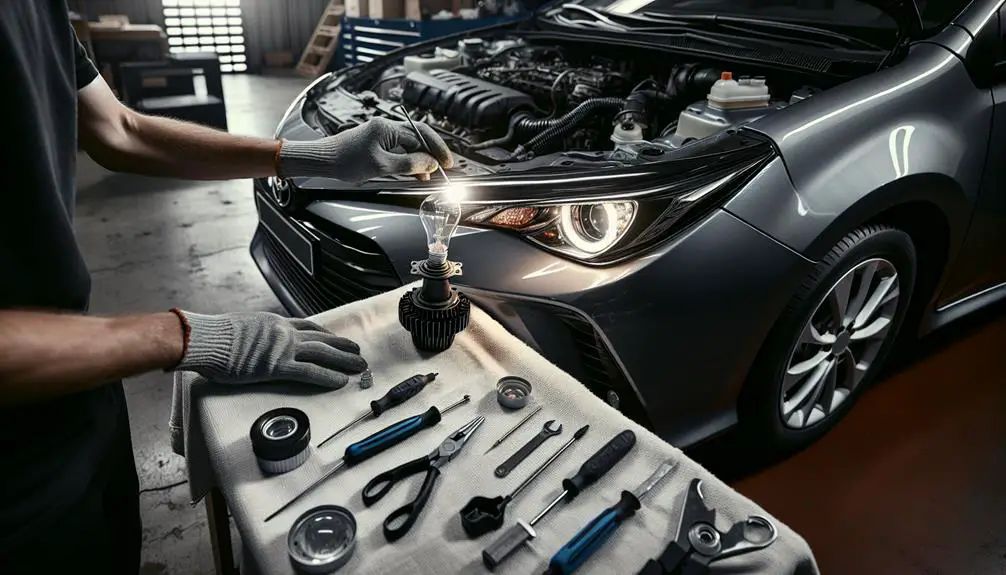
Before changing your Toyota Corolla's headlight bulb, it is important to gather the necessary tools. This includes acquiring a new headlight bulb that is compatible with your specific Corolla model. The right bulb can be identified by referencing your car's manual or by searching online. Additionally, you will need a set of hand tools, such as a Phillips head screwdriver. It may also be beneficial to have both a flat-head and Phillips head screwdriver on hand for different parts of the process. To protect the bulb from oils on your skin, remember to wear gloves during the replacement. For improved visibility in darker areas, consider using a flashlight or headlamp. In case of minor adjustments, having electrical tape available can be helpful. Ensure you have all these tools ready before beginning the headlight bulb replacement process.

Accessing the Headlight Assembly

To change the headlight bulb in your Toyota Corolla, first open the hood to see the back of the headlight assembly. The assembly is found at the front of the car, on both sides, behind the grille.

Follow these steps:

  1. Find the Headlight Assembly: Decide if you're replacing the left or right bulb, and look at that side. The assembly has a protective cover over it.
  2. Remove Obstructions: Some models have the battery or air filter housing in the way. If so, move or take these out carefully to avoid damage.
  3. Open the Back Cover: After removing any obstacles, find the back cover of the headlight assembly. It's usually plastic with clips, screws, or a twist-off design. Open or remove it to get to the bulb.

Removing the Old Bulb

replace broken light fixture

To remove the old bulb from the headlight assembly, twist the bulb holder to the left until it comes loose. Be careful to avoid breaking it. If it doesn't come out easily, check you're twisting the right way and look for any dirt or rust that might make it harder to remove.

Once the bulb holder is loose, pull it out. The bulb will be connected to a plug. To disconnect it, hold the plug and gently pull it off the bulb. Don't pull the wires. If the plug is tight, wiggle it a bit as you pull.

Now you have the old bulb. Check the bulb holder and surrounding area for any damage or rust and make sure the headlight assembly is dry.

Be careful with the old bulb, especially if it was on recently because it could be hot. Throw it away as per your local rules because bulbs shouldn't go in the regular trash.

Now, you can put in the new bulb.

Installing the New Bulb

To install a new bulb in a Toyota Corolla's headlight:

  1. Prepare the New Bulb: Clean and dry your hands before handling the new bulb. Wearing gloves can help avoid transferring oils from your skin to the bulb, which can reduce its lifespan.
  2. Insert the New Bulb: Hold the new bulb by its base or use a clean cloth to avoid touching the glass. Align the notches or tabs on the bulb with those on the headlight assembly for a correct fit. Gently push the bulb into the socket until it's secure. Be careful not to use too much force to avoid damage.
  3. Secure the Bulb: Secure the bulb in place to prevent it from coming loose. This might require twisting it clockwise until it locks or reattaching a clip or ring from the old bulb. Ensure it's firmly in place but avoid excessive force to prevent breaking.

Installing the new bulb correctly is important for safe driving at night and meeting road regulations. The installation process may vary by the vehicle's year and model, so check the owner's manual for specific instructions.

Testing the New Headlight

inspecting vehicle s new headlight

After replacing the headlight bulb, test it to ensure it works well. First, put away your tools and close your car's hood to avoid blocking the light. Then, sit in the driver's seat to access the car's ignition and headlight switch.

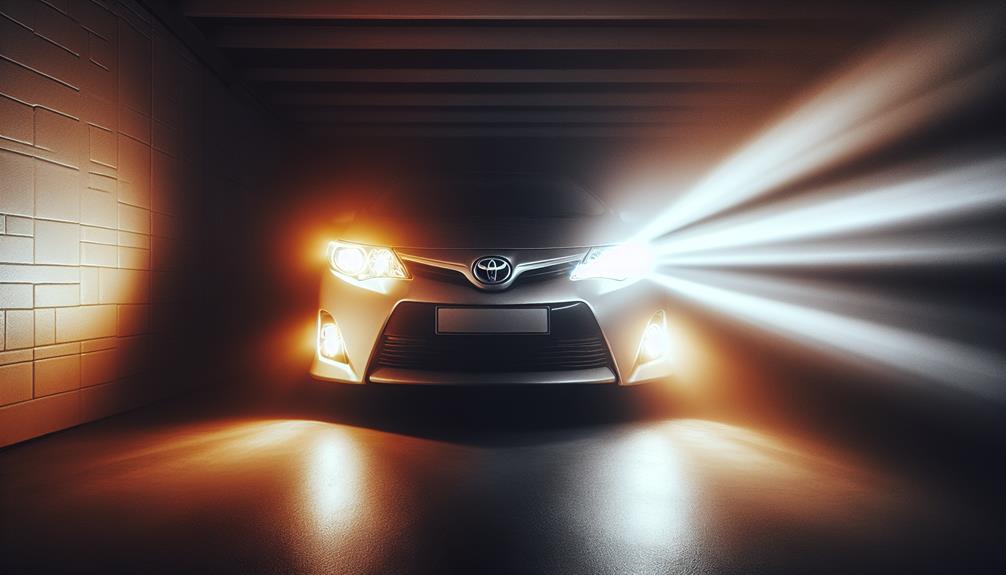
Turn on the ignition, but you don't have to start the car unless it's necessary for the headlights to work. Turn on the headlights and aim them at a wall or garage door to check the light's pattern and brightness.

Look for a bright and evenly distributed light. If the light is weak or uneven, make sure the bulb is installed correctly and wasn't touched with bare hands, as skin oils can reduce the bulb's effectiveness.

Check both the low and high beams to ensure they work well. If both settings are good, your headlight bulb replacement was successful, and your car is ready for safer driving.

Conclusion

You've just changed the headlight bulb in your Toyota Corolla, so you're ready to drive safely again.

It's very important to keep your headlights working well to stay safe and make sure others are safe too.

If you're ever not sure how to change the bulb, you can look in your car's manual or ask an expert for help.

Safe driving starts with keeping your car in good shape, and changing your headlight bulb is a big part of that.

Keep your lights bright and drive safely!

Causes Of Check Bsd System Warning On Hyundai


The 'Check BSD System' warning on a Hyundai is typically caused by:

  • Dirty or blocked sensors,
  • Electrical issues,
  • A malfunctioning control module,
  • Outdated software, or
  • Damage to the vehicle's external mirrors.

Addressing this promptly ensures both the vehicle's health and your safety on the road.

Having your vehicle checked by a professional technician can help identify and resolve the specific issue causing the warning. Regular maintenance and prompt attention to warning lights can prevent more significant problems down the road.

Dirty or Obstructed Sensors

dirty sensor causing issues

A common reason for the 'Check BSD System' warning in Hyundai cars is dirty or blocked sensors. These sensors mightn't work well if they've a layer of dirt or grime, making it hard to detect other vehicles or objects. This problem is more common in bad weather like rain, snow, or dust storms.

What to do? Cleaning your car's sensors regularly is the solution. You just need a soft cloth and water. Be gentle around the sensors to avoid damaging them.

Not all sensor problems are caused by dirt, but cleaning them is an easy way to help the Blind Spot Detection (BSD) system work properly and may prevent unnecessary visits to the mechanic.

Electrical System Glitches

To reduce car issues, keep sensors clean. However, you might still see a 'Check BSD System' warning because of electrical problems. These problems can be due to things like loose wires or rusty terminals, affecting the Blind Spot Detection (BSD) system.

Electrical issues usually happen from normal use or being exposed to the environment. Here are some examples:

  • Loose wiring can cause random warnings. Fixing the connections can help.
  • Rusty terminals can lead to false alarms. Cleaning or replacing them is a solution.
  • Too much power going through circuits can make the system not work properly. Checking and fixing this is necessary.
  • If the power supply isn't stable, the system mightn't respond correctly. It's important to diagnose and fix this.

Regular car check-ups can prevent these electrical problems. A professional can look for loose wires, rust, and check if the power is right. Fixing these problems early helps the BSD system work correctly, making lane changes and merges safer.

Faulty Control Module

correcting engine performance issues

A broken control module can cause problems with your Hyundai's Blind Spot Detection (BSD) system, showing frequent 'Check BSD System' warnings. This module is crucial as it processes sensor information to detect vehicles in your blind spot. If it's faulty, the system won't work properly, affecting your safety.

Consider these points:

  • BSD Warnings: The BSD warning light may turn on for no clear reason, showing the control module isn't working right.
  • False Alarms: A bad module might wrongly interpret sensor data, causing alerts when there's no vehicle in your blind spot.
  • Missed Alerts: It could also fail to alert you about vehicles in your blind spot, making collisions more likely.
  • Diagnostic Codes: Your car's diagnostic system will record specific codes that help identify a broken control module.
  • Cost of Replacement: Be ready for the costs to replace a faulty control module, which can differ.

Fixing a broken control module quickly can make your BSD system work right again and keep you safe while driving.

Software Update Requirements

To make sure your Hyundai's Blind Spot Detection (BSD) system works well, it's important to update its software regularly. These updates fix problems, improve how the system works, and add new features. Without updates, you might see a 'Check BSD System' warning.

Here's what you need to know about software updates:

  • Frequency: Usually once a year or as Hyundai suggests.
  • Source: Get updates from Hyundai dealers or certified service centers.
  • Cost: It varies; sometimes it's free if your car is under warranty.
  • Duration: Updates typically take less than an hour.
  • Benefits: Updates make the system work better, fix bugs, and make it more reliable.

Updating your software is important for safety and makes sure your BSD system works right. If you don't know your software version or when to update, ask your dealer. They can give you the latest information and help keep your BSD system working well.

Damaged External Mirrors

replace car s broken mirrors

Damaged external mirrors can affect your Hyundai's Blind Spot Detection (BSD) system. Here are the main points:

  • Cracks or chips in the mirror can cause incorrect BSD warnings or miss warnings.
  • Misalignment of mirrors from impacts can stop the BSD system from spotting vehicles in your blind spot.
  • Dirt and debris on the mirror can block sensor view, leading to wrong alerts or reduced function.
  • Aftermarket modifications not approved by Hyundai can make the BSD system unreliable.
  • Water damage inside the mirror can break the BSD system's electronics, making it not work properly.

If your BSD system isn't working right, check your mirrors for damage or blockages. Keeping mirrors in good shape helps your visibility and ensures safety features work well.

Conclusion

Your Hyundai car might show a 'check BSD system' warning because of a few reasons. This could happen if the sensors that help you see blind spots are dirty or something is blocking them.

Sometimes the car's electrical system might've a problem, or the part that controls the blind spot detection isn't working right. Also, if the car's software is old or the mirrors on the outside are broken, it can cause this warning.

To keep your car safe and working well, you should clean the sensors often, make sure the software is up to date, and get a car expert to check the electrical system and parts. Fixing these problems quickly helps keep you safe and your car running well.

How to Reset Toyota Corolla Tire Pressure Light


To reset the Toyota Corolla tire pressure light:

  • Ensure tire pressure is correct.
  • Press and hold the reset button until the light blinks, signaling success.

This process is crucial for maintaining vehicle safety and tire health.

Check Tire Pressure

maintaining proper tire pressure

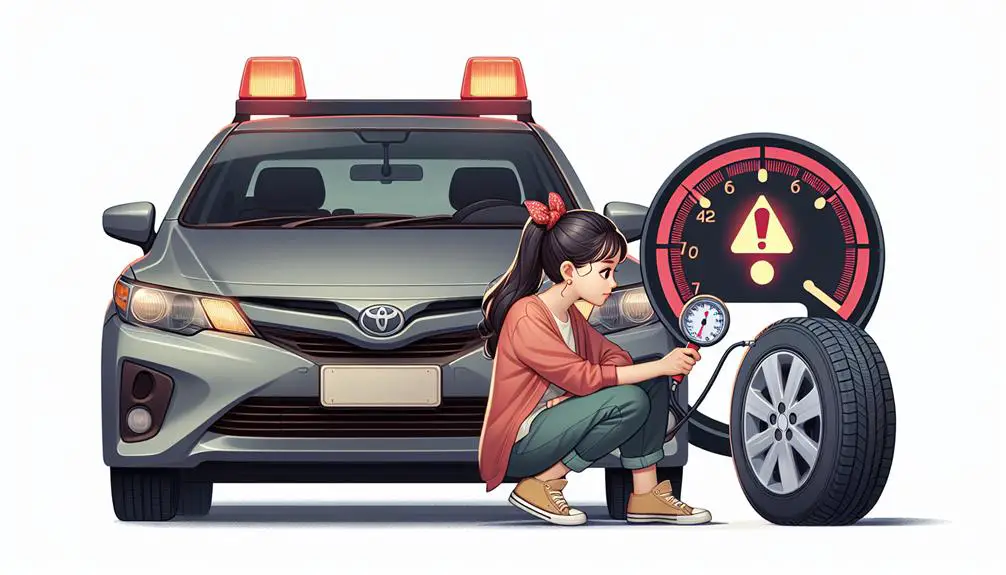
Check your Toyota Corolla's tire pressure before resetting the tire pressure light. Confirm the pressure of each tire to ensure they're properly inflated. This is important as the light could indicate a real issue with a tire. Use a tire pressure gauge to measure each tire's pressure in PSI.

The correct tire pressure for a Corolla is usually between 32 to 35 PSI. Check your owner's manual or the sticker on the driver's side door jamb for the exact pressure. Inflate or deflate the tires as needed to reach the right pressure.

After adjusting the tire pressure, wait a bit. The tire pressure light may take time to turn off if the tires are now correctly inflated. If the light remains on, there could be a different problem. Ensuring your tires are at the right pressure is important for safety.

Locate Reset Button

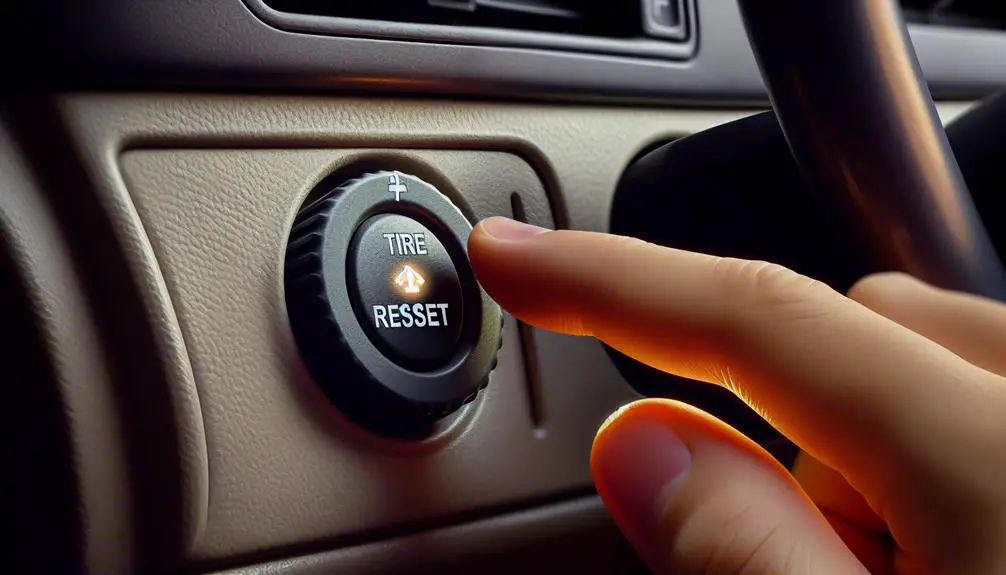
To reset the tire pressure light on a Toyota Corolla, find the reset button under the steering wheel. It's a small button, often hidden. Here's how to find it:

  • Look for a tiny button, about a centimeter wide.
  • It's usually near where the driver's knee would be, to prevent accidental presses.
  • The button may be marked “SET” or have a tire pressure icon.
  • If unsure, check the vehicle's manual for the button's location.

The reset button recalibrates the tire pressure monitoring system (TPMS) after tire adjustments or replacements. Once found, you can proceed with resetting the tire pressure light.

Press and Hold Reset

emergency reset button instructions

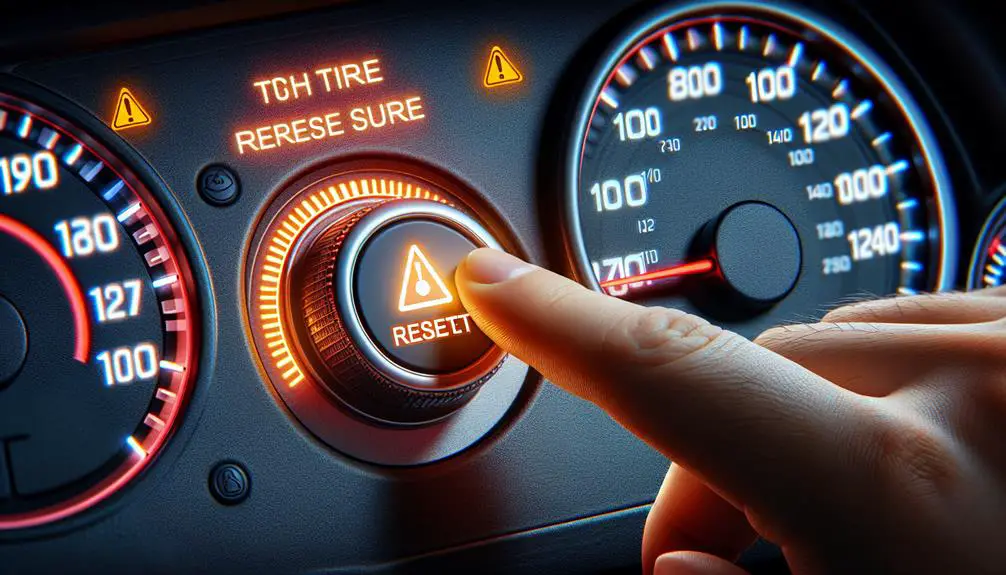
To reset the tire pressure light on your Toyota Corolla, find the reset button under the steering wheel and hold it down for a few seconds. This action tells the car's tire pressure monitoring system (TPMS) that you want to recalibrate it.

Pressing and holding the button is necessary because it signals a clear intent to reset the system, similar to restarting a computer.

Make sure the engine is off but the car's electrical systems are on during this process. This setup helps the TPMS recalibrate accurately without interference from the engine.

The time to hold the button varies by Corolla model, but usually, 3 to 5 seconds is enough. After releasing the button, the system might take a moment to start resetting. This delay is expected.

Wait for Light to Blink

After pressing the reset button, wait for the tire pressure light to blink. This means your Toyota Corolla is recalibrating the tire pressure sensors. Make sure to:

  • Be patient: The blinking might take some time. Don't start over too soon.
  • Park safely: Your car should be in a safe spot. You won't be driving.
  • Check engine status: The engine can be on or off. If it's an automatic car, put it in park. If it's manual, put it in neutral.
  • Avoid distractions: Focus on the blinking light to know when to move to the next step.

These points are important for a successful tire pressure light reset. This is just one part of recalibrating your TPMS.

Confirm Light Reset

check engine light reset

When the tire pressure light on your Toyota Corolla stops blinking and stays off, it means you've reset it correctly. This shows that your car's tire pressure monitoring system (TPMS) is working well, keeping track of your tire pressure to make sure you're driving safely. However, it's important to check that the light has indeed reset to avoid problems later.

After the light turns off, look at your Corolla's dashboard again to make sure no other warning lights are on. This step is important to make sure there are no other issues with your tires or the sensors. If any lights are on, it could mean there's still a problem.

You should also drive your Corolla for a bit. This helps the TPMS finish calibrating and makes sure the sensors are reading the tire pressures correctly while you're moving. If the tire pressure light turns on again during this drive, you might need to check your tire pressures again or get help from a professional to look into it more closely.

Conclusion

To sum up, you've learned how to reset the tire pressure light in your Toyota Corolla.

First, you made sure your tires had the right amount of air for safety.

Next, you found the reset button and pressed it. You'd to keep pressing it until the light started blinking.

Now that the light is reset, you can be sure your tires are okay to drive on.

Remember, it's important to check your tire pressure regularly. This keeps you safe and helps your car run better.

Drive safely!

How to Change Brake Pads Hyundai Santa Fe


Changing the brake pads on a Hyundai Santa Fe involves several steps:

  • Gathering tools required for the job.
  • Removing the old brake pads.
  • Installing new brake pads.
  • Conducting a test drive to ensure the brakes are working properly.

Gather Necessary Tools

prepare for success ahead

Before you start on the task of altering the brake pads on your Hyundai Santa Fe, make sure you've gathered all the necessary tools. You'll need a few important before diving into this task to make you're not left scrambling halfway through. Initially, grab a lug wrench. You're not removing the wheel just yet, but it's good to have it on hand. Next, a car jack and a set of jack stands are vital for safety and accessibility. Don't trust the stability of just a jack – those stands will keep your car securely elevated while you work.

You can't overlook the importance of a socket set. Different bolts will need loosening, and having a range of sizes makes you're prepared. For the brake caliper itself, a caliper wind back tool is your best friend. It helps retract the piston, a must-do to fit new pads in. Don't forget a pair of needle-nose pliers and a small bungee cord or piece of wire. They'll come in handy for securing the caliper when it's off the rotor, preventing any strain on the brake hose.

Now, you might be wondering about the brake pads themselves. Make sure you've purchased the correct ones for your Hyundai Santa Fe model. Compatibility is key to avoid any mishaps. Lastly, a can of brake cleaner and a sturdy wire brush will help you clean the assembly area, providing a smooth operation for your new pads.

Armed with these tools, you're now ready to tackle the brake pad change with confidence. Remember, preparation is half the battle.

Remove the Wheel

With all the necessary tools gathered, it's time to remove the wheel from your Hyundai Santa Fe. This step is important for gaining access to the brakes and ensuring you can replace the brake pads safely and efficiently. It might seem intimidating, but with the right approach, you'll feel a sense of accomplishment as you make progress.

Initially, make sure your vehicle is parked on a flat surface and the parking brake is engaged. This precaution prevents any movement that could lead to injury or damage. Next, slightly loosen the lug nuts on the wheel with your tire iron while the vehicle is still on the ground. It's easier to break the initial resistance when the wheel can't spin freely.

Now, use your hydraulic jack to lift the vehicle. Place the jack under the vehicle at the specified lifting point near the wheel you're working on. Slowly raise the car until the wheel is off the ground. For safety, always use a jack stand to support the vehicle while it's lifted. Never rely solely on the hydraulic jack.

After the car is securely supported, you can fully remove the lug nuts. Take off the wheel, setting it aside where it won't be in the way.

Here are a few emotions you might experience during this process:

  • Anticipation as you prepare to lift the vehicle.
  • Satisfaction when the wheel eventually comes free.
  • Curiosity about the condition of the brake components now in view.
  • Determination to complete the job you've started.
  • Pride in taking an active role in maintaining your vehicle.

Replace Old Brake Pads

brake pad replacement needed

Now that the wheel is off, you're ready to tackle the task of replacing the old brake pads on your Hyundai Santa Fe.

Initially up, locate the caliper that houses the brake pads. You'll find it mounted over the rotor. To get to the pads, you'll need to remove the caliper. It's usually held in place by two bolts at the back. Use a ratchet and the correct size socket to loosen these bolts. You don't need to fully remove them; just enough to allow the caliper to slide off the rotor. Once loose, carefully lift the caliper away and support it with a hanger or a piece of wire to avoid putting stress on the brake hose.

With the caliper out of the way, you'll see the brake pads. Note how they're positioned; this will be crucial when you install the new ones. Slide the old pads out. They might be snug, so a gentle wiggle or pry with a flathead screwdriver can help.

Before you pop in the new pads, take a moment to check the caliper piston. It needs to be compressed back into its housing to fit the new, thicker pads. You can do this with a C-clamp or a caliper piston tool. Just place the tool against the piston and tighten it until the piston is flush with the housing.

Now, slide your new brake pads into position, mirroring the setup of the old ones. Ensure they're seated properly in the holder. That's it, you've successfully replaced the old brake pads.

Reassemble and Test

After successfully replacing the old brake pads, it's time to reattach the caliper and test your Hyundai Santa Fe's brakes for safety and performance. You've done the hard part, but don't rush through these final steps. Your safety on the road depends on the careful reassembly and testing of your vehicle's braking system.

Start by carefully placing the caliper back over the new brake pads. Make sure it sits perfectly; any misalignment could cause problems later. Once in place, bolt the caliper back onto the bracket using the appropriate torque specifications for your Santa Fe. This ensures everything is snug and secure, preventing any unwanted movement while driving.

Next, you'll need to press the brake pedal several times. This action helps the caliper piston to adjust to the new brake pads, ensuring a proper fit. You'll notice the pedal may feel soft at the start; this is normal until the pads are properly seated.

Before you hit the road, perform a few slow-speed tests in a safe area. Listen for any unusual noises and pay attention to how the brake pedal feels. Make sure your Santa Fe stops smoothly and efficiently.

  • *Feel the satisfaction of a job well done as you press the brake pedal and experience the smooth, responsive stop.*
  • *Imagine the peace of mind knowing your loved ones are safer due to your efforts.*
  • *Relish the quiet, no more grinding or squealing every time you stop.*
  • *Experience the pride in maintaining your vehicle's safety features yourself.*
  • *Enjoy the savings from avoiding expensive professional repair fees.*

Maintenance and Safety Tips

keep equipment well maintained

Maintaining your Hyundai Santa Fe's brakes through routine checks and care extends their lifespan and guarantees your safety on the road. It's not just about replacing brake pads; you should also keep an eye on the brake fluid levels and make sure there are no leaks. Regularly inspecting the brake lines for any signs of wear or damage is essential. If you spot anything unusual, don't hesitate to take your vehicle to a professional for a more thorough check-up.

Don't overlook the importance of cleaning the brake components either. Dirt and debris can accumulate over time, leading to reduced efficiency and potentially causing damage. Whenever you change the brake pads, take the opportunity to clean the calipers and inspect the brake rotors. If the rotors are significantly worn or damaged, they may need to be replaced or resurfaced to ensure your brake system functions optimally.

Remember, driving habits significantly impact the wear and tear on your brakes. Aggressive driving, such as frequent hard stops or riding the brakes, can lead to premature wear. Try to adopt a smoother driving style to help extend the life of your brake pads and other brake components.

Lastly, always prioritize safety when performing any maintenance on your vehicle. If you're not completely comfortable changing the brake pads yourself, don't hesitate to seek help from a professional. Ensuring your brakes are in top condition isn't just about saving money on future repairs; it's about keeping you and your passengers safe every time you hit the road.

Conclusion

Congratulations! You've successfully changed the brake pads on your Hyundai Santa Fe. Just remember, it's important to gather all necessary tools before starting, carefully remove the wheel, replace the old pads, and reassemble everything securely.

Lastly, always test your work to guarantee safety on the road. Keep up with regular maintenance and follow safety tips to prolong the life of your brakes.

Great job taking this step to maintain your vehicle's health and safety.