Recent Posts

Hyundai Dealer Fees


Hyundai dealer fees can vary depending on the location and dealership. It is essential to understand these fees to avoid surprises when purchasing a car. Some common dealer fees include documentation fees, destination charges, and advertising fees. By knowing what these fees are and negotiating with the dealer, you may be able to save money on your car purchase.

Understanding the breakdown of Hyundai dealer fees can empower you as a consumer and help you make informed decisions. It's important to ask for a detailed explanation of any additional charges to ensure you are not being overcharged. By being aware of the fees associated with buying a Hyundai, you can budget more effectively and potentially save money on your purchase.

Understanding Dealer Fees

exploring car purchase costs

When you're purchasing a vehicle from a Hyundai dealership, it's crucial to grasp the array of dealer fees that may apply, as they greatly impact the total cost. Dealer transparency is key in this process. A reputable dealer should be upfront about all the fees, allowing you to make an informed decision. It's not just about the sticker price; the additional fees can add up, altering the financial landscape of your purchase.

To navigate this, ask for a detailed fee breakdown. This document should list all the charges, including those that are part of the dealership's business practice and any that are mandated by law. Understanding these fees helps you analyze the true cost of your Hyundai and serves as a negotiating tool. By being informed, you're in a stronger position to discuss these fees, question any that seem unreasonable, and potentially have them reduced or removed.

Common Hyundai Dealer Fees

Comprehending the array of dealer fees is the initial step; now let's examine the common Hyundai dealer fees you're likely to encounter during your purchase. Understanding these fees not only prepares you for the financial aspect of your car buying adventure but also arms you with the knowledge for better negotiations, albeit that's a topic for later. Fee transparency is critical in this process, as it guarantees you're not blindsided by unexpected costs. Additionally, be aware of local variations, as dealer fees can greatly differ based on your location.

Here are some common Hyundai dealer fees:

  • Documentation Fee (Doc Fee): Covers the cost of processing your paperwork. This fee varies widely.
  • Destination Charge: A fixed fee for transporting the vehicle from the factory to the dealership.
  • Title and Registration Fees: Mandatory fees for titling and registering your vehicle in your state.
  • Sales Tax: Calculated as a percentage of the purchase price.
  • Dealer Preparation Fee: Charged for preparing the car for sale, including cleaning and inspections.

Negotiating Dealer Fees

navigating car purchase costs

Exploring the landscape of Hyundai dealer fees, you'll find that effectively negotiating these costs can lead to important savings on your vehicle purchase. It's important to enter the dealership armed with knowledge and a clear strategy. Begin by grasping the standard fees and identifying which can be reduced or waived.

When discussing trade-in tactics, keep in mind that the value of your current vehicle can greatly impact the entire deal. Research its market value beforehand and negotiate its trade-in price separately from the purchase of the new car. This separation guarantees clarity in negotiations and prevents dealers from inflating new vehicle prices to offset a higher trade-in value.

Finance options also play an important role in negotiating dealer fees. Dealers often have a markup on financing rates, which can be negotiated down. Alternatively, securing a pre-approved loan from an external lender gives you influence, as it sets a benchmark rate the dealer must beat to earn your business.

In your discussions, be polite yet firm, and always be prepared to walk away if the deal doesn't meet your expectations. Keep in mind, your most powerful negotiating tool is your ability to choose where you spend your money.

Additional Costs to Consider

Beyond negotiating dealer fees, it's also important to contemplate other costs that can impact the total price of your Hyundai purchase. Understanding these additional expenses will help you budget more effectively and make a more informed decision.

When considering the full cost of owning a Hyundai, it's vital to look beyond the sticker price. Here are some key factors to keep in mind:

  • Fuel Efficiency: While Hyundai vehicles are known for their fuel efficiency, variations among models can affect your long-term fuel costs. Choose a model that balances performance with fuel economy to save money over time.
  • Warranty Extensions: Hyundai offers one of the best warranties in the industry. However, you might consider purchasing extended warranty options for added peace of mind, which will increase your upfront costs but potentially save you money on future repairs.
  • Insurance Premiums: The model and trim of your Hyundai can have a significant impact on your insurance rates. Research and compare insurance costs for different Hyundai models before making your decision.
  • Maintenance and Repairs: Factor in the cost of regular maintenance and potential repairs. Hyundai's reliability is commendable, but routine upkeep is essential for long-term vehicle health.
  • Registration and Taxes: Don't forget to account for the cost of registering your vehicle and any applicable sales taxes, which can vary significantly by location.

Navigating Your Purchase

shopping for a car

Once you've considered all additional costs, it's key to navigate your Hyundai purchase with a strategic approach to secure the best deal possible. Carefully weighing your financing options and grasping the true value of any trade-ins are key steps in this process.

Strategy Details
Research Financing Compare rates from the dealer and external lenders.
Grasp Trade-In Know your car's market value to negotiate better.
Timing Your Purchase Look for end-of-month or year sales for better deals.
Ask for Special Offers Inquire about any ongoing promotions or rebates.
Read the Fine Print Be aware of all terms and conditions in your contract.

Exploring different financing options can save you a significant amount of money in the long run. Dealerships often offer financing, but their rates might not always be the best available. It's wise to compare these with what banks or credit unions can offer you.

Knowing your current vehicle's trade-in value is equally crucial. Dealers will often offer less than what your car is worth on the open market. Armed with knowledge, you can negotiate more effectively, ensuring you get the best value for your trade-in and the most favorable terms for your new Hyundai purchase.

Conclusion

In sum, maneuvering Hyundai dealer fees requires a keen eye and sharp negotiation skills. You've learned the typical fees to expect and the importance of dissecting them.

Remember, negotiating isn't just about slashing costs; it's about comprehending what you're paying for. Don't overlook the additional costs that can sneak up on you.

Armed with this knowledge, you're better equipped to steer through your purchase, ensuring you get the best deal possible without unnecessary expenses weighing you down.

How to Repair Horn on 2011 Toyota Tacoma


How to Repair Horn on 2011 Toyota Tacoma

Is your 2011 Toyota Tacoma’s horn not working and you’re not quite sure how to fix it? Don’t worry, we’ve got you covered. In this guide, we’ll walk you through the steps to troubleshoot and repair the horn on your Tacoma, so you can get back on the road with a fully functional horn.


Step 1: Check the Fuse

The first thing to do when your horn stops working is to check the fuse. Follow these steps to check and replace a blown fuse:

  1. Locate the fuse box under the hood and open the cover.
  2. Find the horn fuse, which is usually labeled on the fuse box cover or in the owner’s manual.
  3. If the fuse is blown, replace it with a new one of the same amperage rating.
How to Repair Horn on 2011 Toyota Tacoma

Credit: m.youtube.com

Step 2: Inspect the Horn Relay

If the fuse is not the issue, the next step is to check the horn relay. Here’s how to do it: Follow these steps to inspect and replace the horn relay:

  1. Locate the horn relay in the fuse box.
  2. Replace the horn relay with a known working relay of the same type.
  3. If the horn works with the new relay, the original relay may be faulty and needs to be replaced.
How to Repair Horn on 2011 Toyota Tacoma

Credit: autoparts.toyota.com

Step 3: Test the Horn

If the fuse and relay are in good condition, the problem may lie with the horn itself. Here’s how to test the horn: Follow these steps to test the horn:

  1. Locate the horn, usually found behind the front grille or under the hood.
  2. Disconnect the wire from the horn and apply 12 volts directly to the horn.
  3. If the horn does not sound, it may be defective and needs to be replaced.

Step 4: Check the Wiring

If the horn still doesn’t work after checking the fuse, relay, and horn itself, the issue may be with the wiring. Here’s how to check the wiring: Follow these steps to check the horn wiring:

  1. Inspect the wiring for any visible damage or corrosion.
  2. Use a multimeter to test for continuity in the wiring and repair any breaks or faults found.
  3. Check for loose connections and ensure all electrical connections to the horn are secure.

Step 5: Seek Professional Help

If you’ve gone through the above steps and the horn still isn’t working, it’s best to seek professional help. A certified mechanic will have the tools and expertise to diagnose and fix the issue with your Tacoma’s horn. Follow these steps to seek professional help:

  1. Make an appointment with a reputable auto repair shop or dealership.
  2. Describe the steps you’ve taken to troubleshoot the horn issue.
  3. Allow the mechanic to inspect and diagnose the problem, and follow their recommendations for repairs.

Following these steps should help you troubleshoot and repair the horn on your 2011 Toyota Tacoma. Remember to always work with caution when dealing with electrical components, and don’t hesitate to seek professional assistance if needed.

Frequently Asked Questions On How To Repair Horn On 2011 Toyota Tacoma

How Can I Repair The Horn On My 2011 Toyota Tacoma?

To repair the horn on your 2011 Toyota Tacoma, you will need to locate the horn assembly, check the wiring connections, test the horn relay, and replace any faulty components as necessary. Following the manufacturer’s instructions, you can ensure a successful repair.

Why Is The Horn On My 2011 Toyota Tacoma Not Working?

If your horn on the 2011 Toyota Tacoma is not working, it may be due to a blown fuse, a faulty horn relay, a disconnected or damaged wire, or a malfunctioning horn assembly. Proper troubleshooting and inspection will help you identify the exact cause and resolve the issue.

Can I Replace The Horn On My 2011 Toyota Tacoma Myself?

Yes, you can replace the horn on your 2011 Toyota Tacoma yourself by following the steps outlined in the manufacturer’s manual. Ensure that you have the necessary tools and replacement parts, and exercise caution when handling electrical connections. If you are uncomfortable performing the replacement yourself, it is recommended to seek professional assistance.

How to Connect Phone to Toyota Sienna


How to Connect Your Phone to Toyota Sienna – A Complete Guide

In today’s fast-paced world, staying connected is more important than ever. Whether you’re making important business calls or just want to listen to your favorite tunes, the ability to connect your phone to your vehicle is essential. If you’re a Toyota Sienna owner, you’re in luck – connecting your phone to your Sienna is a straightforward process that can be completed in just a few simple steps.

How to Connect Phone to Toyota Sienna

Credit: m.youtube.com

Step 1: Enable Bluetooth on Your Phone and Sienna

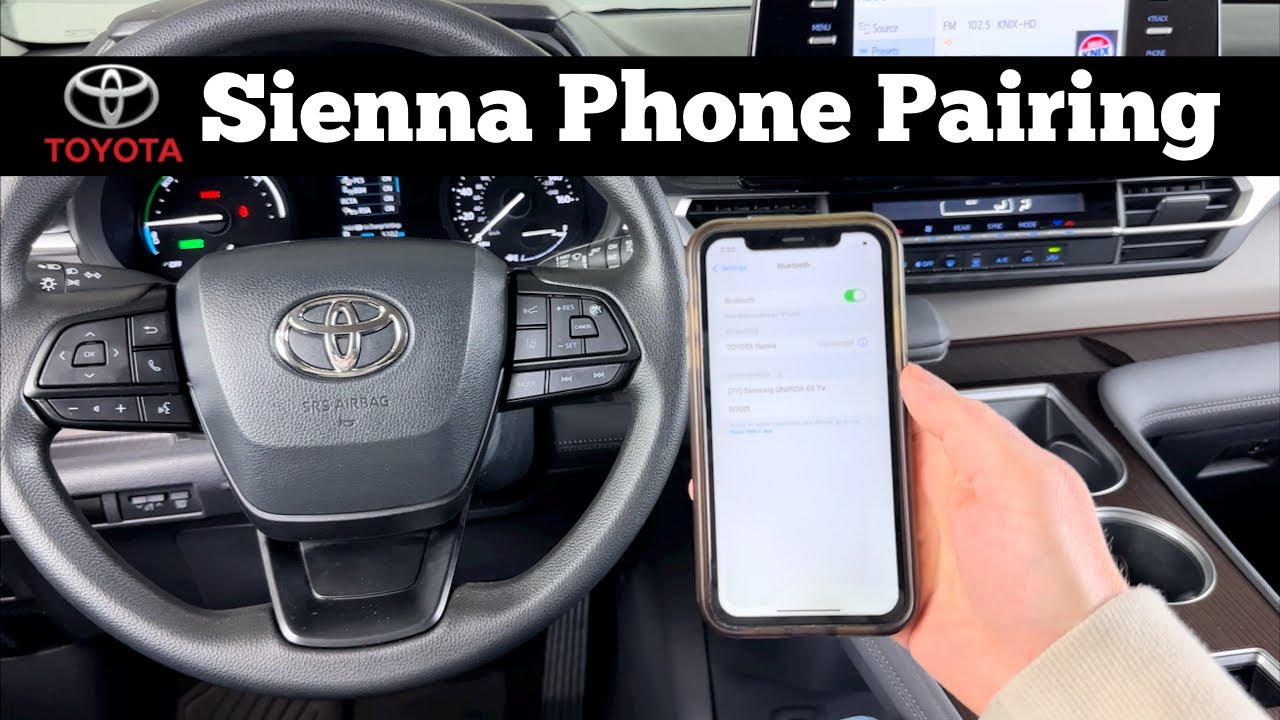
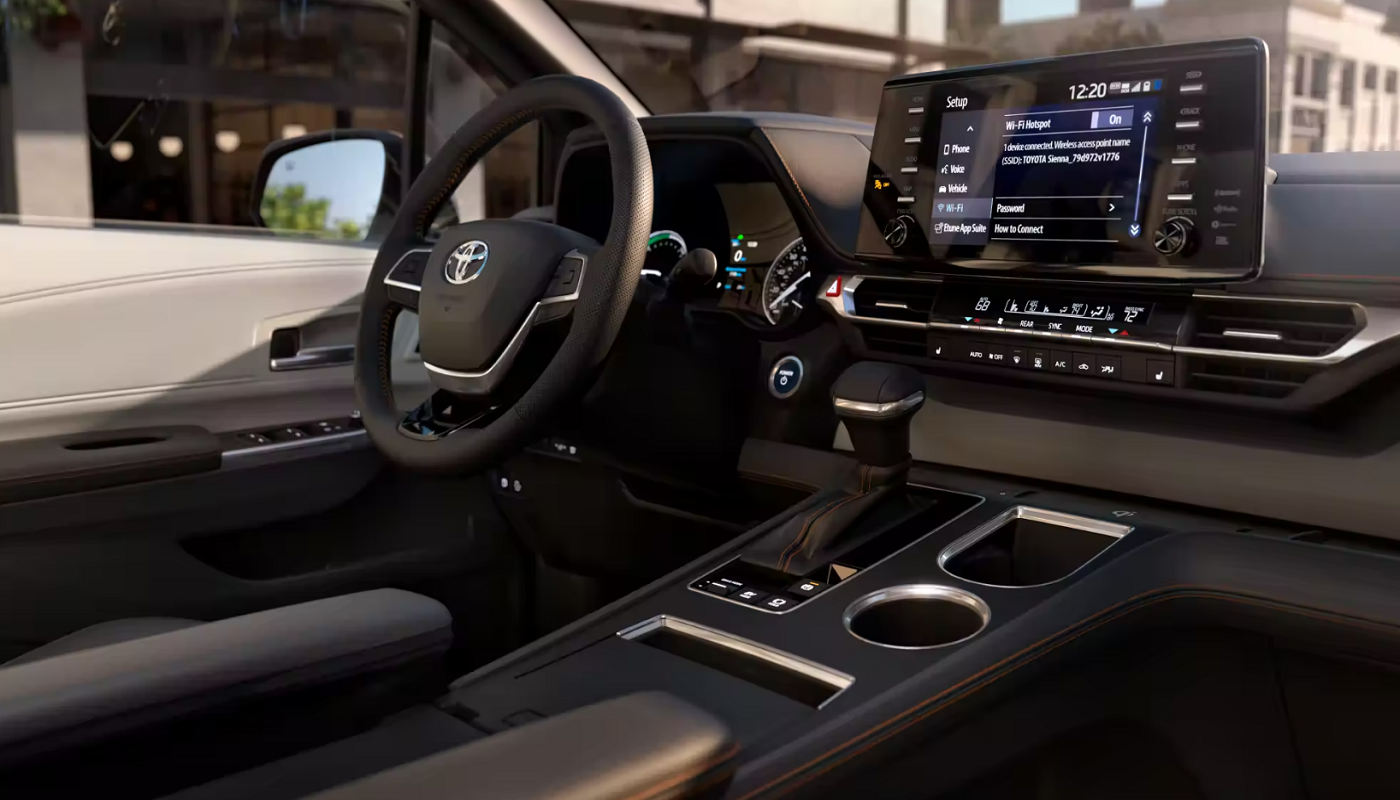
The first step to connecting your phone to your Toyota Sienna is to ensure that Bluetooth is enabled on both your phone and the Sienna’s multimedia system. This can usually be done by navigating to the settings menu on your phone and the multimedia system in your Sienna. Once Bluetooth is enabled on both devices, they should be able to detect and pair with each other.

Step 2: Pair Your Phone with the Sienna’s Multimedia System

Once Bluetooth is enabled on both devices, you’ll need to pair your phone with the Sienna’s multimedia system. This can typically be done by selecting the “Phone” or “Bluetooth” option in the multimedia system’s menu and then selecting the “Pair” or “Add Device” option. At this point, your phone should detect the Sienna’s multimedia system, and you can select it to initiate the pairing process.

Step 3: Follow the On-Screen Instructions

After selecting the Sienna’s multimedia system on your phone, you may be prompted to enter a pairing code or confirm the pairing on both devices. Follow the on-screen instructions on both your phone and the Sienna’s multimedia system to complete the pairing process. Once the devices are paired, you should see a confirmation message on the multimedia system display.

Step 4: Set Up Phone Permissions

Once your phone is paired with the Sienna’s multimedia system, you may need to grant permission for the system to access certain features on your phone, such as contacts, call history, and media. This step is important to ensure that you can make and receive calls, access your contacts, and play media from your phone through the Sienna’s audio system.


How to Connect Phone to Toyota Sienna

Credit: www.toyotaofsantabarbara.com

Step 5: Test the Connection

With your phone successfully paired and permissions granted, it’s time to test the connection. Make a test call, play a song, or use voice commands to ensure that your phone is seamlessly connected to the Sienna’s multimedia system. If everything is working as expected, congratulations – you’ve successfully connected your phone to your Toyota Sienna!

Benefits Of Connecting Your Phone To Your Sienna

Connecting your phone to your Toyota Sienna offers a host of benefits that can enhance your driving experience. Some of the key benefits include:

  • Hands-free calling: With your phone connected to the Sienna’s multimedia system, you can make and receive calls without taking your hands off the wheel.
  • Access to contacts and call history: You can easily access your phone’s contacts and call history through the multimedia system, making it convenient to stay in touch while on the go.
  • Media streaming: By connecting your phone to the Sienna, you can stream your favorite music, podcasts, and other media through the vehicle’s audio system, providing entertainment for you and your passengers.
  • Voice commands: Many modern vehicles, including the Toyota Sienna, offer voice command functionality when your phone is connected, allowing you to perform various tasks without having to touch your phone.
  • Integrated navigation: Some models of the Sienna offer integrated navigation systems that can utilize your phone’s data connection for real-time traffic updates and directions.

Troubleshooting Tips

If you encounter any issues when trying to connect your phone to your Toyota Sienna, here are a few troubleshooting tips to help you resolve the problem:

  1. Ensure that Bluetooth is enabled and discoverable on both your phone and the Sienna’s multimedia system.
  2. Check for software updates: Sometimes, issues with Bluetooth connectivity can be resolved by updating the software on your phone or the vehicle’s multimedia system.
  3. Remove old pairings: If you’re having trouble pairing your phone with the Sienna, try removing any old pairings from both devices and then attempting to pair them again.
  4. Restart both devices: Occasionally, a simple restart of your phone and the Sienna’s multimedia system can resolve connectivity issues.
  5. Consult the owner’s manual: If all else fails, refer to the owner’s manual for your Sienna or your phone for guidance on troubleshooting Bluetooth connectivity issues.

By following these troubleshooting tips, you can ensure that you’re able to successfully connect your phone to your Toyota Sienna and enjoy all the benefits of seamless connectivity while on the road.

Conclusion

Connecting your phone to your Toyota Sienna is a simple process that can greatly enhance your driving experience. By following the step-by-step instructions outlined in this guide, you can ensure that you’re able to easily and safely connect your phone to your Sienna’s multimedia system and enjoy the convenience of hands-free calling, media streaming, and more.

Whether you’re commuting to work, running errands, or embarking on a road trip, having your phone connected to your vehicle can keep you connected and entertained while keeping your focus on the road ahead. So, don’t wait any longer – follow these steps and get connected to your Toyota Sienna today!

Frequently Asked Questions On How To Connect Phone To Toyota Sienna

How Do I Connect My Phone To Toyota Sienna?

To connect your phone to Toyota Sienna, go to the settings on your phone, enable Bluetooth, and search for available devices. Select Toyota Sienna from the list and enter the pairing code if prompted. Once connected, you can enjoy hands-free calling and audio streaming.

What Are The Benefits Of Connecting My Phone To Toyota Sienna?

By connecting your phone to Toyota Sienna, you can utilize a range of convenient features. These include making hands-free calls, accessing your contacts, streaming music wirelessly, and using various mobile apps through the vehicle’s display. This enhances your driving experience and ensures safer and more enjoyable journeys.

Can I Connect Both Iphones And Android Phones To Toyota Sienna?

Yes, Toyota Sienna supports both iPhone and Android phone connectivity. Whether you have an iPhone or an Android device, you can easily pair it with the vehicle’s Bluetooth system to enjoy seamless integration. This allows you to utilize your phone’s features and functions while on the road, regardless of the operating system.

How Does a Toyota Rav4 Hybrid Work


How Does a Toyota Rav4 Hybrid Work

When it comes to environmentally friendly vehicles, the Toyota Rav4 Hybrid stands out as a popular and efficient choice. With its cutting-edge technology and impressive fuel efficiency, this hybrid SUV has attracted the attention of many eco-conscious consumers. But how exactly does a Toyota Rav4 Hybrid work?


Understanding Hybrid Technology

At the heart of the Toyota Rav4 Hybrid is its hybrid powertrain, which combines the power of a gasoline engine with an electric motor. This unique system allows the vehicle to operate using both power sources, optimizing fuel efficiency and reducing harmful emissions. The integration of these two power sources is managed by sophisticated electronic controls, ensuring seamless transitions between the electric motor and the gasoline engine.

The Power of Regenerative Braking

One of the key features of the Rav4 Hybrid is its regenerative braking system. When the driver applies the brakes, the system captures the kinetic energy produced during deceleration and converts it into electric energy, which is then stored in the hybrid battery. This process not only helps to recharge the battery but also improves fuel economy, making the Rav4 Hybrid an eco-friendly choice for city driving and stop-and-go traffic.

How Does a Toyota Rav4 Hybrid Work

Credit: mag.toyota.co.uk

Efficient Atkinson-Cycle Engine

The Toyota Rav4 Hybrid is equipped with an Atkinson-cycle gasoline engine, which is specifically designed for enhanced fuel efficiency. This innovative engine operates on a different combustion cycle compared to traditional engines, allowing for better thermal efficiency and reduced fuel consumption. By seamlessly working in tandem with the electric motor, the Atkinson-cycle engine helps maximize the overall efficiency of the hybrid powertrain.

Intelligent All-Wheel Drive

Another standout feature of the Rav4 Hybrid is its intelligent all-wheel drive (AWD) system. Unlike mechanical AWD systems, the Toyota’s AWD-i system uses an additional electric motor to power the rear wheels when extra traction is needed. This intelligent system automatically adapts to varying road conditions, providing enhanced stability and control without compromising fuel efficiency.

Continuous Variable Transmission (CVT)

The Toyota Rav4 Hybrid is equipped with a continuously variable transmission (CVT) that optimizes power delivery and fuel efficiency. Unlike traditional automatic transmissions with fixed gear ratios, the CVT seamlessly adjusts to keep the engine running at its most efficient speed, balancing performance and fuel economy. The result is a smooth and responsive driving experience, coupled with outstanding fuel efficiency.

How Does a Toyota Rav4 Hybrid Work

Credit: www.santacruztoyota.com

Frequently Asked Questions On How Does A Toyota Rav4 Hybrid Work

How Does A Toyota Rav4 Hybrid Work?

A Toyota Rav4 Hybrid combines a gasoline engine with an electric motor. The engine powers the car and charges the battery, while the electric motor assists during acceleration.

What Is The Benefit Of Driving A Toyota Rav4 Hybrid?

Driving a Toyota Rav4 Hybrid offers several benefits. It provides fuel efficiency, reduced emissions, and the convenience of seamlessly switching between gasoline and electric power.

How Does The Regenerative Braking System Of A Toyota Rav4 Hybrid Work?

The regenerative braking system in a Toyota Rav4 Hybrid converts kinetic energy into electric energy as you brake, which is then used to charge the battery. This helps maximize efficiency and extend the range of the hybrid vehicle.

Conclusion

In conclusion, the Toyota Rav4 Hybrid stands out as a prime example of advanced hybrid technology in the automotive industry. Its seamless integration of gasoline and electric power sources, coupled with innovative features such as regenerative braking and intelligent all-wheel drive, demonstrates the commitment of Toyota to sustainable and efficient transportation. With its impressive fuel economy and reduced environmental impact, the Rav4 Hybrid represents a compelling choice for those seeking a greener and more economical driving experience.

How to Use Back Windshield Wipers Toyota Corolla


To use the back windshield wipers on a Toyota Corolla:

  • Locate the control lever behind the steering wheel.
  • Flick it to activate or adjust the wipers' speed.
  • Utilize the wiper fluid for a clear rear view.

Regular maintenance ensures their longevity.

Locating the Control Lever

adjusting machine s control settings

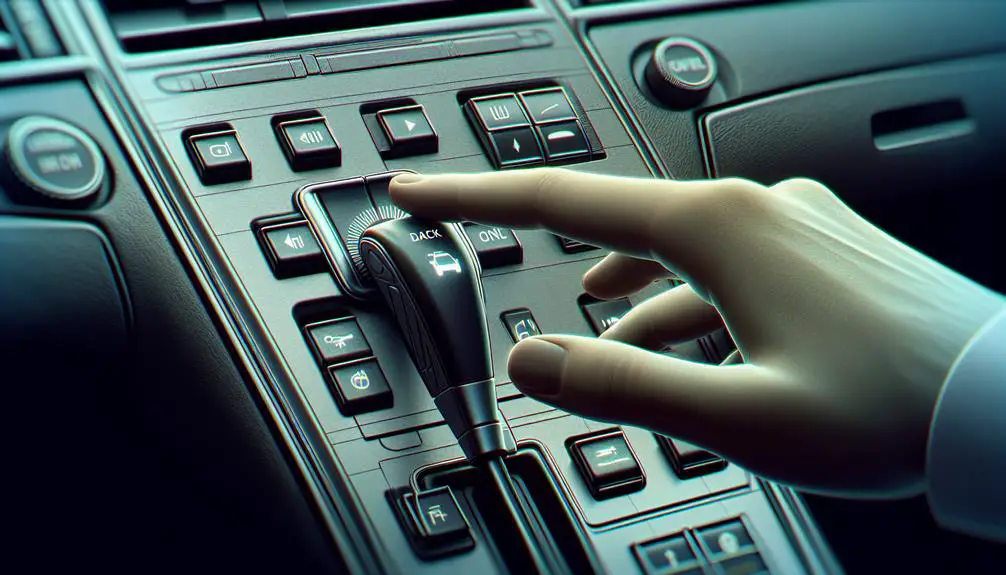
To find the back windshield wiper control in your Toyota Corolla, look at the steering column. Here, you'll see controls for wipers and signals. The back wiper control is smaller and might be on the same stalk as the front wipers. It could also be a button near the steering wheel, especially in newer models.

The control layout is easy to use, so you don't have to look away from the road for long. If you're not sure how to use the controls, check the car's manual. It has pictures and explanations of all the car's controls.

Turning On the Wipers

To activate the back windshield wiper in a Toyota Corolla, ensure the ignition is on.

The control lever for the wiper is on the right side of the steering column.

Push the lever away from you until it clicks to turn on the wiper.

This will make the wiper move across the rear window.

This action uses a single-speed sweep suitable for light to moderate rain or snowfall.

Adjusting Wiper Speed

changing windshield wiper settings

To adjust the rear wiper speed on a Toyota Corolla, follow these steps:

First, locate the wiper control stalk next to the steering wheel, on the right. This stalk controls both front and rear wipers. For the rear wiper:

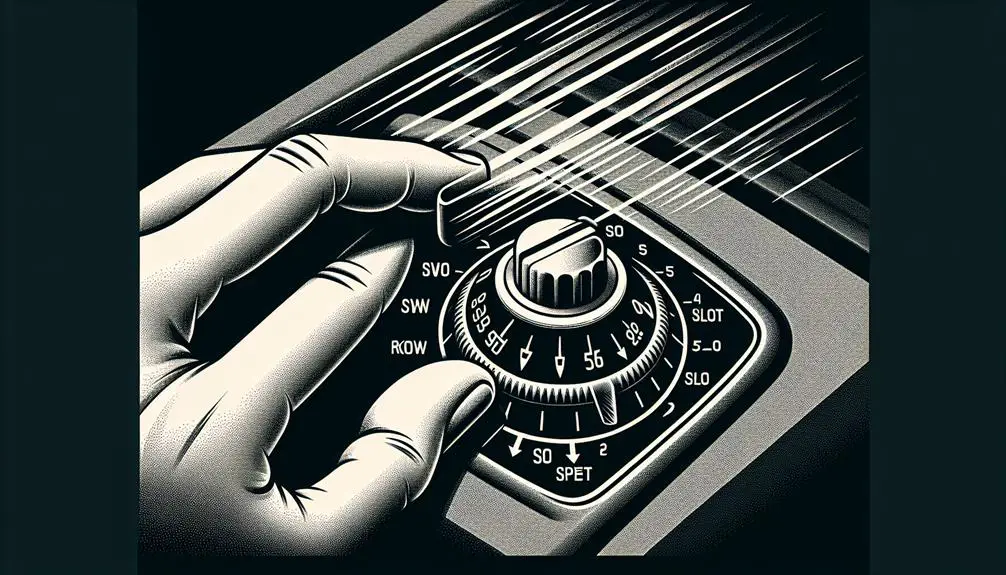
  • Find the part of the stalk that twists, which is for the rear wiper.
  • Twist it gently to change the wiper speed.
  • You can select intermittent, low, or high speed based on the weather.
  • Using the highest speed often may use more battery and wear out the wiper blades faster.
  • Practice changing speeds in different weather to see what works best.

When adjusting the rear wiper speed, do it quickly so you can keep focusing on driving. It's better to set the wiper speed before you start driving or when the car is stopped, to keep the rear view clear while driving.

Using the Wiper Fluid

To clean your Toyota Corolla's rear windshield with wiper fluid, follow these steps:

  1. Find the control for the rear windshield wiper fluid near the steering wheel, usually on the right side. It might be a twistable lever or a button with a windshield icon.
  2. Press or twist the control to spray the fluid. You should hear the pump and see fluid on the windshield. Keep the control pressed for a few seconds to cover the windshield well.
  3. The rear wiper should start automatically to clean the windshield. If it doesn't, manually start it using the same controls to ensure the windshield is clear.

Maintenance Tips

regular car maintenance schedule

To maintain your Toyota Corolla's rear windshield and wiper fluid system effectively, follow these simplified maintenance tips:

  • Regularly check the wiper blade for any signs of damage, such as cracks or tears. If the blade doesn't touch the glass evenly, it needs replacing to avoid streaks.
  • Keep the wiper blade and arm clean. Use a soft cloth with soapy water or a cleaning solution to remove dirt and debris.
  • Make sure the wiper fluid level is full. Refill the reservoir when needed to ensure you can always clean your windshield.
  • Pay attention to any unusual sounds like squeaking or grinding when using the wiper. These noises may indicate a worn-out blade or a problem with alignment.
  • Have your wiper system checked by professionals during regular vehicle maintenance to identify and fix any issues you mightn't notice.

Conclusion

You've learned how to use the back windshield wipers in your Toyota Corolla!

Just remember, look for the control lever next to your steering wheel, turn or push it to start the wipers, change the speed if you need to, and remember to use the wiper fluid to make it extra clean.

Make sure to check them regularly so they work well when you need them.

Drive safely and enjoy being able to see clearly from your Corolla, no matter the weather!

How to Reset Toyota Maintenance Light


To reset the Toyota maintenance light, turn the key to position one, press and hold the trip meter reset button on the dashboard, then turn the key to position two or “II.”

Understanding Toyota Maintenance Light

Have you ever wondered about the small maintenance light that appears on your Toyota’s dashboard? If you drive a Toyota vehicle, you may have noticed this light turning on at specific intervals. In this article, we will delve into the aspects of the Toyota maintenance light, including its purpose and how to reset it effectively.

What Is The Toyota Maintenance Light?

The Toyota maintenance light is a small indicator that appears on your vehicle’s dashboard to notify you of the need for maintenance or inspection. This light is designed to remind you of routine maintenance, such as an oil change, tire rotation, or other regular servicing requirements.

Purpose Of The Maintenance Light

The primary purpose of the maintenance light is to ensure that essential maintenance tasks are not overlooked, ultimately contributing to the longevity and performance of your Toyota vehicle. By staying proactive in addressing the maintenance light, you can help prevent potential issues and maintain the overall health of your vehicle.

How to Reset Toyota Maintenance Light

Credit: www.mossytoyota.com

Methods To Reset Toyota Maintenance Light

To reset the Toyota maintenance light, follow these steps: Turn the key to position one, press and hold the trip meter reset button, and then turn the key to position two. Continue holding the button until the light goes off.

Methods to Reset Toyota Maintenance Light

Resetting After An Oil Change

After an oil change, it is common for the maintenance light to illuminate on your Toyota dashboard. To reset the maintenance light after an oil change, follow these steps:

  1. Turn the key to position one, usually marked “I”.
  2. Press and hold the trip meter reset button on the dashboard.
  3. Without letting go of the trip meter reset button, turn your key to position two or “II”.
  4. Continue holding the trip meter reset button until the maintenance light on your Toyota dashboard resets.

Resetting On Toyota 4runner

Resetting the maintenance light on a Toyota 4Runner is a simple process. Here’s how you can do it:

  • Start your Toyota 4Runner and make sure the trip meter is displaying the odometer reading.
  • Turn off the engine.
  • Press and hold the trip meter reset button on the dashboard.
  • While holding the trip meter reset button, turn the key to the “ON” position without starting the engine.
  • Continue holding the trip meter reset button until the maintenance light turns off.

Resetting On Toyota Rav4

To reset the maintenance light on a Toyota RAV4, follow these steps:

  1. Start your Toyota RAV4 and make sure the trip meter is displaying the odometer reading.
  2. Turn off the engine.
  3. Press and hold the trip meter reset button on the dashboard.
  4. While holding the trip meter reset button, turn the key to the “ON” position without starting the engine.
  5. Continue holding the trip meter reset button until the maintenance light turns off.

Resetting On Toyota Camry

Resetting the maintenance light on a Toyota Camry is a straightforward process. Here are the steps to follow:

  • Start your Toyota Camry and make sure the trip meter is displaying the odometer reading.
  • Turn off the engine.
  • Press and hold the trip meter reset button on the dashboard.
  • While holding the trip meter reset button, turn the key to the “ON” position without starting the engine.
  • Continue holding the trip meter reset button until the maintenance light turns off.

Resetting On Toyota Highlander

To reset the maintenance light on a Toyota Highlander, follow these instructions:

  1. Start your Toyota Highlander and ensure the trip meter is displaying the odometer reading.
  2. Turn off the engine.
  3. Press and hold the trip meter reset button on the dashboard.
  4. While holding the trip meter reset button, turn the key to the “ON” position without starting the engine.
  5. Keep holding the trip meter reset button until the maintenance light turns off.

Video Tutorials On Resetting Toyota Maintenance Light

If you’re wondering how to reset the maintenance light on your Toyota, look no further. We have compiled a list of video tutorials from expert car enthusiasts and Toyota professionals that will guide you through the process step by step. These videos cover different Toyota models like the 4Runner, RAV4, Camry, and Highlander, ensuring you’ll find the information you need. Let’s dive into these helpful resources!

Chrisfix – Resetting The Maintenance Required Light In A Toyota

If you prefer a straightforward and concise tutorial, ChrisFix’s video is a perfect choice. In just a minute, he demonstrates how to reset the maintenance required light on your Toyota. His clear instructions are easy to follow, making this video suitable for all DIYers. To reset the light, ChrisFix advises setting the odometer to total mileage, pressing and holding the trip odometer button, and finally, releasing the button when the light disappears. It’s as simple as that! Check out the video on YouTubeOpens in a new tab..

Fixin It – How To Reset Maintenance Light On A Toyota

Fixin It’s video provides a comprehensive guide on resetting the maintenance light on your Toyota. In just one minute, Fixin It covers all the necessary steps to ensure your light is reset correctly. The video highlights the importance of turning the key to position one, pressing and holding the trip meter reset button, and then turning the key to position two. These instructions are accompanied by clear visuals, making it easier to follow along. Want to learn more? Head over to the YouTubeOpens in a new tab. video.

Steve Clifford – How To Reset Maintenance Reminder – Toyota

Steve Clifford’s video goes above and beyond, providing a detailed tutorial on resetting the maintenance reminder on your Toyota. In just over three minutes, Steve demonstrates each step, ensuring you won’t miss any critical instructions. He emphasizes the importance of resetting your scheduled maintenance reminder to keep your Toyota running smoothly. Follow along as Steve navigates through the menus on the screen using the arrows and clicks and holds the OK button. Find this informative video on YouTubeOpens in a new tab..

Erin Park Toyota – Resetting Your Scheduled Maintenance Reminder

For those who prefer a longer but more in-depth tutorial, Erin Park Toyota’s video is the right choice. In just under five minutes, a Toyota professional walks you through the process of resetting your scheduled maintenance reminder. Erin Park Toyota emphasizes the importance of this task to ensure your vehicle is properly maintained. The video guides you through steps such as resetting the reminder and navigating through the menus on the screen. Discover the full tutorial on YouTubeOpens in a new tab..

Step-by-step Guide To Reset Toyota Maintenance Light

Are you looking for a simple way to reset the maintenance light in your Toyota? Look no further! We have put together a step-by-step guide to help you reset the maintenance light on your Toyota vehicle. Follow these easy instructions and have your maintenance light reset in no time!

Turn The Key To Position One

First, turn the key to position one, typically marked as “I”. This will start the process of resetting the maintenance light.

Press And Hold The Trip Meter Reset Button

Next, locate the trip meter reset button on the dashboard and press and hold it. This button is usually found near the odometer.

Turn The Key To Position Two

While still holding the trip meter reset button, turn the key to position two or “II”. This is usually the position where all the dashboard lights turn on.

Continue To Hold The Trip Meter Reset Button

Even after turning the key to position two, continue to hold the trip meter reset button. This step is essential for the reset process to proceed smoothly.

Release The Button Once The Light Is Reset

Finally, release the trip meter reset button once the maintenance light is reset. You may see a change on the dashboard display confirming the reset.

Common Questions About Resetting Toyota Maintenance Light

If you own a Toyota vehicle, you may have encountered the maintenance required light on your dashboard at some point. This light serves as a reminder to perform routine maintenance tasks, such as an oil change or tire rotation. However, once you’ve completed the necessary maintenance, you’ll need to reset the light to ensure it doesn’t continue to appear. In this section, we will address some common questions regarding how to reset the Toyota maintenance light.

How Do I Turn Off The Maintenance Required Light?

To turn off the maintenance required light on your Toyota, follow these steps:

  1. Start your vehicle and switch it to the “ON” position.
  2. Locate the trip odometer button on your dashboard.
  3. Press and hold the trip odometer button until the maintenance required light begins to flash.
  4. Release the trip odometer button, and the light will turn off.
  5. Ensure that the light stays off by starting your vehicle again.

How To Reset The Maintenance Light On A Toyota Push Button Start?

If your Toyota has a push button start, resetting the maintenance light is slightly different. Here’s how you can do it:

  1. Press the “POWER” button twice to switch your vehicle to the “IGNITION ON” mode.
  2. Locate the trip reset button near the odometer.
  3. Press and hold the trip reset button until the maintenance light begins to flash.
  4. Release the trip reset button, and the light will turn off.
  5. Confirm that the light remains off by turning off and restarting your vehicle.

How To Reset The Service Engine Soon Light On A Toyota?

Resetting the service engine soon light on a Toyota can be done with the following steps:

  1. Insert your key into the ignition and turn it to the “ON” position.
  2. Locate the trip meter reset button on your dashboard.
  3. Press and hold the trip meter reset button.
  4. While holding the button, turn the key to the “ACC” or “LOCK” position.
  5. Release the trip meter reset button.
  6. Your service engine soon light should now be reset.

How To Clear The Maintenance Light On A Toyota?

Clearing the maintenance light on a Toyota involves the following steps:

  1. Start your vehicle and ensure it is in park.
  2. Locate the trip reset button on your dashboard, typically near the odometer.
  3. Press and hold the trip reset button.
  4. Turn your key to the “ON” position without starting the engine.
  5. Release the trip reset button.
  6. The maintenance light should now be cleared.

How To Reset A Toyota Yaris Maintenance Light?

If you’re looking to reset the maintenance light on a Toyota Yaris, here’s what you need to do:

  1. Turn your vehicle’s ignition on.
  2. Locate the trip reset button on your dashboard.
  3. Press and hold the trip reset button until you see “Trip A” appear on the screen.
  4. Continue holding the trip reset button.
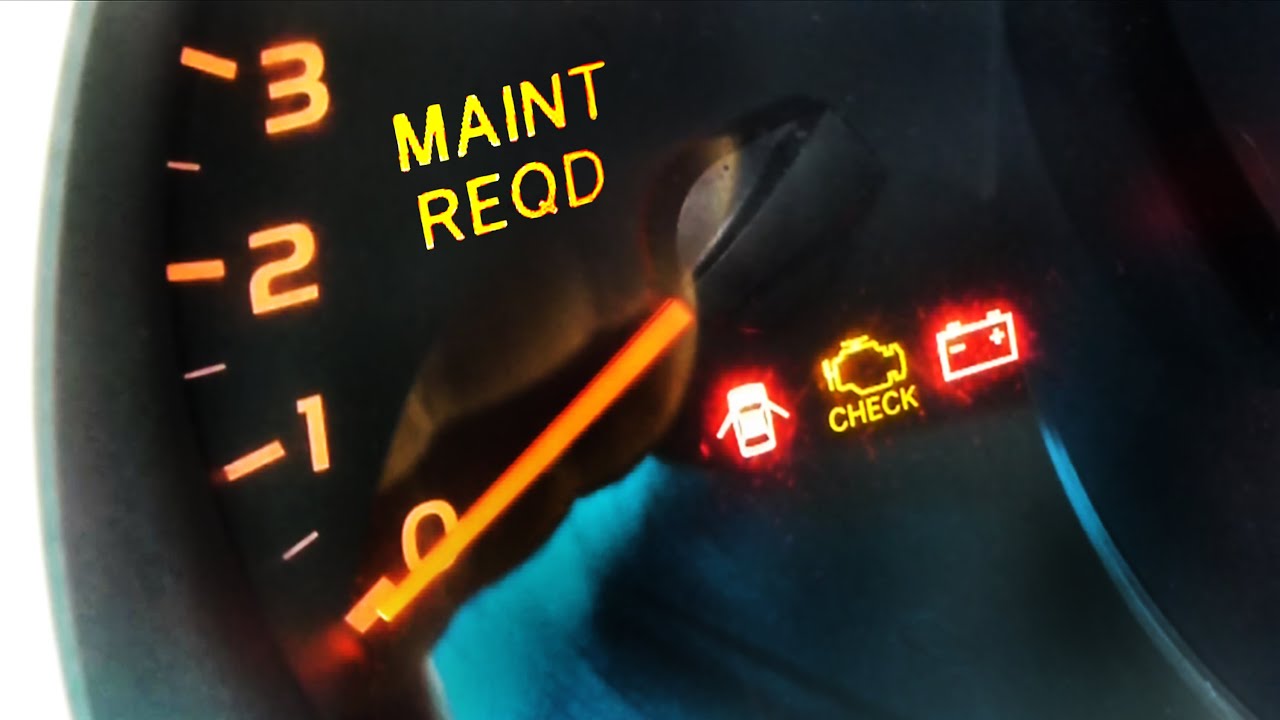
  5. You will see an icon with “MAINT REQD” appear on the screen.
  6. Once the icon disappears, release the trip reset button.
  7. The maintenance light on your Toyota Yaris should now be reset.
How to Reset Toyota Maintenance Light

Credit: www.youtube.com

How to Reset Toyota Maintenance Light

Credit: www.redmccombstoyota.com

Frequently Asked Questions For How To Reset Toyota Maintenance Light

How Do I Turn Off The Maintenance Required Light?

To turn off the maintenance required light, follow these steps: Set the odometer to total mileage. Press and hold the trip odometer button. Reset your scheduled maintenance reminder. Navigate through the menus using the arrows. Click and hold the OK button.

How Do You Reset The Maintenance Light On A Toyota Im?

To reset the maintenance light on a Toyota IM, follow these steps: 1. Set the odometer to total mileage. 2. Press and hold the trip odometer button. 3. Release the button after a while. This will reset the maintenance light.

How Do You Turn Off The Maintenance Required Light On A Toyota Push Button Start?

To turn off the maintenance required light on a Toyota push button start: 1. Turn the key to position one. 2. Press and hold the trip meter reset button on the dashboard. 3. While holding the button, turn the key to position two.

4. Release the button once the light turns off. 5. The maintenance light should now be reset.

Conclusion

Resetting the Toyota maintenance light is a simple process that can be done at home, saving time and money. By following the correct steps, you can ensure that your vehicle’s maintenance reminders are accurately reset, allowing you to keep track of essential servicing.

With these helpful tips, you can easily manage your Toyota’s maintenance light without any hassle.