Recent Posts

2021 Hyundai Venue Headlight problems, Symptoms, Causes and How to Fix


The 2021 Hyundai Venue has been reported to face several headlight problems, including non-stop warning beeping after LED bulb upgrades, dimming lights, one bulb being out, and inadequate high beam performance. These issues can be attributed to various causes such as burnt-out bulbs, electrical problems like blown fuses, incompatible LED bulb upgrades without proper load resistors, or misaligned headlight assemblies. Symptoms to watch for include dim or flickering lights, one side’s light being out, headlight warning lights on the dash, continuous beeping related to the headlights, or a lack of brightness when switching to high beams.

To address these issues, it’s recommended to first check and replace any blown headlight fuses in the fusebox. If upgrading to LED bulbs, ensure to install a load resistor kit to prevent warning lights and beeping. For any misalignment, have the headlight aim adjusted by a professional. If the problem persists, it may be due to more complex electrical wiring issues, necessitating a diagnostic by a mechanic or dealer.

2021 Hyundai Venue Headlight common problems

  1. Aftermarket LED Bulb Compatibility: Owners who have attempted to upgrade the factory halogen bulbs to aftermarket LED bulbs often face issues such as warning lights or continuous beeping. This is typically due to the car’s electronic systems not being fully compatible with the LED bulbs. The LED upgrades can also result in poor light distribution and focus, which affects the overall effectiveness of the headlights.
  2. Poor Factory Headlight Aim/Beam Pattern: There are reports from owners that the headlights are aimed too low or have a “crossed eyes” beam pattern. This misalignment can significantly reduce visibility, making it difficult to see street signs or navigate safely at night, especially on highways or in rural areas.
  3. Electrical Issues: Some Venue owners have encountered electrical problems, such as blown fuses, which can lead to both headlights failing simultaneously. This type of issue can cause complete non-operation of the headlights, posing serious safety risks during night driving or poor visibility conditions.

Symptoms

Common symptoms of headlight problems in the 2021 Hyundai Venue include:

Aftermarket LED Bulb Compatibility Issues:

    • Warning lights or messages indicating to check the bulbs.
    • Continuous beeping sounds when the headlights are on.
    • Dimmer light output than expected from LED bulbs.
    • Potential flickering of the headlights.

    Poor Headlight Aim/Beam Pattern:

    • Headlights pointed too low, significantly reducing visibility of road signs and other objects.
    • “Crossed eyes” beam pattern, where the headlights focus too narrowly directly in front of the vehicle.
    • Other drivers flashing their lights, mistakenly thinking that the high beams are on.

    Electrical Issues:

      • Complete failure of both headlights.
      • Frequently blown fuses, requiring repeated replacement.
      • Lack of high beam functionality, affecting visibility in low-light conditions.

      Potential Causes

      1. Compatibility Issues with Aftermarket LED Bulb Upgrades: Owners who replace factory halogen bulbs with aftermarket LED bulbs may encounter warning lights, continuous beeping, or one headlight going out intermittently due to the vehicle’s electronic system not fully supporting the LED setup.
      2. Electrical Faults: Problems such as blown fuses, relay issues, or malfunctions with the body control module (BCM) that controls the headlights can lead to complete headlight failure, the auto headlight function not working, or headlights behaving unusually, such as being brighter when manually turned off.
      3. Wiring Issues or Shorts: Intermittent operation or dimming of the headlights could be caused by wiring issues or shorts in the headlight circuit.

      How to Diagnose Headlight Issues in Your 2021 Hyundai Venue?

      Diagnosing headlight issues in your 2021 Hyundai Venue involves a systematic approach to identify and resolve the underlying problem.

      1. Observe Symptoms: Note any warning lights, messages, or specific behaviors such as flickering, dimming, or one headlight being out. Symptoms like these can provide initial clues about the nature of the issue.
      2. Check for Electrical Issues: Inspect the headlight fuses in the fuse box for any that might be blown. A blown fuse could indicate a short circuit or overload in the headlight circuit. Also, check the condition of the headlight relay if applicable, as a faulty relay can prevent the headlights from functioning properly.
      3. Inspect Wiring and Connectors: Examine the wiring harnesses and connectors leading to the headlight bulbs for any signs of wear, corrosion, or loose connections. Electrical issues often stem from poor connections or damaged wiring.
      4. Test Voltage Supply: Use a multimeter to check for proper voltage at the headlight connectors. Inadequate voltage can indicate a problem upstream in the electrical system, such as with the vehicle’s battery, alternator, or wiring.
      5. Evaluate Headlight Bulbs: If the headlights are dim or one is out, inspect the bulbs themselves. For HID or LED bulbs, consider the condition of the ballasts and igniters, as these components are crucial for proper operation.
      6. Consider Aftermarket Modifications: If aftermarket LED or HID bulbs have been installed, ensure they are compatible with the Venue’s electrical system. Incompatibility can lead to warning messages, beeping, or erratic headlight behavior.
      7. Consult Technical Service Bulletins (TSBs): Check for any Hyundai TSBs related to headlight issues for the 2021 Venue. TSBs can provide information on known issues and recommended fixes from the manufacturer.
      8. Professional Diagnosis: If the problem persists or if you’re unsure about any steps, consider seeking assistance from a Hyundai dealership or a qualified auto repair shop. They have the expertise and specialized tools to diagnose and fix headlight issues accurately.

      How to Fix 2021 Hyundai Venue Headlight Problems– Step by step

      To fix headlight problems on your 2021 Hyundai Venue, follow these step-by-step instructions:

      1. Diagnose the Issue

      • Identify the specific problem with your headlights (e.g., dimness, flickering, warning messages).
      • Check for any warning lights or error messages on the dashboard that might indicate a problem.

      2. Inspect and Replace Bulbs

      • Open the hood and locate the headlight assemblies.
      • Remove the headlight bulb cover and inspect the bulb for any signs of damage or burnout.
      • Replace the bulbs if necessary. Ensure you use bulbs that are compatible with the Venue’s headlight system to avoid issues like warning messages or improper lighting.

      3. Check Electrical Connections

      • Inspect the wiring and connectors for any signs of wear, corrosion, or loose connections.
      • Ensure that all connections are secure and that there is no visible damage to the wiring.

      4. Adjust Headlight Aim

      • Locate the adjustment screws on the headlight assembly. These are typically found on the back or side of the assembly.
      • Adjust the vertical and horizontal aim of the headlights. Aim the beams so they provide maximum visibility without blinding oncoming traffic.
      • It’s advisable to refer to the Hyundai Venue’s service manual for specific instructions on how to adjust the headlights properly.

      5. Address Aftermarket LED Issues

      • If aftermarket LED bulbs were installed and are causing issues, consider switching back to the factory-recommended bulbs or choose high-quality aftermarket LEDs that are compatible with the vehicle’s electrical system.
      • Check if the LED bulbs have built-in CAN bus drivers to prevent error messages and compatibility issues.

      6. Replace Headlight Assembly (if necessary)

      • If the headlight assembly is damaged or the issues persist after trying the above steps, consider replacing the entire assembly.
      • Remove the front bumper cover to access the headlight assembly. Disconnect the old assembly and install the new one.
      • Ensure all connections are secure and that the new assembly is properly aligned.

      7. Test the Headlights

      • After making adjustments or replacements, test the headlights in various conditions (night, twilight, etc.) to ensure they function correctly and provide adequate road illumination.

      8. Consult a Professional

      • If you are not comfortable performing these steps yourself or if the problem persists, consult a professional mechanic or a Hyundai authorized service center.

      Repairing 2021 Hyundai Venue Headlight Problems: DIY or Professional Help?

      DIY Approach

      Pros:

      • Cost-effective: DIY headlight restoration kits are generally affordable, typically ranging from $20 to $50.
      • Immediate action: You can perform the restoration at your convenience without needing to schedule an appointment.

      Cons:

      • Skill and results: DIY results may not match professional quality, potentially leading to less effective restoration
      • Durability: DIY solutions may not last as long, requiring more frequent treatments.

      Professional Help

      Pros:

      • Quality and durability: Professionals use specialized tools and products, ensuring a high-quality restoration that is likely to last longer.
      • Expertise: Professionals can address complex issues like severe oxidation or improper installation of aftermarket parts.

      Cons:

      • Cost: Professional services are more expensive, typically ranging from $75 to $200 per headlight, and can go higher depending on the severity of the issue and the quality of the coatings used.
      • Time: You may need to schedule an appointment and leave your car at the shop, which could be inconvenient.

      2021 Hyundai Venue Headlight Problems Repairing Cost

      Repairing headlight problems on a 2021 Hyundai Venue can vary significantly in cost depending on the approach taken—DIY restoration or professional services—and the nature of the issue. Here’s a breakdown of potential costs:

      DIY Headlight Restoration

      • Cost Range: DIY kits typically range from $20 to $50.
      • Pros: More cost-effective and can be done at your convenience.
      • Cons: Results may not match professional quality, and durability can be an issue if not done properly.

      Professional Headlight Restoration

      • Cost Range: Professional services generally cost between $50 to $200, depending on the severity of the damage and the specific services (e.g., sanding, polishing, sealing).
      • Pros: Higher quality, longer-lasting results with the use of professional-grade materials and techniques. Some services may offer warranties or guarantees against yellowing or fading.
      • Cons: More expensive than DIY options and may require scheduling an appointment.

      Additional Considerations

      • Severe Damage: For headlights that are severely damaged or oxidized, full replacement rather than restoration might be necessary, which can significantly increase the cost.
      • Upgrades: Some professionals offer upgrades like ceramic coatings or clear coat respray, which can add $20 to $100 to the overall cost.
      • Warranties/Guarantees: Professional services sometimes include warranties or guarantees, such as a 6-month guarantee against yellowing or fading, which can add value to the service.

      Preventing Future Headlight Problems in 2021 Hyundai Venue

      1. Follow the Manufacturer’s Maintenance Schedule: Regular maintenance is crucial. The owner’s manual recommends major periodic service every 2 years or after 30,000 kilometers. While it doesn’t specify headlight maintenance, adhering to this schedule can help identify and prevent potential issues early.
      2. Regular Inspections and Cleaning: Periodically check your headlights for any signs of damage, dimming, or fogging. Clean the headlight lenses regularly to prevent buildup that can reduce visibility.
      3. Check and Replace Fuses as Needed: Familiarize yourself with the fuse that protects the headlights and inspect it regularly for any signs of wear or failure. Replace it if necessary to ensure the headlights remain operational.
      4. Avoid Aftermarket Bulb Upgrades: To prevent compatibility issues, such as warning messages or beeping, avoid installing aftermarket LED bulbs if your Venue did not originally come with them. Stick to manufacturer-recommended bulbs.
      5. Headlight Aim and Alignment: Ensure your headlights are properly aimed and aligned. Misaligned headlights can significantly reduce visibility and may be adjusted as per the instructions in the owner’s manual or by a professional.
      6. Professional Inspection for Electrical Issues: If you encounter electrical problems, such as both headlights going out simultaneously, have your vehicle inspected by an authorized Hyundai dealer. This ensures any complex issues are properly diagnosed and resolved.
      7. Lens Restoration or Replacement: If the headlight lenses become oxidized or foggy, consider having them professionally restored or replaced to maintain optimal light output and visibility.
      8. Authorized Hyundai Dealer Services: For any headlight issues or maintenance, it’s recommended to have the service performed by an authorized Hyundai dealer. They are equipped to provide high-quality service and any other assistance that may be required.

      Can I drive my 2021 Hyundai Venue with a malfunctioning Headlight?

      No, you should not drive your 2021 Hyundai Venue with a malfunctioning headlight. Driving with only one functioning headlight is generally illegal in most places and poses significant safety risks.

      Operating a vehicle with one headlight significantly reduces your visibility and can impair your ability to see other vehicles, pedestrians, and obstacles on the road. It also makes your vehicle less visible to other drivers, increasing the risk of accidents, especially under poor visibility conditions such as at night or in bad weather.


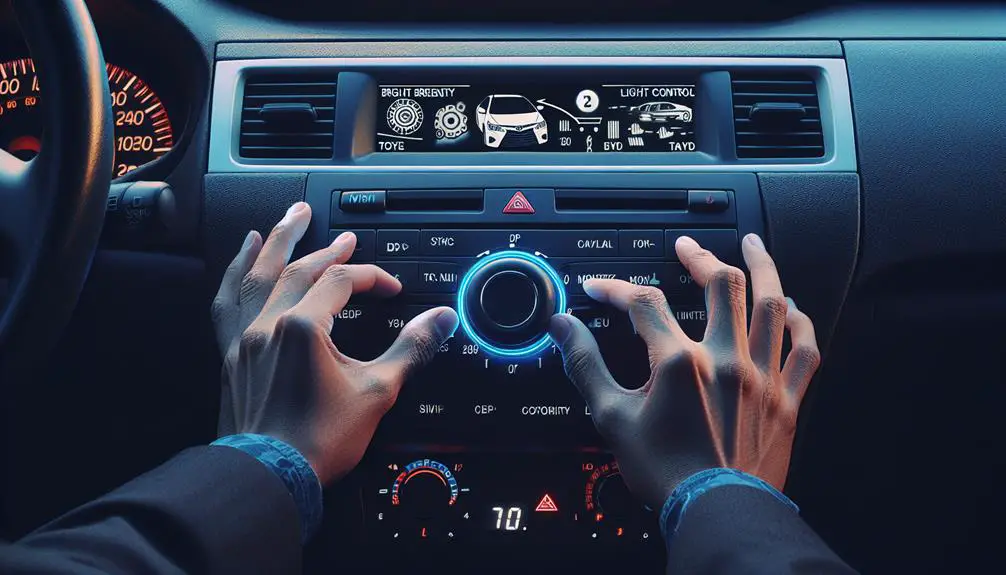
      How to Turn on Dashboard Lights Toyota Corolla


      To turn on the dashboard lights in your Toyota Corolla:

      • Locate the light control dial on the dashboard, usually found to the left of the steering wheel.
      • Simply rotate the dial to adjust the brightness or turn the lights on.

      Locate the Light Control Dial

      find the light control

      To start, locate the light control dial on the left side of the steering wheel in your Toyota Corolla. This dial helps you see your dashboard clearly by controlling the lights. It's important for safety and ease of driving.

      The dial controls various lighting functions, but your main focus is to turn on the dashboard lights. It usually works by twisting or turning, which is easy to do.

      Using the dial helps you see important information like speed and fuel level more easily, especially in low light conditions.

      Note that the location or design of the light control dial might differ across Toyota Corolla models. Check your vehicle's manual to learn how to use it properly.

      Adjusting Brightness Levels

      To adjust the brightness of your Toyota Corolla's dashboard lights, follow these steps:

      1. Park or put your car in neutral. Make sure the engine is on or in accessory mode. This is important for the electrical system to work.
      2. Find the dashboard brightness control. It might be a dial or buttons, and its location depends on the year of your Corolla.
      3. Use the dial or buttons to change the brightness. You can make it brighter or dimmer. This helps you see the display better in different conditions.

      Here's a guide for setting the brightness based on where you're driving:

      • Night in the city: Set it to medium or low.
      • Night in the countryside: Keep it low or very low.
      • Twilight or dawn: Medium is good.
      • Sunny day: Go for high brightness.
      • Cloudy day: Medium to high works well.

      Troubleshooting Common Issues

      addressing everyday technical problems

      If your Toyota Corolla's dashboard lights aren't working, try these steps:

      1. Check the dimmer switch. It might've been adjusted by mistake. You can find it on the dashboard or near the headlight controls. Adjust it to see if the lights turn back on.
      2. Look at the fuse. The fuse box is under the dashboard or in the engine compartment. Use your owner's manual to locate the dashboard lights' fuse. Remove it and see if the wire inside is broken. If yes, replace the fuse.
      3. Check the alternator. If it's not charging the battery properly, your dashboard lights may be dim or flicker. If you see other electrical issues, have a professional check the alternator.
      4. If none of the above work, there might be a more complex electrical problem. It's best to see a mechanic for these types of issues, as they can properly diagnose and fix them.

      Tips for Nighttime Driving

      Driving at night can be challenging, especially when it comes to visibility. To ensure you can see well, make sure your Toyota Corolla's dashboard lights are set correctly. Additionally, here are some tips to help you drive safely at night:

      • Lower your car's inside lights to avoid hindering your vision of the road.
      • Turn on your headlights early in the evening or in adverse weather conditions to enhance visibility for other drivers. Adjust them properly to prevent blinding oncoming traffic.
      • Regularly clean your windshield to remove dirt and debris that can obstruct your view, particularly when illuminated by other vehicles' lights.
      • Stay focused and vigilant while driving at night. Avoid distractions and continuously scan the road for potential hazards. If you feel tired, take a break as drowsy driving poses serious risks.

      Maintaining Dashboard Lights

      tracking vehicle dashboard indicators

      To maintain your Toyota Corolla's dashboard lights:

      1. Monitor your car's battery, especially if it's over three years old. A weak battery can cause dim or flickering dashboard lights.
      2. Clean the dashboard regularly with a soft, dry cloth to remove dust and dirt. Avoid using harsh chemicals or abrasive materials.
      3. Check the dimmer switch if your dashboard lights seem dim. It might've been accidentally adjusted.
      4. Replace any burnt-out bulbs as soon as you notice them. Auto parts stores can provide the correct bulbs and instructions for replacement.

      Conclusion

      Now you know how to turn on and adjust the dashboard lights in your Toyota Corolla, fixing any small problems should be easy.

      It's important to keep these lights at the right level of brightness to make driving at night better. Always check these lights to make sure everything is okay and there are no surprises when you're driving.

      By following these easy steps, you can keep your dashboard lights working well, which makes driving at night safer and more enjoyable.

      Have fun driving!

      2021 Hyundai Venue Battery Problems, Symptoms, Causes and How to Fix


      Owners of the 2021 Hyundai Venue have reported various battery issues, including unexpected discharge warnings, slow engine cranks, and the need for frequent jump-starts. These problems often manifest as dim headlights and other electrical malfunctions. The root causes range from parasitic drains, where components continue drawing power when the vehicle is off, to short trips that don’t allow the battery to fully recharge.

      To address these concerns, owners should have their battery tested and replaced if necessary, check for electrical faults, ensure longer driving intervals for adequate charging, avoid leaving accessories on, and consider a higher capacity battery for improved performance.

      Symptoms

      2021 Hyundai Venue owners have reported several battery-related problems, which manifest through various symptoms:

      • Slow Engine Crank: Difficulty starting the vehicle, indicating the battery may not be providing enough power.
      • Dim Headlights or Electrical Issues: Reduced performance of headlights and other electrical components.
      • Dashboard Warning Lights: Indicators for battery discharge or issues with the vehicle’s charging system.
      • Voltage Drops: Sudden drops in voltage detected by vehicle monitoring systems, sometimes recovering after a few hours.
      • Remote Start System Failures: Particularly noted in cold weather conditions, affecting aftermarket systems like Astrostart.
      • Battery Discharge Warnings: Alerts from vehicle apps or monitoring systems about battery discharge.
      • Intermittent Voltage Drops: Voltage appears to drop and then goes back to normal, causing uncertainty about battery health.

      Potential Causes

      1. Slow Engine Start: Difficulty in starting the engine, indicating the battery may not be providing sufficient power.
      2. Frequent Jump Starts Needed: The vehicle often requires jump-starting, suggesting the battery is unable to hold a charge.
      3. Corrosion at Battery Terminals: Corrosion can impede electrical flow, leading to starting problems.
      4. Low Battery Fluid Level: Affects the battery’s ability to hold a charge and deliver power.
      5. Battery Age: Batteries typically last 2-5 years; an older battery may struggle to perform effectively.
      6. Parasitic Drains: Accessories or faulty components drawing power when the vehicle is off can deplete the battery.
      7. Alternator Issues: A failing alternator may not recharge the battery adequately, leading to power loss.
      8. Extreme Temperatures: Both hot and cold extremes can negatively impact battery performance.

      How to Diagnose Battery Issues in Your 2021 Hyundai Venue?

      To diagnose battery issues in your 2021 Hyundai Venue, follow these steps:

      1. Inspect the Battery and Connections: Check the battery terminals and cables for any signs of corrosion, loose connections, or damage. Ensure that all connections are clean and secure.
      2. Check Battery Voltage and Load Test: Use a multimeter to check the battery voltage. It should be around 12.6 volts when fully charged and not running. Perform a load test to evaluate the battery’s ability to hold a charge.
      3. Test for Parasitic Drains: Disconnect the battery and monitor if it continues to drain with everything turned off. This helps identify if any electrical components or aftermarket installations are drawing power when they shouldn’t be.
      4. Check Alternator Output: Ensure that the alternator is charging the battery properly while the engine is running. The voltage at the battery with the engine running should be between 13.7 and 14.7 volts.
      5. Look for Error Codes: Use an OBD-II scanner to check for any error codes that might relate to the charging system or electrical issues.
      6. Battery Replacement: If the battery fails the load test or continues to show low voltage despite a functioning alternator, it may need to be replaced. Ensure the replacement battery meets the specifications required for the 2021 Hyundai Venue.
      7. Further Diagnosis: If issues persist after replacing the battery and ensuring the charging system is functioning correctly, further diagnosis might be needed to identify any hidden electrical issues or faulty components.

      How to Fix 2021 Hyundai Venue Battery Problems– Step by step

      To fix battery problems in your 2021 Hyundai Venue, follow these steps:

      Step 1: Identify Symptoms

      Look for signs like slow engine crank, dim headlights, electrical issues, or battery warning lights.

      Step 2: Inspect the Battery

      Check the battery for damage, corrosion, or leaks. Clean the terminals if necessary to ensure a good connection.

      Step 3: Test Battery Voltage and Load

      Use a multimeter to check the battery’s voltage; it should be around 12.6 volts when fully charged. Perform a load test (available for free at many auto parts stores) to assess the battery’s health.

      Step 4: Check for Parasitic Drains

      Disconnect the battery and monitor if it continues to drain. This step helps identify if any electrical components are drawing power when they shouldn’t be, which can deplete the battery.

      Step 4: Evaluate Alternator Output

      Ensure the alternator is charging the battery properly. With the engine running, the voltage at the battery should be between 13.7 and 14.7 volts.

      Step 5: Battery Replacement

      If the battery fails the load test or if issues persist, replace the battery. Make sure to choose a battery that meets the specifications for the 2021 Hyundai Venue.

      Step 6: Address Electrical Faults

      If replacing the battery doesn’t solve the problem, further diagnosis may be necessary to uncover any electrical faults or charging system issues.

      Step 7: Battery Reset Procedure

      If your vehicle’s 12V battery disconnects to prevent drainage, use the battery reset switch. Press the reset switch and start the vehicle within 15 seconds. This may help reconnect and recharge the battery.

      Repairing 2021 Hyundai Venue Battery Problems: DIY or Professional Help?

      When addressing battery problems in a 2021 Hyundai Venue, the decision between DIY and professional help depends on the complexity of the issue and the owner’s technical expertise.

      DIY Approach:

      • Simple Battery Replacement: If the problem is clearly a dead battery and you are comfortable with basic car maintenance, replacing the battery yourself can be a straightforward task. This involves purchasing the correct battery, removing the old one, and installing the new one while ensuring all connections are secure and corrosion-free.
      • Basic Troubleshooting: For issues like checking battery voltage or cleaning terminals, DIY can be effective. However, this requires some knowledge of car electronics and access to tools like a multimeter.

      Professional Help:

      • Complex Diagnostics: If the battery issues include symptoms like electrical faults, intermittent power loss, or recurring discharge warnings, professional diagnostics are recommended. This is because such problems could indicate deeper electrical system issues, such as parasitic drains or alternator problems, which require specialized equipment and expertise to diagnose and repair.
      • Warranty and Software Updates: For vehicles still under warranty, or where software updates are involved (such as updates to prevent battery drain from remote commands), visiting a Hyundai dealership is advisable. Dealerships have the latest diagnostic software, can perform updates, and will handle warranty claims.
      • Safety and Effectiveness: Professional technicians ensure that the repair is done safely and effectively, which is crucial in modern vehicles with complex electronic systems. Incorrect handling can lead to further damage or void warranties.

      2021 Hyundai Venue Battery Problems Repairing Cost

      Repairing battery problems in a 2021 Hyundai Venue can vary widely in cost, depending on the nature of the issue and whether additional electrical system repairs are needed. Here’s a breakdown of potential costs:

      • Battery Replacement: The cost for a new battery range from approximately $130 to $200. If you opt for professional installation, labor costs can add an additional $20 to $40.
      • Diagnosing Electrical Issues: If the battery problem is due to parasitic drains or other electrical faults, diagnosing these issues can add to the cost. Labor rates for Hyundai dealers are around $100 to $200 per hour, while independent shops may charge $75 to $150 per hour. The diagnosis itself can range from $90 to $150, with more complex issues potentially costing $600 or more to fix.
      • Towing: If the vehicle is immobilized and needs towing, costs can range from $75 to $200.
      • Rental Car: If repairs take several days, you might need a rental car, which could cost roughly $30 to $60 per day.

      Preventing Future Battery Problems in 2021 Hyundai Venue

      To prevent future battery problems in your 2021 Hyundai Venue, consider the following steps:

      1. Avoid Extended Accessory Mode: Limit the use of the vehicle’s electrical features (like the radio or lights) when the engine is off. This prevents the battery from draining excessively.
      2. Regular Driving: Ensure the vehicle is driven regularly and for sufficient distances. This helps maintain the battery’s charge level, as short trips may not allow the battery to fully recharge.
      3. Periodic Battery Testing: Have the battery tested regularly to check its health. This is especially important if you start noticing symptoms like slow engine cranks or dim lights. Replace the battery if tests indicate it is failing.
      4. Check for Parasitic Drains: Investigate any unusual battery drains that could be caused by electrical components or wiring issues. These can drain the battery even when the car is turned off.
      5. Ensure Proper Charging by Alternator: Verify that the alternator is effectively charging the battery while the engine runs. If the alternator is faulty, it could lead to battery drain.
      6. Maintain Clean Electrical Connections: Keep the battery terminals and connections clean and free from corrosion to ensure optimal performance.
      7. Upgrade Battery if Necessary: If you frequently encounter battery issues despite following the above steps, consider upgrading to a higher capacity battery that can handle more frequent use and charging cycles.

      Can I drive my 2021 Hyundai Venue with a malfunctioning Battery?

      No, you can’t drive a 2021 Hyundai Venue with a malfunctioning battery, especially if the battery is completely dead and unable to hold any charge.

      While it might be possible to drive a short distance with a malfunctioning battery if the alternator is functioning properly, it involves risks. The safest course of action is to address the battery issue promptly by seeking professional help or towing the vehicle to a repair facility.

      How to Reset Toyota Radio?


      How to Reset Toyota Radio? Are you having trouble with your Toyota radio and need to reset it? Don’t worry! In this comprehensive guide, we will walk you through the step-by-step process to reset your Toyota radio. Whether you’re experiencing issues with connectivity, sound quality, or any other radio-related problems, a reset can often solve these issues.

      Step 1: Locate the VIN

      First, you need to locate the Vehicle Identification Number (VIN) of your Toyota. The VIN can typically be found on the driver’s side dashboard, near the windshield. It is also located on your car’s registration and insurance documents.

      Step 2: Obtain Radio Code

      With the VIN in hand, you can contact your local Toyota dealership or the Toyota customer service to obtain the radio unlock code. You will need this code to reset the radio.

      Step 3: Enter the Radio Code

      Once you have the radio code, turn on the ignition in your car. The radio display should show “Code” or “Enter Code”. Use the radio preset buttons to input the code. Be sure to enter the correct code to avoid locking the radio.


      Step 4: Completing the Reset

      After entering the code, press the “Enter” or “OK” button on the radio. If the code is correct, the radio should beep and begin working properly again. Your radio is now reset and ready to use!

      How to Reset Toyota Radio

      Credit: m.youtube.com

      Common Issues with Toyota Radios

      Toyota radios may encounter various issues such as connection problems with Bluetooth or auxiliary devices, loss of sound, or frozen screens. A reset can often resolve these issues.

      Achieving A Factory Reset

      When experiencing persistent issues with your Toyota radio, performing a factory reset might be necessary. The exact steps for this can vary between different Toyota models, so it’s best to consult your vehicle’s manual or reach out to a Toyota expert for guidance.

      Consulting an Expert

      If you’re ever unsure about resetting your Toyota radio or encounter difficulties during the process, it’s recommended to seek assistance from a certified Toyota technician. They have the knowledge and tools to ensure the radio is reset correctly without causing any further issues.

      How to Reset Toyota Radio

      FAQ

      How Do I Reset My Toyota Radio?

      To reset your Toyota radio, locate the “Reset” or “Eject” button on the interface. Press and hold it for a few seconds until the display turns off and then back on. Your radio should now be reset.

      What Should I Do If My Toyota Radio Is Not Working?

      If your Toyota radio is not working, check the fuse related to the radio in the fuse box. If the fuse is blown, replace it with a new one of the same rating. If the fuse is fine, consult a professional for further troubleshooting.

      Can I Reset My Toyota Radio Without A Code?

      Yes, you can reset your Toyota radio without a code. Simply disconnect the car battery for a few minutes, then reconnect it. This should reset the radio and allow you to use it without a code. However, keep in mind that you may lose any saved settings or presets in the process.

      Conclusion

      Resetting your Toyota radio may seem like a daunting task, but with the right information and guidance, it can be a straightforward process. By following the steps outlined in this guide, you can resolve common radio issues and get back to enjoying your favorite tunes without any interruptions. Remember, if you ever need assistance, don’t hesitate to contact your local Toyota dealership or customer service for help!


      2021 Hyundai Venue Engine problems, Symptoms, Causes and How to Fix


      The 2021 Hyundai Venue has been generally well-received, but some owners have reported engine-related issues. Symptoms include ticking or knocking sounds, which may be normal for the fuel injection system but could also indicate a problem. There have also been instances of the engine stalling while driving, with the vehicle failing to throw any diagnostic codes, which could be due to fuel system issues or a fault with the key fob/anti-theft system.

      The causes of these problems could range from the fuel system, air intake system issues, or ignition system faults. To fix these issues, it’s recommended to diagnose the specific cause and replace any faulty parts. For stalling, resetting the systems by disconnecting the battery may help, but persistent problems should be diagnosed by a dealer.

      Symptoms

      The 2021 Hyundai Venue has exhibited a few engine-related symptoms that owners should be aware of:

      • Ticking or Knocking Sounds: These noises can sometimes be heard from the engine compartment. While they might be normal for the fuel injection system, they could also indicate deeper mechanical issues.
      • Engine Stalling: Some users have reported the engine stalling unexpectedly during operation. This issue often occurs without triggering any diagnostic trouble codes, making it difficult to diagnose.
      • Loss of Power: Drivers may experience a sudden loss of engine power, which can be particularly concerning during driving scenarios that require consistent power delivery.
      • Difficulty Starting: There have been instances where the engine struggles to start or exhibits extended cranking times before starting.

      Potential Causes

      The 2021 Hyundai Venue has exhibited several engine-related issues, primarily identified through user reports and discussions. The potential causes for these problems include:

      1. Fuel System Issues: Problems such as a bad fuel pump, clogged fuel filter, or general fuel delivery issues can lead to difficulty starting the engine, as it struggles to receive adequate fuel.
      2. Electrical System Problems: Faults within the battery, starter, or other electrical components of the starting system can result in extended cranking times before the engine starts.
      3. Cold Weather Impact: In colder climates, the engine oil thickens, and the battery’s cranking power decreases, exacerbating starting difficulties. It’s suggested to let the fuel pump prime the system by turning on the ignition briefly before fully cranking the engine, allowing fuel to circulate and facilitate easier starts.

      How to Diagnose Engine Issues in Your 2021 Hyundai Venue?

      To diagnose engine issues in your 2021 Hyundai Venue, follow these steps:

      1. Identify Symptoms

      Common symptoms include ticking or knocking noises, engine stalling, loss of power, and difficulty starting.

      2. Use an OBD-II Scan Tool

      Connect a scan tool to read diagnostic trouble codes. Look for codes like:

      • P0300-P0312: Indicate misfires, which may involve spark plugs, coils, or fuel injectors.
      • P0171/P0174: Suggest a lean air/fuel mixture, possibly due to vacuum leaks or issues with the mass air flow sensor.
      • P0420-P0499: Related to the catalytic converter and oxygen sensors.

      3. Consult the Hyundai Service Manual

      This includes:

        • Visual inspections of spark plugs, wiring, and sensors.
        • Using scan tools to monitor live data from sensors.
        • Electrical tests on circuits using a multimeter.

        4. Check Common Causes

          • Fuel System: Inspect for bad fuel, clogged filters, or a faulty fuel pump.
          • Ignition System: Check spark plugs, ignition coils, and wiring.
          • Sensors: Examine O2 sensors, mass air flow sensors, and camshaft/crankshaft sensors.
          • Mechanical Issues: Look at timing chains, belts, valves, and pistons.

          5. Use Appropriate Diagnostic Tools

            • An OBD-II scanner for reading and clearing codes.
            • A multimeter for circuit testing.
            • Access to a printed or electronic copy of the Hyundai service manual for guidance.

            How to Fix 2021 Hyundai Venue Engine Problems– Step by step

            To effectively diagnose and fix engine problems in your 2021 Hyundai Venue, follow these step-by-step instructions:

            Step 1: Identify the Symptoms

            Common symptoms of engine issues in the 2021 Hyundai Venue include:

            • Engine stalling
            • Ticking or knocking noises
            • Difficulty starting the engine

            Step 2: Diagnostic Procedures

            1. Use an OBD-II Scanner: Connect a scanner to retrieve any diagnostic trouble codes (DTCs) that could indicate specific issues.
            2. Visual Inspection: Check for any obvious signs of wear or damage to components like belts, hoses, and connections.
            3. Component Testing: Test specific components such as the fuel pump, ignition coils, and sensors to ensure they are functioning correctly.

            Step 3: Common Repairs

            Based on the diagnostics, perform the necessary repairs:

            • Fuel System: Replace or repair parts like the fuel pump, fuel filters, or injectors if they are causing fuel delivery issues.
            • Ignition System: Replace faulty spark plugs, ignition coils, or wiring that may be causing misfires or poor engine performance.
            • Electrical Components: Address any issues with the battery, alternator, or starter that could affect starting and operation.

            Step 4: Follow Official Service Manual Procedures

            Consult the Hyundai Venue service manual for detailed repair procedures and specifications to ensure all repairs are done correctly.

            Step 5: Dealer Assistance

            If the problem persists after attempting DIY repairs, or if it’s a complex issue like internal engine repair, it may be best to take the vehicle to a Hyundai dealer. They can provide more specialized diagnostics and have access to model-specific technical service bulletins and recalls.

            Repairing 2021 Hyundai Venue Engine Problems: DIY or Professional Help?

            When deciding whether to undertake DIY repairs or seek professional help for engine problems in a 2021 Hyundai Venue, several factors should be considered:

            DIY Repairs

            • Cost Savings: DIY repairs primarily involve the cost of parts, which can be significantly cheaper than professional services. For basic maintenance like oil changes, air filters, and spark plugs, the parts typically range from $20 to $100.
            • Complexity and Risk: More complex repairs, such as replacing sensors or fuel system components, can range from $100 to $500 in parts. Major repairs like head gasket replacements or internal engine work can escalate to $500 to $1500+ in parts alone. These tasks require a high level of skill and the right tools, and mistakes can lead to further damage or safety issues.
            • Time Consuming: Significant time investment is required to learn and perform repairs correctly.

            Professional Help

            • Expertise and Equipment: Professionals have the necessary skills, tools, and diagnostic equipment to accurately diagnose and fix issues, which is crucial for complex engine problems.
            • Warranty and Reliability: Repairs done by professionals often come with warranties on parts and labor, providing peace of mind and potentially saving money in the long run if issues recur.
            • Higher Cost: Professional services include labor costs, which can significantly increase the overall expense. For example, common engine diagnostics and repairs can range from $200 to $400, and major repairs can cost $1000 to $3000 or more.
            • Dependence: Relying on professionals can lead to a dependency that might deter learning basic vehicle maintenance and repair skills.

            2021 Hyundai Venue Engine Problems Repairing Cost

            Repairing engine problems in a 2021 Hyundai Venue can vary significantly in cost depending on the nature of the issue. For common problems such as replacing the fuel pump, costs can range between approximately $1,079 and $1,118. If the issue is with the fuel filter, the replacement cost is estimated between $187 and $206. For battery replacement, the cost is around $195.

            More severe engine problems that require internal repairs could be substantially more expensive, potentially exceeding $1,500 when considering both parts and labor. Factors influencing repair costs include the severity of the issue, whether OEM or aftermarket parts are used, whether repairs are done at a dealership or an independent shop, and if the repairs are done DIY to save on labor costs.

            Preventing Future Engine Problems in 2021 Hyundai Venue

            To prevent future engine problems in your 2021 Hyundai Venue, it’s crucial to adhere to a comprehensive maintenance schedule and be proactive about potential issues.

            1. Follow the Recommended Maintenance Schedule

            • Regular Service Intervals: Ensure you follow the Hyundai’s recommended service intervals, typically around 6,000 to 7,500 miles. During these services, important tasks such as changing the engine oil and filter, rotating the tires, and replacing the cabin air filter are performed.
            • Comprehensive Checks: Include a multi-point inspection to check the brakes, engine air filter, and other critical components.
            • Additional Maintenance: For higher mileage, consider transmission fluid changes and spark plug replacements as specified in your owner’s manual.

            2. Use Quality Parts and Fluids

            • Top Tier Detergent Gasoline: Use high-quality fuel to prevent build-up that can degrade engine performance. If unavailable, consider using recommended fuel additives.
            • Quality Oil and Filters: Use manufacturer-recommended oil and filters to ensure optimal engine health and performance.

            3. Monitor and Address Transmission Health

            • Avoid Aggressive Driving: This can extend the life of the Continuously Variable Transmission (CVT), which is sensitive to driving habits.

            4. Stay Informed on Recalls and Service Bulletins

            • Check for Updates: Regularly check for any Technical Service Bulletins (TSBs) or recalls that might affect your vehicle. For instance, be aware of extended warranty coverage for certain components like the horn, which might indicate broader quality or durability issues.

            5. Professional Inspections

            • Dealer Inspections: If you notice any abnormal noises, stalling, or loss of power, have your vehicle inspected by a Hyundai dealer. They can diagnose issues that are not obvious and ensure that any problems are addressed under warranty if applicable.

            Can I drive my 2021 Hyundai Venue with a malfunctioning Engine?

            No, you should not drive your 2021 Hyundai Venue if it has a malfunctioning engine. Driving with engine problems such as knocking, stalling, or loss of power can lead to further damage. If the check engine light is on, it’s important to consider whether it is flashing or steady.

            A flashing check engine light usually indicates a more serious issue that requires immediate attention, and you should not drive the vehicle except to get it to a repair shop. A steady light without drivability issues might allow for limited driving, but the issue should still be diagnosed and addressed promptly.

            If you experience rough idling, vibrations, or unusual noises, these could be signs of engine failure, and driving in such a condition could be dangerous. It’s crucial to have the engine checked by a professional as soon as possible.

            Best Battery for Hyundai I30


            When selecting a battery for your Hyundai I30, there are several key factors to consider. First, you should look for a battery that is specifically designed to meet the requirements of your vehicle. This ensures optimal performance and compatibility. Secondly, consider the battery's lifespan and warranty coverage. A longer lifespan and a solid warranty can provide peace of mind and save you money in the long run. Lastly, factor in the price of the battery and compare it with the features and benefits it offers. By weighing these considerations, you can find the best battery for your Hyundai I30 that meets your needs and budget.

            Understanding Battery Specifications

            understanding battery technology details

            When selecting a battery for your Hyundai I30, understand important specifications for performance and compatibility. The term 'group size' refers to the battery's size and terminal location, which must match your I30's requirements for fit and connection. Check your car's manual or ask an expert for this.

            The Cold Cranking Amps (CCA) rating shows how well the battery starts the car in cold weather. Choose a battery with the recommended CCA rating for your I30 to avoid damaging the electrical system.

            Battery life indicates how long the battery will last. Choose one with a longer life expectancy to reduce the need for replacements.

            Reserve capacity (RC) shows how long the battery can power the car's essentials if the alternator fails. A higher RC provides more emergency power.

            Knowing these specifications helps you pick a suitable and efficient battery for your Hyundai I30.

            Top Performance Picks

            When choosing a battery for your Hyundai I30, it's important to pick one that offers reliability and power. Here are the best options:

            1. AGM Batteries: These batteries last long and can handle extreme temperatures and vibrations well. They're a good choice for high-performance driving or rough roads.
            2. EFP Technology Batteries: These are better than traditional batteries because they charge faster and last longer. They're ideal for frequent short drives or if you use many electronic accessories in your car.
            3. Lithium-ion Batteries: Although more expensive, these batteries are lighter, charge quickly, and have a long lifespan. They're great for efficiency and longevity.

            These options ensure your Hyundai I30 runs well. Choosing a high-quality battery means your car will be more reliable.

            Best Value Batteries

            affordable long lasting battery power

            Looking for affordable, high-quality batteries for your Hyundai i30? It's important to choose batteries that offer reliability, performance, and good value. Here's a comparison of some options:

            Brand Model Price (Approx.)
            ACDelco Advantage $120
            Bosch S4 $140
            Duracell Advanced $130
            Exide Excell $125
            Varta Blue Dynamic $135

            These batteries provide good performance for their price. For example, ACDelco Advantage is reliable in different weather conditions. Bosch S4 supports your car's energy needs well and is known for lasting a long time.

            To choose the best battery, think about how each one meets your car's needs and your driving style, while also being cost-effective. The aim is to find a battery that performs well without costing too much.

            Longevity Champions

            To keep your Hyundai i30 reliable, it's important to choose a durable battery. This will prevent you from being stranded due to a battery failure. This article highlights top battery brands known for their durability, which are suitable for Hyundai i30.

            Durability in car batteries depends on the brand and how well the battery fits your car and driving habits. Here are three recommended brands:

            • AGM (Absorbent Glass Mat) batteries are durable and handle charging and discharging well.
            • Energizer car batteries are known for their reliability and long life in many cars, including the Hyundai i30.
            • Bosch batteries are also a good choice for long-term use, helping keep the Hyundai i30 running smoothly for a long time.

            Choosing a battery from these brands can help ensure your Hyundai i30 stays reliable and ready to use without sudden battery problems.

            Maintenance and Care Tips

            proper care for plants

            Choose a strong battery for your Hyundai i30 and keep it well-maintained. Here's how:

            1. Clean battery terminals to prevent corrosion. Use a mix of baking soda and water, then rinse and dry.
            2. Check the battery's fluid level if it requires maintenance. Add distilled water if low, but don't overfill.
            3. Ensure the charging system works properly to avoid shortening the battery's life. Have it checked by a professional if your car has starting issues.
            4. Protect the battery from extreme temperatures. Park in the shade or a garage in hot weather, and use a battery blanket or a warmer location in cold weather.
            5. Drive regularly to prevent battery discharge. If you won't use the car for a while, disconnect the battery or use a trickle charger.

            These steps help maintain your battery's condition.

            Conclusion

            Now, you know all about the top batteries for your Hyundai i30.

            You can choose one that works the best, is a good deal for the money, or lasts a long time.

            Remember, taking care of your battery makes it last longer, so always look after it.

            With the right choice and taking good care of it, your i30 will be ready for all your trips.