
Recent Posts

How to Reset Battery Light on Toyota Corolla


To reset the battery light on a Toyota Corolla:

  • First, ensure the battery and alternator are functioning properly.
  • Next, disconnect the battery for a few minutes.
  • Reconnect the battery and start the engine.

This should reset the battery light.

Understanding the Battery Light

interpreting car battery signals

The battery light on your Toyota Corolla dashboard indicates an issue with the car's electrical system, specifically that the battery isn't charging properly. The car's battery is crucial for starting the engine and powering electrical components. When the engine runs, the alternator charges the battery. If the light turns on, it means there's a problem in the charging process, possibly with the battery, alternator, or a loose belt.

Ignoring the battery light can lead to a dead battery or damage to the electrical system. It's important to address this warning immediately to avoid getting stranded or causing further issues.

Initial Troubleshooting Steps

To troubleshoot the battery light before it becomes a bigger issue, follow these simple steps:

  • Check if the battery light goes off after starting the car. If it does, it mightn't be urgent.
  • Look at the battery terminals to make sure they're not corroded or loose.
  • Check the dashboard for other warning lights, which could hint at the problem.
  • Listen for any strange sounds when starting the car, as these could affect the battery.
  • Refer to the owner's manual for your car, like a Toyota Corolla, for specific advice.

These steps are a good way to catch easy-to-fix problems early, saving time and money. They also help you know more about your car, making discussions with mechanics easier.

Battery and Alternator Check
automotive diagnostic service performed

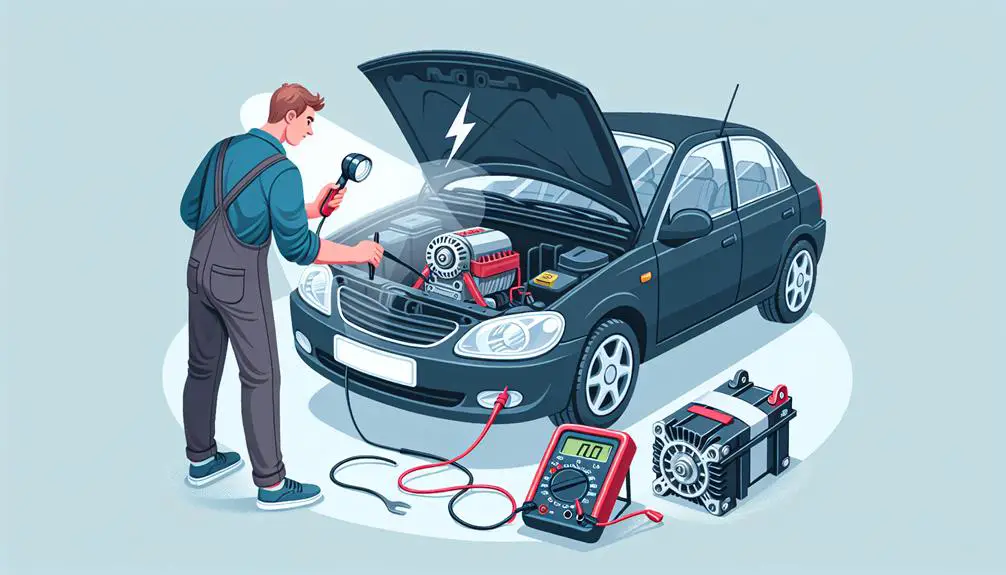
To ensure your Toyota Corolla operates correctly, check the battery and alternator. These are key for the car's electrical system, and problems can activate the battery light.

Start with the battery. Look for corrosion on the terminals, which can weaken the connection. Clean if needed. If the battery is over three years old, test its charge at an automotive store, usually for free.

Then, examine the alternator, which charges the battery while driving. A faulty alternator can't recharge the battery, possibly leading to a drained battery or the car not starting.

Here's a simplified table for reference:

Component Check for Issue Indicator
Battery Terminal corrosion White or greenish buildup
Battery Charge level Voltage under 12.6 volts when off
Alternator Charging ability Battery quickly drains after charge
Both Battery light on dashboard Light on while driving

Resetting the Battery Light

To reset the battery light on your Toyota Corolla, follow these steps:

  1. Disconnect the Battery: Turn off the car and remove the negative cable from the battery. Wait about five minutes before reconnecting it. This might reset the battery light.
  2. Check the Fuse: Look for a blown fuse related to the charging system in your Corolla's manual and replace it if needed.
  3. Drive Your Car: Driving for a short time can help reset the battery light as the system recalibrates and acknowledges that the battery and alternator issues are fixed.
  4. Use an OBD2 Scanner**: Use an On-Board Diagnostics (OBD2) scanner to clear any error codes keeping the battery light on. Connect the scanner, follow instructions, and clear the codes.
  5. Visit a Professional**: If the light doesn't go off, see a mechanic. They can find and fix problems that aren't obvious and reset the light with advanced tools.

Preventing Future Issues
addressing current problems effectively

To avoid problems with your Toyota Corolla's battery light, regularly check and maintain the electrical system. This helps prevent unexpected battery light warnings and keeps your car running well. Check the battery's condition and clean the terminals to avoid corrosion, which can cause bad connections and trigger the battery light.

Make sure the alternator works properly because it charges the battery when the car is on. If the alternator doesn't work, it can't charge the battery, and you might get stuck. A quick way to check the alternator is by looking at the car's headlights. If they get dim when the engine is idling but brighter when you rev the engine, the alternator might need to be checked.

Don't drain your battery by leaving lights on or using electronics a lot when the engine is off. This can make the battery's life shorter and cause the battery light to turn on. If you won't use your car for a long time, think about disconnecting the battery to keep it from draining.

Have a professional check your car's electrical system once a year. This can help find problems early and avoid bigger, more expensive issues later. By doing these things, you can't only turn off the battery light if it's on but also keep it from turning on unexpectedly in the future.

Conclusion

You've learned the basics now. This includes knowing what it means when the battery light comes on, how to check your battery and alternator, and how to turn off the battery light on your Toyota Corolla.

Remember, to avoid problems later, it's important to take care of your car regularly and pay attention to any warning signs early. By making sure you take care of your car's needs, you'll help it stay in good shape for many years.

So, don't ignore these steps; they help your car run well.

How Does Hyundai Compare To Other Car Brands In Terms Of Quality


Hyundai has significantly improved its quality over the years, rivaling established brands in terms of safety, reliability, and customer satisfaction.

With sleek designs and feature-packed models, it stands out as a top choice for consumers, indicating a strong shift in public perception towards viewing it as a quality car manufacturer.

Hyundai's Quality Evolution

hyundai s quality improvement journey

Hyundai has improved its quality over time, moving from a budget option to a respected brand. More Hyundais are seen on the road, known for their affordability, reliability, and new features. Hyundai has invested in research and development to improve each model.

In the past, buying a Hyundai meant choosing a lower price over quality. Now, Hyundai cars are comparable or better than those from established brands. The cars have better materials, smoother rides, and durable engines.

Hyundai has also improved its car designs, making them visually appealing. This mix of quality, performance, and style makes Hyundai a good choice for new car buyers.

Safety Features Compared

ARTICLE TITLE: Hyundai vs. Other Car Brands in Quality

CURRENT SUBTOPIC: 'Safety Features Compared'

Hyundai vehicles often have safety features that are as good as or better than those in other brands. Hyundai includes advanced safety features in its cars, such as forward collision-avoidance assist, lane-keeping assist, and smart cruise control, as standard.

Safety Feature Hyundai vs. Competitors
Forward Collision-Avoidance Similar
Lane-Keeping Assist Often Better
Smart Cruise Control Similar
Blind-Spot Collision Warning Similar

This table shows that Hyundai's safety features are usually similar to or better than those of other brands. Hyundai focuses on making these features easy to use and affordable, which makes it competitive in safety.

Innovation and Technology

advancements in innovation and technology

Hyundai focuses on adding advanced features to its cars to improve driving. They aim to make driving smarter, more connected, and efficient with their technology. Hyundai is ahead in technology by doing the following:

  • They include easy-to-use infotainment systems in their cars that work with Apple CarPlay and Android Auto. This makes it safer and more fun to stay connected while driving.
  • Hyundai has SmartSense, a set of technologies to help drivers by warning them of dangers and sometimes avoiding them.
  • Hyundai invests in electric and hybrid cars, leading in eco-friendly technology. These cars lower emissions and are efficient and powerful.

Customer Satisfaction Ratings

Hyundai excels in technology and has high customer satisfaction ratings. These ratings come from various surveys, showing that people who own Hyundai cars are happy over time. Compared to other car brands, Hyundai scores well because they focus on details, have well-designed car interiors, and provide a good driving experience. Hyundai also offers good after-sales service, which customers appreciate for its efficiency and friendliness.

Hyundai listens to customer feedback and uses it to improve. This approach to valuing customer happiness helps Hyundai stand out from other car companies.

Warranty and Reliability

quality assurance and guarantee

Hyundai is known for its excellent warranty and reliable cars, making it a great choice for buyers. Here's what makes Hyundai stand out:

  • Long Warranty: Hyundai offers a 10-year/100,000-mile warranty for the engine and transmission and a 5-year/60,000-mile warranty for the whole car. This shows they believe in their cars' quality.
  • Reliable Cars: Hyundai cars are often rated as reliable by independent reviews. This means they usually don't break down often, saving you money on repairs.
  • Roadside Help: Hyundai provides 5 years of roadside assistance, no matter how many miles you've driven. They offer help with towing, if you're locked out, or if you have a flat tire, showing they care about your safety and convenience.

Conclusion

Hyundai has gotten really good over time, focusing on keeping people safe, adding cool new features, and making sure customers are happy. When you compare Hyundai to other car brands, you'll see Hyundai is doing a great job.

They offer a really good warranty and their cars are known to be reliable. So, if you're thinking about which car to get, Hyundai is a great choice. They keep making their cars better and stand out from other brands.

Buying a Hyundai means you're getting a car you can trust.

How Long Do Hyundai Elantra Brake Pads Last


Hyundai Elantra brake pads typically last between 30,000 to 70,000 miles.

When John noticed wear on his brake pads at the 50,000-mile mark, it highlighted the importance of understanding their longevity.

The duration can vary based on driving habits and environment, affecting these essential components' durability.

This guide will delve into factors influencing brake pad life and tips for maximizing their lifespan, crucial for maintaining safety and vehicle performance.

Understanding Brake Pad Lifespan

brake pad wear analysis

Brake pad longevity hinges on your driving habits and the conditions you often face on the road. For your Hyundai Elantra, this means the difference between replacing them every 25,000 miles or stretching their life to over 70,000 miles. It's important to understand that while manufacturers provide a general guideline, it's your driving style and the environment that ultimately dictate how long your brake pads will last.

When you're behind the wheel, the way you stop your car plays a significant role. If you're someone who prefers gentle, gradual stops over sudden braking, you're likely to see your brake pads last longer. This method reduces the wear and tear on the pads, as opposed to aggressive braking which can lead to quicker degradation.

Moreover, the type of driving you do most affects their lifespan. City driving, with its frequent stops and starts, can cause brake pads to wear down faster than those used primarily on highways. In urban settings, you're more likely to brake often, accelerating the wear process. On the other hand, highway driving allows for longer stretches of time without the need to brake, preserving the condition of your brake pads.

It's also worth noting that not all brake pads are created equal. The material composition of the pads can influence their durability. While you don't need to delve into the technicalities, being aware that there are differences can help you make informed decisions when it's time for a replacement.

Factors Affecting Lifespan

Comprehending that your driving habits greatly impact brake pad longevity, it's also important to recognize other factors that can affect their lifespan. While you've got control over how you drive, there are several other elements out of your direct control that play a significant role in how long your Hyundai Elantra's brake pads will last. Let's explore some of these factors:

  • Type of Brake Pads: Not all brake pads are created equal. Ceramic pads generally last longer than their metallic or organic counterparts, but they also come with a higher price tag.
  • Driving Environment: Driving in urban areas with lots of stop-and-go traffic will wear down brake pads more quickly than cruising on open highways.
  • Weather Conditions: Extreme weather conditions, particularly those involving lots of moisture or road salt, can accelerate the wear and tear on brake pads.
  • Vehicle Weight: Heavier vehicles put more strain on brake pads during deceleration, leading to faster wear. If you often carry heavy loads or tow with your Elantra, expect to replace the pads more frequently.
  • Maintenance Practices: Regular maintenance checks can help extend the lifespan of your brake pads. Failure to replace worn components like brake rotors can increase the rate at which your pads degrade.

Understanding these factors helps you anticipate the need for replacements and can guide you in taking steps to enhance the lifespan of your Elantra's brake pads. Remember, proactive maintenance and awareness of these aspects can save you time and money in the long run.

Average Lifespan Estimates

life expectancy data analysis

Given the variety of factors at play, you might wonder how long the brake pads on your Hyundai Elantra are actually expected to last.

On average, Hyundai Elantra brake pads tend to last anywhere from 30,000 to 70,000 miles. However, it's essential to bear in mind that this range isn't set in stone. Your driving habits play a critical role in determining the actual lifespan of your brake pads. If you're someone who drives mostly in urban areas with frequent stops, you're likely to be on the lower end of that spectrum. On the other hand, if you spend most of your time on highways with less frequent braking, your brake pads could last towards the higher end of the estimate.

The type of brake pads you choose also significantly affects their lifespan. Ceramic brake pads, while generally more expensive, tend to last longer than their metallic or organic counterparts. They're designed for durability and can offer a smoother, quieter braking experience, potentially extending the life of your brake pads beyond the average estimates.

It's also worth considering the environment you typically drive in. Harsh weather conditions, such as extreme cold or heat, can wear down brake pads more quickly. Likewise, driving in areas with a lot of dust and grit can also accelerate wear.

Ultimately, while these estimates can give you a ballpark figure, the best way to gauge the life of your brake pads is through regular inspections and comprehending how your driving habits and conditions affect their wear.

Signs of Wear and Replacement

Knowing when to replace your Hyundai Elantra's brake pads is as important as grasping their average lifespan. While it's easy to get caught up in mileage and time frames, it's your car's performance and safety that truly indicate it's time for a change. Here are some unmistakable signs that your Hyundai Elantra's brake pads are due for replacement:

  • Squealing or Screeching Noises: When brake pads wear down, they often emit a high-pitched noise as a primary warning sign. This sound is produced by a small metal shim, known as an indicator, which is exposed once the pad wears to a certain thickness.
  • Decreased Braking Performance: If you notice that your car takes longer to stop than it used to or the pedal feels 'spongy,' it could be a sign of worn brake pads.
  • Vibration When Braking: Feeling a vibrating or pulsating sensation through the brake pedal or steering wheel when you apply the brakes is often indicative of warped pads.
  • Visible Wear and Tear: Sometimes, a quick visual check can confirm your suspicions. If the pad thickness is less than 1/4 inch (about 6.4 mm), it's time for a replacement.
  • Warning Light Activation: Many modern vehicles, including the Hyundai Elantra, are equipped with sensors that trigger a warning light on the dashboard when the brake pads are worn out.

Maximizing Brake Pad Longevity

optimizing brake pad lifespan

To improve your Hyundai Elantra's brake pad lifespan, it's vital to adopt driving habits that reduce wear and tear. One effective strategy is practicing smooth braking. Instead of slamming on the brakes at the last minute, aim to gradually decrease your speed. This approach not only prolongs the life of your brake pads but also contributes to safer driving.

Another tip is to maintain a reasonable distance from the vehicle in front of you. This gives you ample time to react and slow down without the need for abrupt braking. By doing so, you'll notice a significant reduction in the frequency of hard stops, thereby reducing the strain on your brake pads.

You should also lighten your vehicle's load whenever possible. Excess weight increases the effort required to stop your car, putting additional pressure on the brake pads. By removing unnecessary items from your trunk or back seat, you can decrease the wear on your brake system.

Regular maintenance is vital for maximizing brake pad longevity. Make sure your brake system is inspected during routine vehicle check-ups. This includes checking the brake fluid, and ensuring that the brake pads, rotors, and calipers are in good condition. If any components are worn or damaged, it's vital to replace them promptly to prevent further damage to your brake system.

Conclusion

To sum up, the lifespan of your Hyundai Elantra's brake pads varies based on several factors, but on average, you can expect them to last between 30,000 and 70,000 miles.

Keep an eye out for signs of wear, such as squealing noises or a decreased braking response, to know when it's time for a replacement.

Remember, you can extend the life of your brake pads by driving gently and avoiding sudden stops.

Stay safe and keep your brakes in check!

How to Reset Maintenance Required on Toyota Corolla 2015?


How to Reset Maintenance Required on Toyota Corolla 2015? To reset the maintenance required light on your Toyota Corolla 2015, start by locating the odometer button near the speedometer. Turn the ignition key to the ‘On’ position without starting the engine. Press and hold the odometer button for 10-15 seconds until the display shows all zeros. Wait for the display to show 000000, ensuring the maintenance required message is reset. Release the odometer button once the display confirms all zeros.

Following these steps accurately will successfully turn off the maintenance light. Unlock the full reset process details by completing these initial steps.

Step 1: Locate the Odometer Button

To begin the process of resetting maintenance on a Toyota Corolla 2015, the first step is to locate the odometer button within the vehicle.

The odometer button is usually situated near the speedometer and tachometer on the dashboard.

It is essential to identify this button correctly, as it will be used in conjunction with the ignition key to reset the maintenance light.

Once you have located the odometer button, ensure the vehicle is in the ‘off’ position before proceeding further. This will prevent any accidental triggering of other functions during the reset process.

Familiarize yourself with the layout of the dashboard to easily find the odometer button without confusion.

Additionally, make sure the car is parked safely with the parking brake engaged before attempting to reset the maintenance light. This precautionary measure ensures your safety and prevents any distractions while performing the reset steps.

By following these instructions carefully, you will be ready to continue with the maintenance light reset process efficiently and effectively.

Step 2: Turn the Ignition Key to On

After locating the odometer button and ensuring the vehicle is in the ‘off’ position, the next step in resetting maintenance on a Toyota Corolla 2015 is to turn the ignition key to the ‘On’ position.

This critical step is fundamental in initiating the maintenance reset process. By turning the key to the ‘On’ position, you are activating the vehicle’s electronic systems without starting the engine. It is essential to make sure all doors are closed during this process.

When the ignition key is turned to the ‘On’ position, various dashboard lights will illuminate, indicating that the vehicle is ready for the maintenance reset procedure.

This action allows the car’s computer to recognize the upcoming input from the odometer button, which is crucial for resetting the maintenance light.

Turning the key to the ‘On’ position is a simple yet pivotal step that sets the stage for successfully resetting the maintenance required light on your Toyota Corolla 2015.

Step 3: Press and Hold Odometer Button

With a firm and steady grip, press and hold the odometer button to proceed with resetting the maintenance on your Toyota Corolla 2015. This button is typically located on the dashboard, near the speedometer.

By pressing and holding this button, you will initiate the process of resetting the maintenance required light on your vehicle.

When pressing the odometer button, make sure to hold it down for approximately 10-15 seconds. You may notice some numbers or symbols flashing on the display while you continue to hold the button. This is an indication that the system is responding to your command and is in the process of resetting the maintenance light.

It is essential to maintain pressure on the button until you see the display show all zeros (000000). Once this sequence appears, you can release the button, signaling that the maintenance reset is complete. This step is crucial in ensuring that the maintenance light is properly reset on your Toyota Corolla 2015.

Step 4: Wait for Display to Show 000000

Upon holding the odometer button for 10-15 seconds, continue to maintain pressure until the display on your Toyota Corolla 2015 shows 000000, indicating that the maintenance reset process is complete.

To help you visualize the steps better, here is a table outlining the process:

StepActionResult
1Press and hold odometer buttonMaintenance required
2Wait for 10-15 secondsCountdown starts
3Continue holdingNumbers change
4Display shows 000000Maintenance reset

Following these steps precisely will ensure that the maintenance required message is successfully reset on your Toyota Corolla 2015. This process is essential to maintain the accuracy of your vehicle’s maintenance schedule and keep your car running smoothly.

Once the display shows 000000, you can proceed with confidence, knowing that the reset has been completed successfully.

Step 5: Release the Odometer Button

To conclude the maintenance reset process on your Toyota Corolla 2015, carefully release the odometer button once the display shows 000000. Releasing the odometer button at this point signals to the vehicle’s system that the reset procedure has been successfully completed.

It is crucial to ensure that the display shows all zeros before releasing the button to guarantee that the maintenance required light will be reset.

Releasing the odometer button promptly after the display reaches 000000 is essential in preventing any errors or interruptions in the reset process. By following this step correctly, you can avoid having to repeat the entire procedure and ensure that the maintenance light is successfully turned off.

Once you release the odometer button and confirm that the display remains showing zeros, you can rest assured that your Toyota Corolla 2015’s maintenance required light has been reset, and your vehicle is ready for its next scheduled maintenance interval.

Wrapping Up

Resetting the maintenance required light on a Toyota Corolla 2015 is a simple process that can be done quickly and easily by following these steps.

By locating the odometer button, turning the ignition key to on, pressing and holding the odometer button, waiting for the display to show 000000, and then releasing the odometer button, you can reset the maintenance required light on your vehicle.

How to Replace Hyundai Kona Brake Light Bulb


Replacing a Hyundai Kona's brake light bulb involves:

  • Gathering necessary tools
  • Obtaining the correct replacement bulb
  • Accessing the light assembly
  • Installing the new bulb

A crucial final step for safety should always be considered.

Preparing for Replacement

updating old computer parts

Before replacing your Hyundai Kona's brake light bulb, make sure you have all the necessary tools and a new bulb at hand. You'll need a screwdriver, possibly a Phillips or flat-head depending on your model, and gloves to keep your hands clean and protect the new bulb from oils on your skin, which can shorten its lifespan.

Initially, you'll have to purchase the correct replacement bulb. Your Kona's manual should list the specific bulb type required, commonly a LED or halogen bulb. If you've misplaced your manual, a quick online search or a visit to an auto parts store can help you find the right match. Remember, using the wrong type of bulb can lead to malfunction or even damage the socket.

Next, make sure your vehicle is parked on a flat surface and that you've turned off the engine. Safety foremost – you don't want your Kona to accidentally move while you're working on it. Engage the parking brake for added security.

It's wise to disconnect the battery before you start. This step isn't always necessary for changing a brake light bulb, but it's a good safety measure to prevent any electrical issues or short circuits while you're handling the lights. Simply use a wrench to loosen the negative battery cable and set it aside, ensuring it doesn't touch any metal.

With these preparatory steps out of the way, you're ready to move on to accessing the light assembly, where you'll actually replace the bulb.

Accessing the Light Assembly

To access the light assembly on your Hyundai Kona, you'll need to open the rear hatch or trunk. This is your initial step towards reaching the brake light bulbs that need replacing. You're not just popping the hood; you're diving into a more intricate area designed for loading and unloading.

Once you've got the hatch open, look for the access panel on the inside of the car's rear. It's usually located directly behind the brake light assembly. In some models, this might be covered with a plastic panel or a sort of fabric liner. You won't need any specialized tools to remove this; your hands are your best tools here. Gently, but firmly, pull the panel or liner away. You might find it secured with clips or fasteners. If so, apply a bit of pressure until they come loose. Be careful not to apply too much force, as these components can break easily.

With the panel or liner out of the way, you should now see the back of the light assembly. Here, you're looking at the housing of the brake light bulb itself. It's important not to proceed with yanking or pulling on any wires you see. Remember, the goal is to access the light assembly without causing any damage.

Now, you've successfully exposed the brake light assembly, setting the stage for the actual bulb replacement. At this point, take a moment to familiarize yourself with the layout. Notice how the assembly fits into the rear of your car, as this knowledge will come in handy when you're putting everything back together.

Removing the Faulty Bulb

fixing a broken light

After successfully accessing the brake light assembly, it's now time to remove the faulty bulb from your Hyundai Kona. This step is essential and needs careful handling to avoid damaging the assembly or harming yourself. Here's how you'll proceed.

To begin, you'll notice that the bulb is held in place by a socket. You need to gently twist the socket counterclockwise to release it. Once it's loose, pull it out of the assembly. You'll now have the bulb and socket in hand.

At this stage, inspect the socket and the assembly for any signs of damage or corrosion. If everything looks good, you're ready to remove the bulb from the socket. It should pull straight out with a firm tug. If it feels stuck, wiggle it gently back and forth while pulling it out. Avoid using excessive force to prevent breaking the bulb.

Step Detail
1. Twist Socket Gently twist the socket counterclockwise to release it from the assembly.
2. Remove Socket Pull the socket out of the assembly to access the bulb.
3. Remove Bulb Firmly pull the bulb straight out of the socket. Wiggle gently if necessary.

Installing the New Bulb

Now it's time to install the new bulb into your Hyundai Kona's brake light socket.

Initially, make sure you've got the correct replacement bulb for your model. Hyundai Konas typically use a specific type, so double-check the bulb's specifications against your owner's manual or the old bulb to make certain compatibility. Handling the new bulb, it's important to avoid touching the glass with your bare fingers. Oils from your skin can shorten the bulb's lifespan. If you accidentally touch it, clean it gently with an alcohol wipe.

Take the new bulb and align it with the socket. You'll want to insert it gently but firmly. For most models, the bulb will only fit one way, but if you're unsure, the base's notches can guide you. Once aligned, push the bulb into the socket until it clicks into place, indicating it's securely fastened.

Next, it's time to reassemble any components you'd to remove to access the brake light. This might include the light assembly or any protective covers. Carefully fit them back into their original positions, making sure not to force any parts that don't seem to fit. Screws or clips that were removed during the initial steps should now be reattached, making sure everything is snug and secure.

Testing and Troubleshooting

testing and problem solving process

After reassembling your Hyundai Kona's brake light components, it's important to test the new bulb to make sure it's working properly. Don't rush this step; ensuring your brake lights are fully operational is vital for your safety and the safety of others on the road. Here's a simple way to check:

  1. Turn on the Vehicle: Start your Hyundai Kona and keep it in park. You'll need the electrical systems active to test the brake lights.
  2. Press the Brake Pedal: Ask a friend to stand behind the vehicle while you press the brake pedal. They can visually confirm whether the new bulb illuminates or not. If you're alone, you can set up a mirror behind the car to see for yourself, or use a stationary object like a wall to look for the light reflection.
  3. Check Both Sides: Make sure to check both the left and right brake lights. Consistency is key. If one side is brighter than the other, or if one fails to light up, there may be an issue.

If the new bulb doesn't light up, don't worry; there's a couple of things you can troubleshoot:

  • Check the Connection: Make sure the bulb is securely inserted into the socket and that the socket is properly connected to the vehicle's electrical system.
  • Inspect the Fuse: A blown fuse can prevent your brake lights from working. Refer to your Hyundai Kona's manual to locate the brake light fuse and check if it needs replacing.

Troubleshooting these issues can often resolve common problems without needing professional assistance.

Conclusion

You've successfully replaced your Hyundai Kona's brake light bulb.

By preparing, accessing the light assembly, removing the old bulb, and fitting a new one, you've completed this task effectively.

Remember, it's important to test the newly installed bulb to confirm it lights up as expected.

If you face any issues, troubleshooting steps like checking for a secure connection can help.

You've not only saved time and money but also improved your vehicle's safety on the road.

Well done on mastering this DIY task!

How Do I Know If My Santa Fe Has A Towing Package


To determine if your Santa Fe has a towing package, consult the owner's manual for detailed specifications.

Inspect for a hitch receiver under the rear bumper, look for wiring harnesses, and check for any additional coolers.

Also, verify the towing capacity to match your needs.

Check the Owner's Manual

refer to the manual

To find out if your Santa Fe has a towing package, check the owner's manual. This manual contains important information about your car, including its towing abilities. Look for a section on towing or trailer towing to learn about the towing capacity of your Santa Fe and if a towing package is included. The manual will also tell you what the towing package includes, like towing hardware and electronic systems for towing.

If you don't have your manual, you can download it from the Hyundai website. Just enter your vehicle's details to get the manual on your computer or smartphone. This lets you easily find out if your Santa Fe can tow and what features it has for towing.

Inspect the Hitch Receiver

To check if your Santa Fe can tow, look at the back for a hitch receiver. This is a square metal tube on the rear frame for attaching a trailer. If you see one, your car might be ready for towing. Check it closely for any labels from the manufacturer about towing capacity to confirm it's meant for towing.

The hitch receiver's condition matters too. If it looks like it's part of the car and professionally done, it's likely from the factory. Aftermarket hitch receivers mightn't be as reliable or match your car's towing ability.

Look for Wiring Harnesses

inspect wiring harnesses carefully

Check the hitch receiver, then look for a wiring harness. This harness connects your Santa Fe's lights to the trailer's lights, ensuring the trailer's brake lights, turn signals, and taillights work with your vehicle for safe towing.

You can usually find the wiring harness near the hitch receiver. It looks like a bundle of wires with a connector for the trailer's wiring. If it's not visible, it might be hidden or covered.

Having a wiring harness means your Santa Fe might be ready for towing, but it doesn't guarantee a complete towing setup. It's just one part of the necessary equipment for towing.

Review Towing Capacity

To know your Santa Fe's towing capacity, follow these steps:

  1. Read the Owner's Manual: It has the specific towing capacity for your model.
  2. Check the Driver's Side Door Jamb: A sticker here shows the maximum towing capacity.
  3. Go to Hyundai's Website: You can find detailed specifications for your Santa Fe, including any changes based on the model or added features.
  4. Talk to a Hyundai Dealer: They can answer any questions about how different features might change the towing capacity.

Assess Additional Coolers

evaluate extra cooling options

To identify if your Santa Fe has a towing package, check for extra coolers like transmission coolers, oil coolers, or radiator upgrades. These are important for towing as they help manage the vehicle's temperature.

Look under your car for these. Transmission coolers are often near the front. If you're unsure, consult the vehicle's manual or ask a professional to help identify these components.

Conclusion

To find out if your Santa Fe can tow, here's what you can do:

First, look in the car's manual and see if there's a part about towing.

Then, look at the back of your car for a hitch receiver – it's where you'd attach a trailer.

Also, check for wiring harnesses; these are important for connecting the trailer's lights to your car.

Make sure to see how much weight your car can tow to make sure it fits what you need.

Lastly, see if there are extra coolers. These help your car when it's towing something heavy.

By doing these steps, you'll know if your car is ready to tow.